06-28 RT100RoughTerrainCrane
6.3.3.3REAL-TIMEWARNING
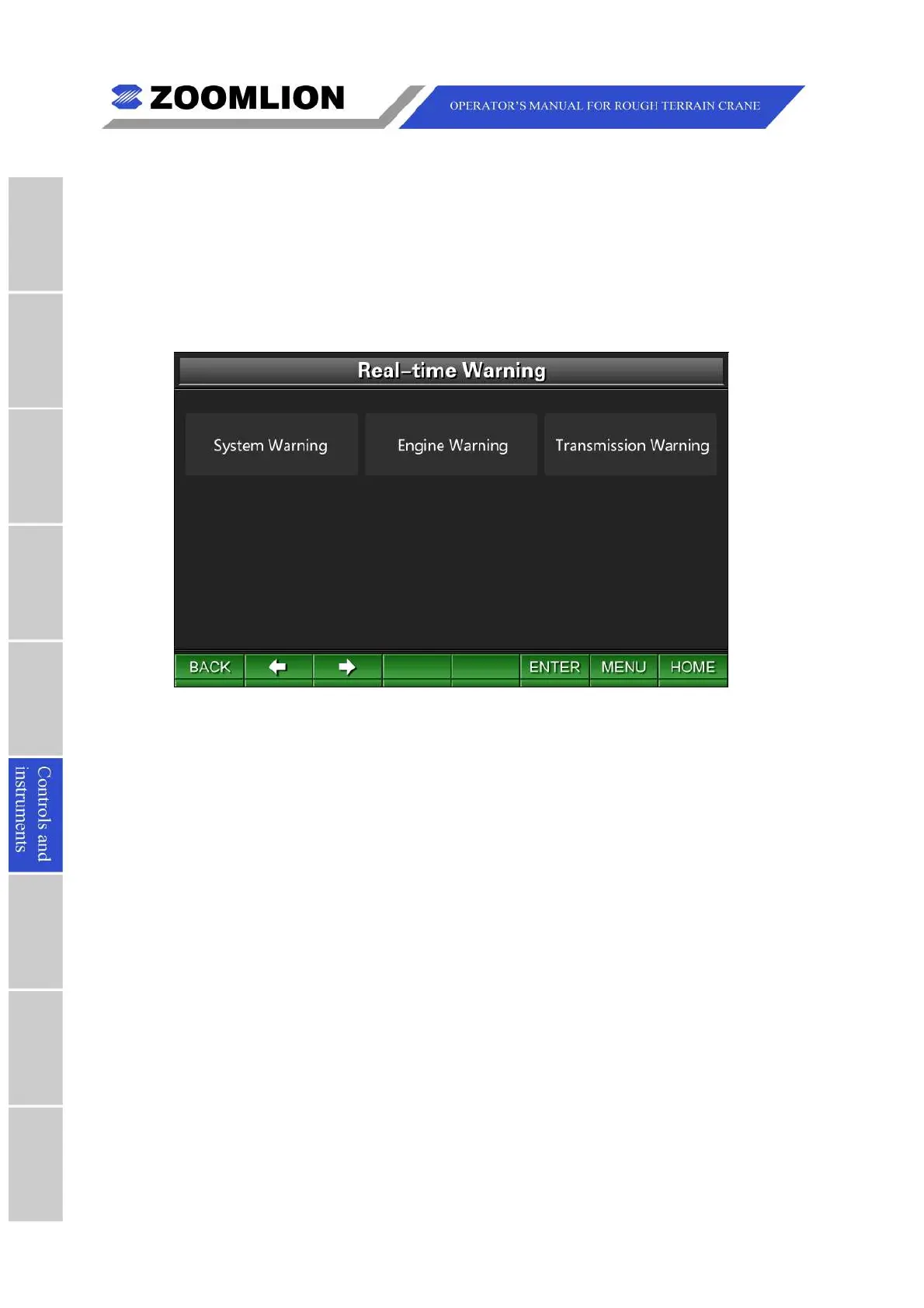
IntheReal-timeWarningScreen,movethecursorleft/rightandpressthekey “ENTER” to
selecttheitemssuchasSystemwarning,EnginewarningorTransmissionwarning.See
Figure06 – 22.
Pressthekeys “BACK” or “MENU” toreturntotheMainMenuScreen.Pressthekey
“HOME"toentertheTravelModeScreen.
Figure06 – 22 Real-timeWarning
(1)Systemwarning:movethecursortoselecttheicon “Systemwarning” andpressthe
key “ENTER” toentertheSystemWarningScreen.SeeFigure06 – 16.
(2)Enginewarning:movethecursortoselecttheicon “Enginewarning” andpressthe
key “ENTER” toentertheEngineWarningScreen.SeeFigure06 – 23.
(3)Transmissionwarning:movethecursortoselecttheicon “Transmissionwarning” and
pressthekey “ENTER” toentertheTransmissionWarningScreen.SeeFigure06 –
24.



 To Next Page