06 - 4 RT60 Rough Terrain Crane
Set the steering switch to crab or 4-wheel steer only when the axles are
in the center position. If you do not this, the range of steering
decreases and it can lock.
If the wheels lock, set the steering switch to 2-wheel steer and turn
front wheels. Move the switch to crab or 4-wheel steer and then put the
wheels to the center position.
Be careful when the superstructure is not in the travel position. The
steering is opposite when the boom is in the rear position.
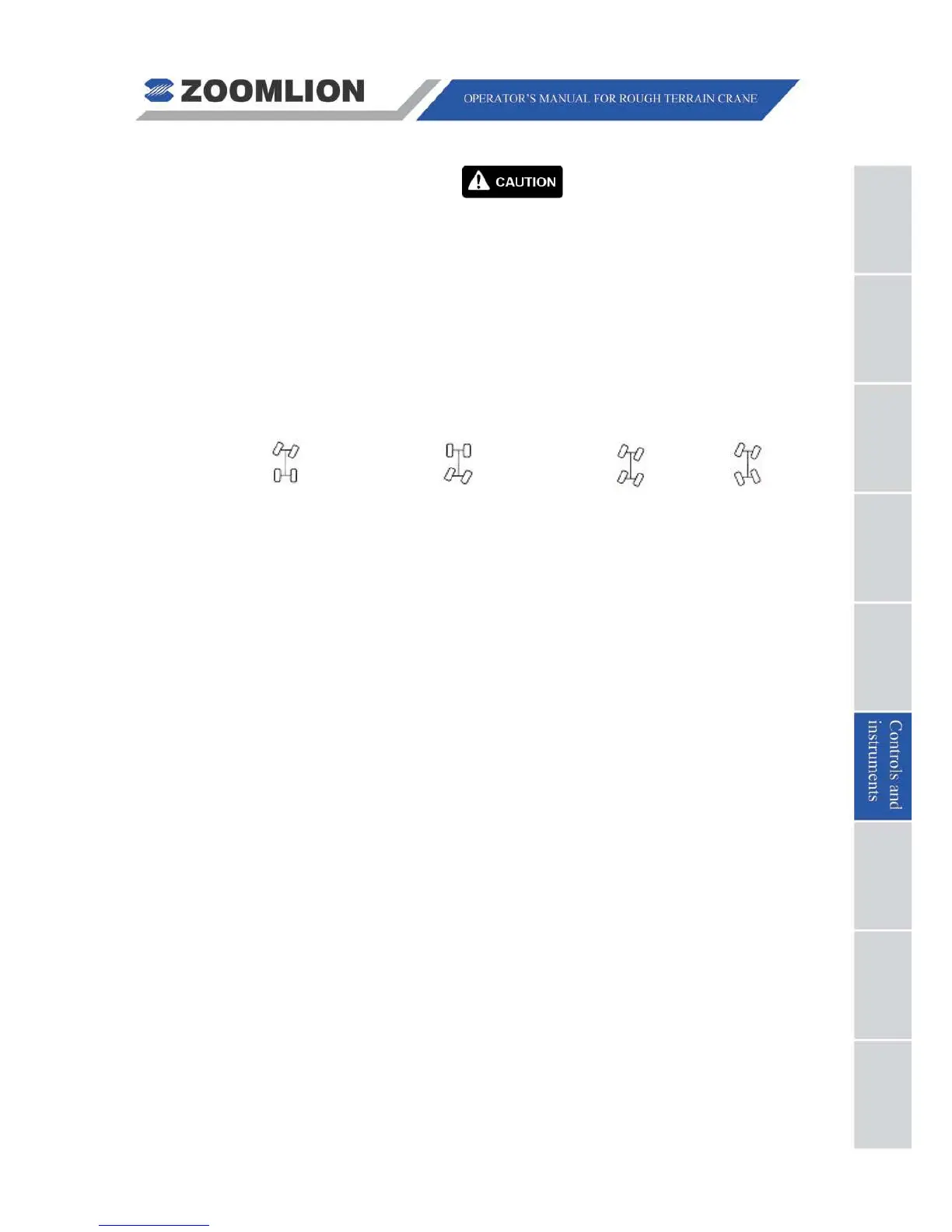
6. STEERING SWITCH – The 4 modes are as follows:
2-wheel steer (front wheel) 2-wheel steer (rear wheel) Crab steer 4-wheel steer
7. HIGH / LOW SPEED SELECT SWITCH FOR AUX. WINCH – Sets the auxiliary winch
speed to OFF, LOW or HIGH.
8. EMERGENCY STOP BUTTON – In an emergency, push this button to immediately
STOP all crane functions. Turn the button clockwise to release the button.
9. WORK LIGHTS SWITCH – Push down to turn on the headlights and boom work lights,
up to turn off.
10. HAZARD LIGHTS SWITCH – Push down to turn on the rotating beacon and flash the
turn signals and boom head light.
11. CAB HEATER POWER SWITCH –
Used to turn on the cab heater. The controls to
adjust heat are on the
AIR CONDITIONER CONTROL PANEL (5)
(See Figure 06 –
1).



 To Next Page