Software System Operation
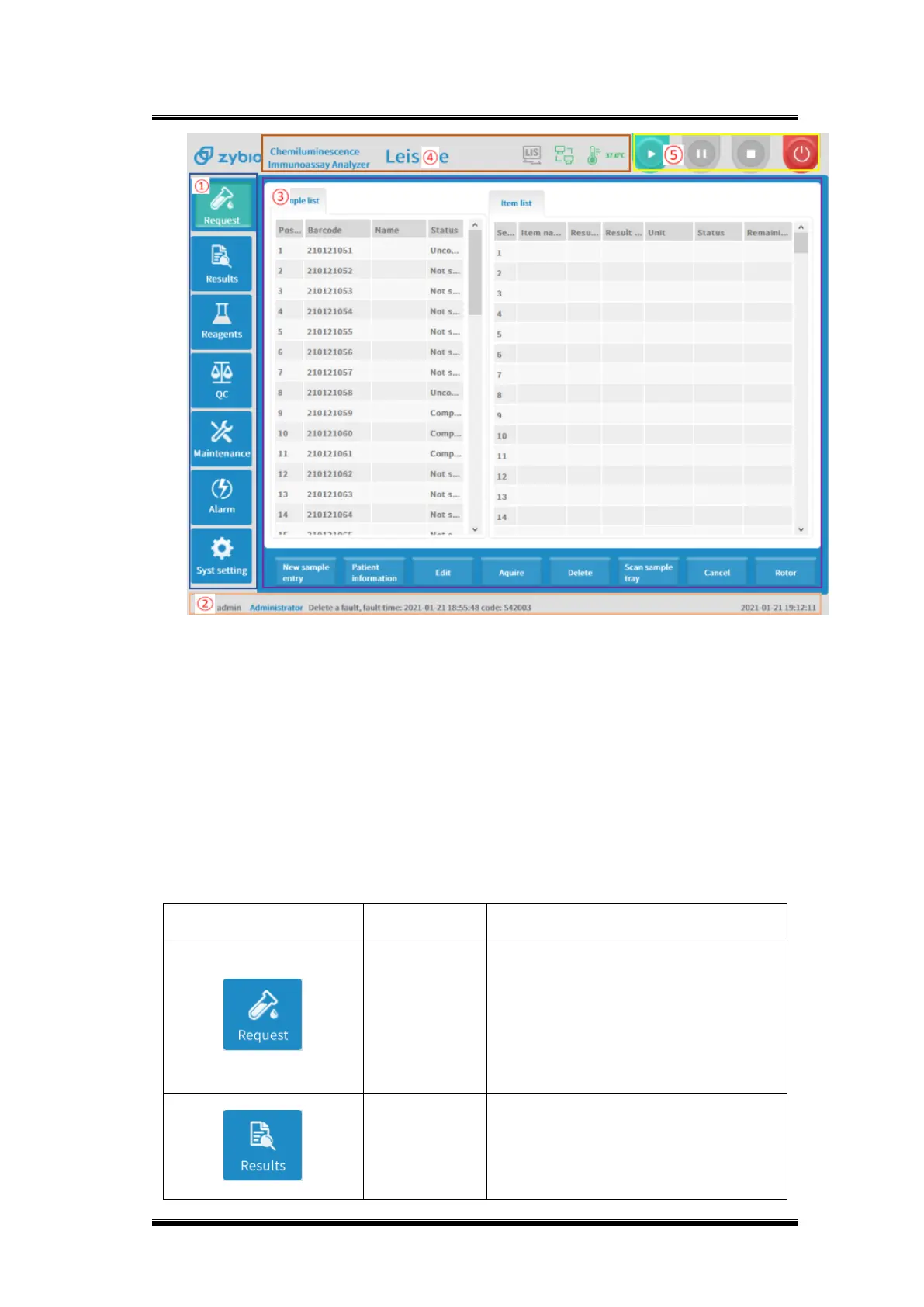
Figure 0-1 Home page
① Function button area ② Status information area
③ Function display area ④ Equipment control area
⑤ Equipment status area
Function button explanation:
Open the sample request functions
page to sample test request. It supports
the functions of batch request, patient
information entry, sample position
setting, test items and sample status
review.
Open the result function page to view
the sample test results. Including the
functions of searching, transferring,
deleting and printing.


 To Next Page