samples deleted from the [Item List] shall be performed in the [Results]
page;
2) Sample deletion should be performed in the [Results] page.
4.3.Results
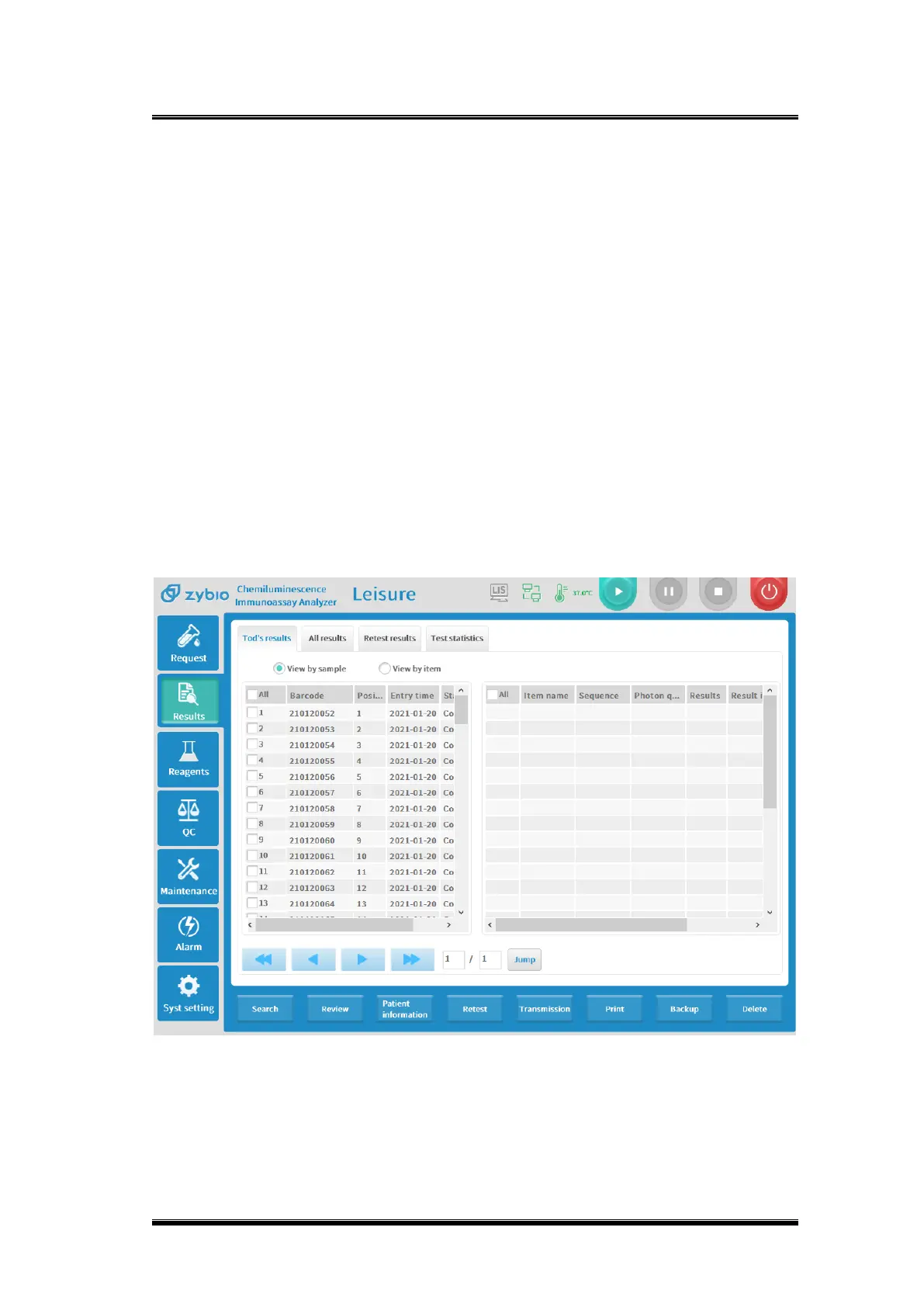
Click [Results] on the home page to enter the result research interface, as shown in the
figure below:
[Today’s Results] The interface displays the result of all samples applied and tested within
24 hours;
[All Samples] The interface displays all applied and tested samples including today;
[Retest Results] There are one manual retest and two automatic retest;
[Test Statistics] Count the number of applications and completions of each project and
the application of reagents in a period;
[Today’s Results] and [All Results] can be viewed by sample or item, as the figure below:
Figure 0-3 Result search
Use sample screening to research the sample results, today’s samples and all samples,
as follows:
◼ Sample screening



 To Next Page