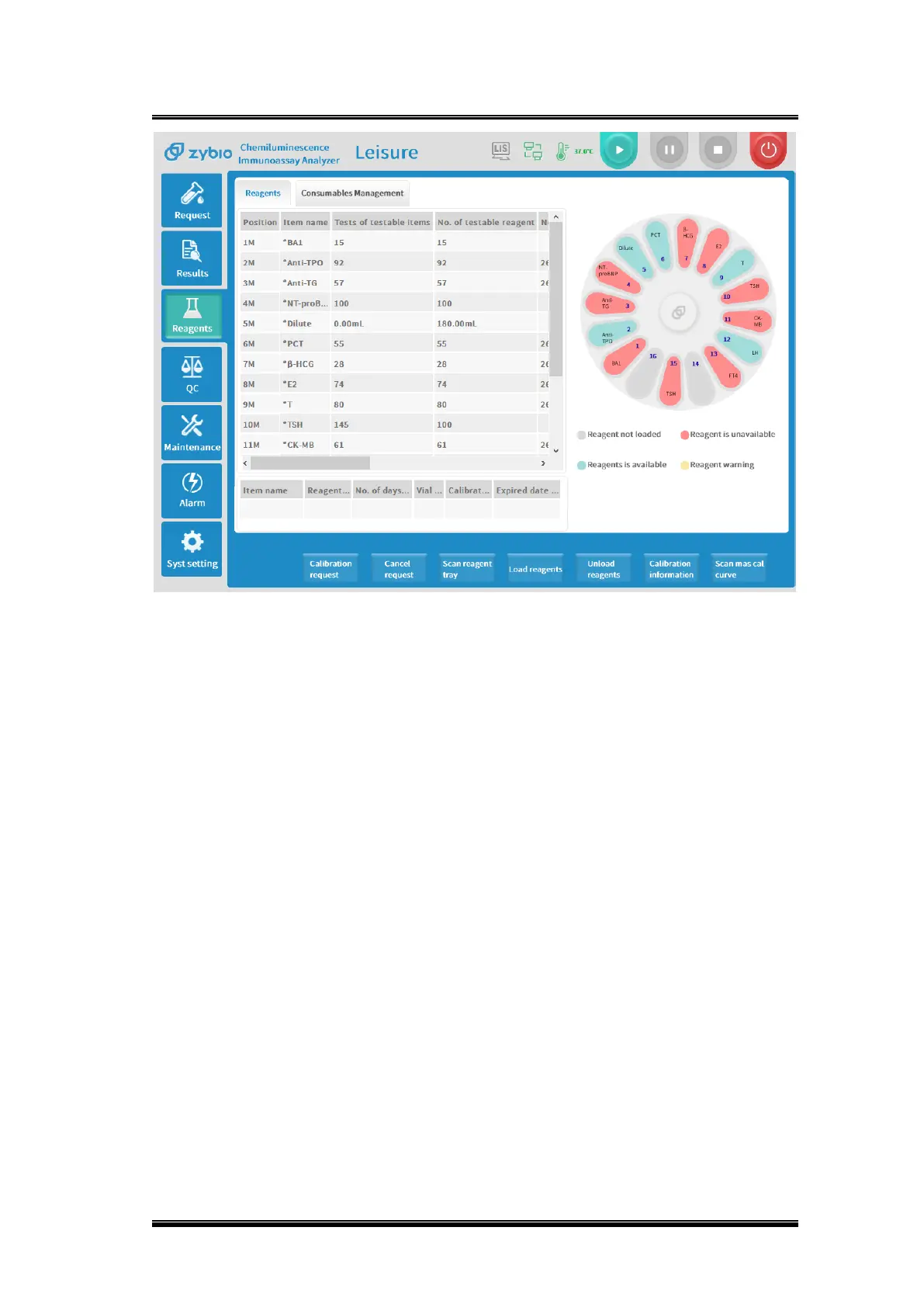
Figure 0-4 Reagent interface
Note:
Reagent tray status display:
⚫ Gray: Reagent is not loaded: Reagent position is null;
⚫ Green: Reagent is available: Calibration successful, calibration postponed;
⚫ Red: Reagent is unavailable: Reagent expired, calibration failed, calibration expired, the
number of times is 0;
⚫ Yellow: Reagent warning: reagent is insufficient.
Reagent information column corresponding field column status display:
1) Color alarm fields will occur: reagent tests, calibration valid days, reagent valid days,
calibration status, reagent expiration date;
2) The meaning of the corresponding background color:
⚫ Blank: Normal and available;
⚫ Yellow: Early warning, the number of reagents is insufficient, and one day is left for the
valid days of calibration;
⚫ Red: Alarm, the number of tests is 0, no calibration, calibration failure, calibration expired,
reagents opened exceed 28 days, reagents exceed expiration date.
Basic operations
◼ Calibration request



 To Next Page