247Security Inc. | 4400 North Point Parkway, Suite # 158, Alpharetta, GA 30022, USA | 1-866-693-7492 | www.247securityinc.com
ZEUS mDVR
USERS MANUAL
10
2 PREPARATION FOR USE
2.1 FRONT CONNECTORS
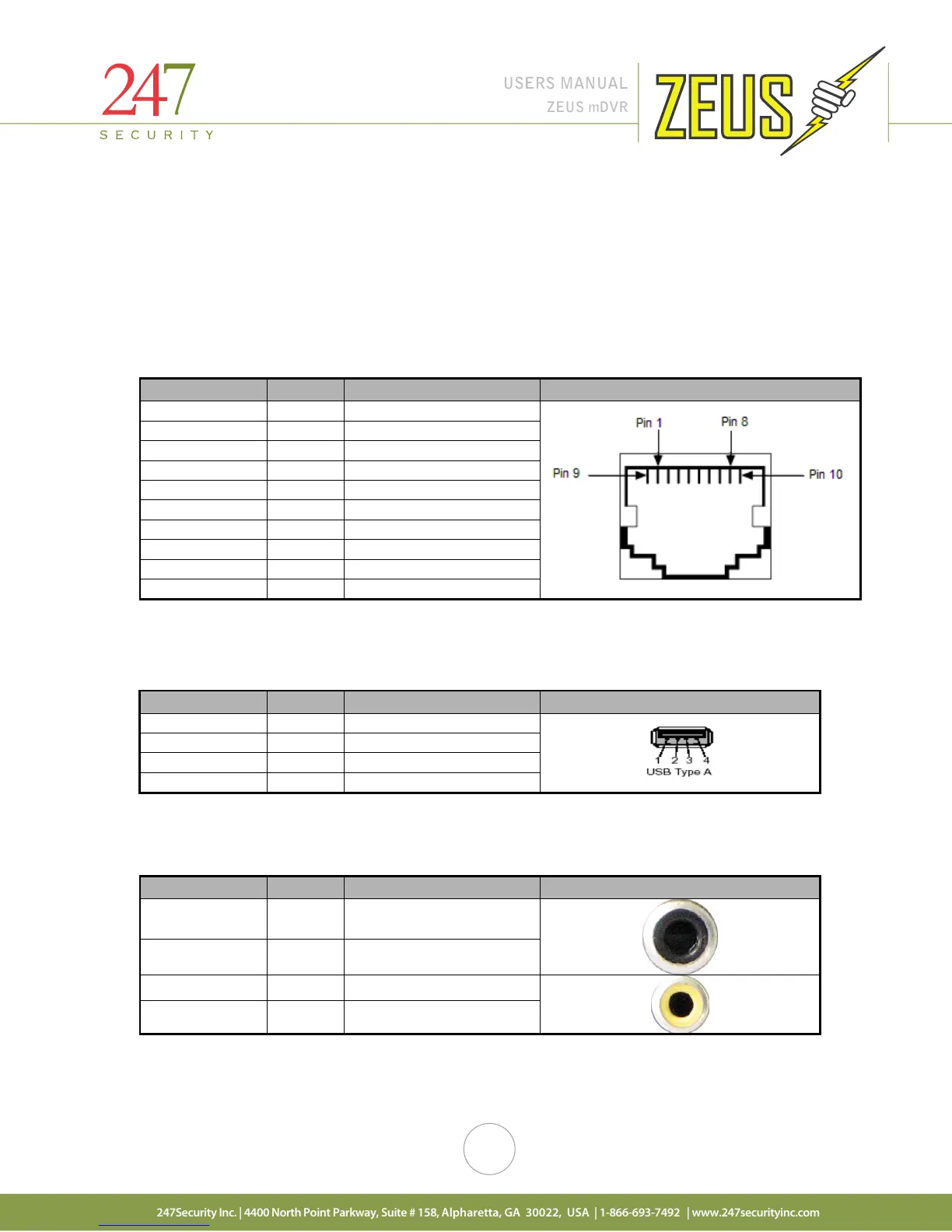
2.1.1 10/100BASE-T LAN CONNECTOR and POE Connector
Depending on the hardware, the DVR will come either an 8-pin RJ45 or 10-pin RJ50 port. Only ZEUSL
hardware will have the RJ50 port, this port is labeled as POE and has a default static IP address of
192.168.1.100 and used for POE. All other ZEUS hardware will have an RJ45 front port labeled as LAN and does
not suppose POE. Pins on diagram below marked with * are only on ZEUSL systems.
2 TX- Transmit Data -
4 COM Common
5 N/C Not connected
7 COM Common
2.1.2 USB 2.0 CONNECTOR
Connector type: 4-pin friction-lock header
2.1.3 AUDIO/VIDEO OUT CONNECTORS
Connector type: RCA Jack
Inside Audio Audio Signal
Outside GND Ground
Inside Video Video Signal
Outside GND Ground
Pin Number Signal Description Pin out
3 +Data Balanced Data Line +
4 GND Cable Ground



 To Next Page