247Security Inc. | 4400 North Point Parkway, Suite # 158, Alpharetta, GA 30022, USA | 1-866-693-7492 | www.247securityinc.com
ZEUS mDVR
USERS MANUAL
34
4.9.11 PRE-RECORDING & POST-RECORDING TIME
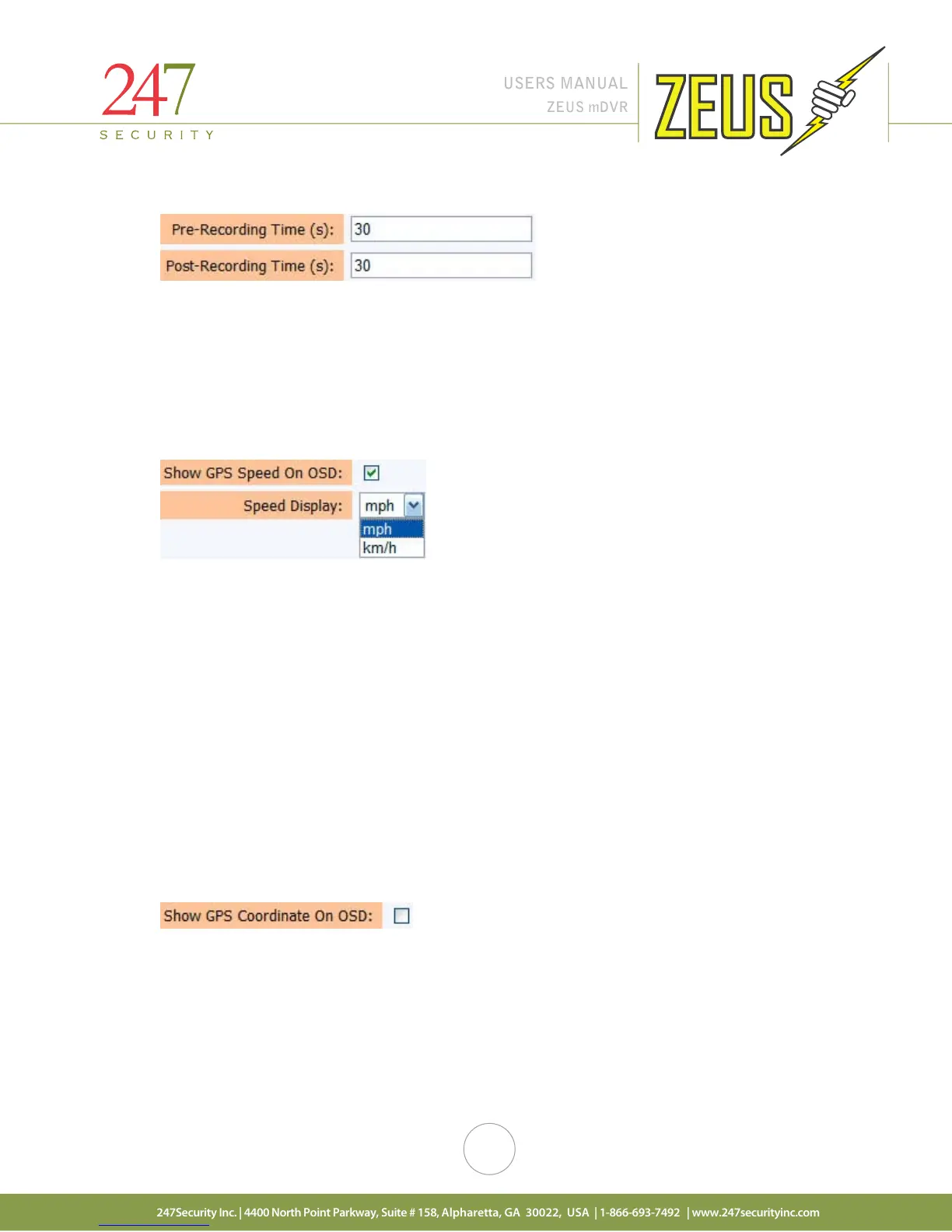
Pre-recording defines how many seconds of video you want to include in the triggered event prior to
the time the trigger occurred. Post-recording defines how many seconds of video you want to include in the
triggered event after the time the trigger occurred.
For the above example, if the sensor got triggered at 12:00:00, the event would include 30 seconds of
video before the trigger and 30 seconds after the trigger, from 11:59:30 to 12:00:30 creating a marked event
containing 60 seconds of video. Values can be from 1 second to 600 seconds (10 minutes).
4.9.12 SHOW GPS SPEED ON OSD
GPS information is also available on the ZEUS provided you have the GPS option which includes a GPS
antenna that connects to the ZEUS and is installed on the vehicle. GPS data is recorded on the storage media as
well as embedded into the video stream. Place a check mark in the box to display and record the vehicle GPS
speed in the video stream. Speed can be displayed in “mph” or “km/h”. If this option is not enabled, GPS data is
still recorded in a log file on the video storage media.
MiniTRACK is a software application, combining recorded GPS data with GIS mapping to allow you to
monitor vital vehicle information. Track Stopping, Idling and speeding occurrences; Create custom reports;
Export data to other software for review and analysis. MiniTRACK not only helps reconstruct disputes and
incidents, but can also provide valuable information to improve your fleet management strategies.
VideoTRACK builds on the features of MiniTRACK allowing you to visually manage recorded video that’s
been synchronized with GPS data, enabling you to not only know, but also see exactly what happened where,
and at precisely what time.
Contact your dealer for further information on these products.
4.9.13 SHOW GPS COORDINATE ON OSD
Place a check mark in this box to display and record the vehicle GPS coordinates in the video stream.
Coordinates are displayed as longitude and latitude values. If this option is not enabled, GPS coordinates are
still recorded in a log file on the video storage media.



 To Next Page