247Security Inc. | 4400 North Point Parkway, Suite # 158, Alpharetta, GA 30022, USA | 1-866-693-7492 | www.247securityinc.com
ZEUS mDVR
USERS MANUAL
32
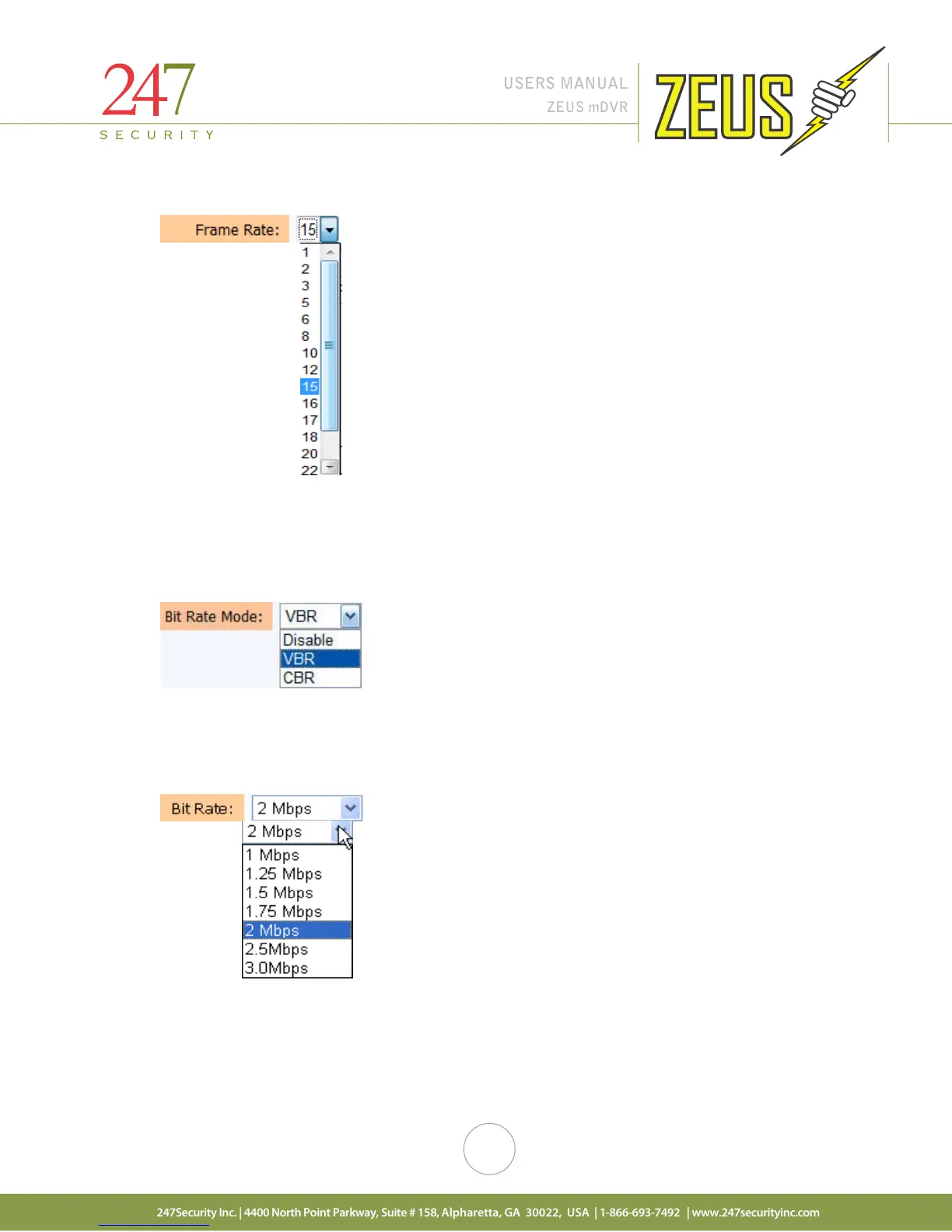
4.9.5 FRAME RATE
Frame rate is an important factor that defines how fast you want your video to record. Frame rate is
adjustable from a minimum 1 fps to 30 fps maximum for each individual camera. The 4 channel DVR allows
recording maximum of 120 fps at full resolution 720x480. To conserve video storage it is recommended to
select 15 FPS for each video input.
4.9.6 BIT RATE MODE
VBR is the setting pre-set from the manufacturer and is the recommended encoder bit rate control
mode. Using this setting will enable the video to be recorded using maximum compression but maintaining
picture quality.
4.9.7 BIT RATE
The bit rate is also pre-set from the manufacturer to the default setting of 1 Mbps. Changing this
setting will increase or decrease the picture quality, the smaller the bit rate the smaller the file size but less
picture quality; the bigger the bit rate the bigger the file size and better picture quality.



 To Next Page