247Security Inc. | 4400 North Point Parkway, Suite # 158, Alpharetta, GA 30022, USA | 1-866-693-7492 | www.247securityinc.com
ZEUS mDVR
USERS MANUAL
33
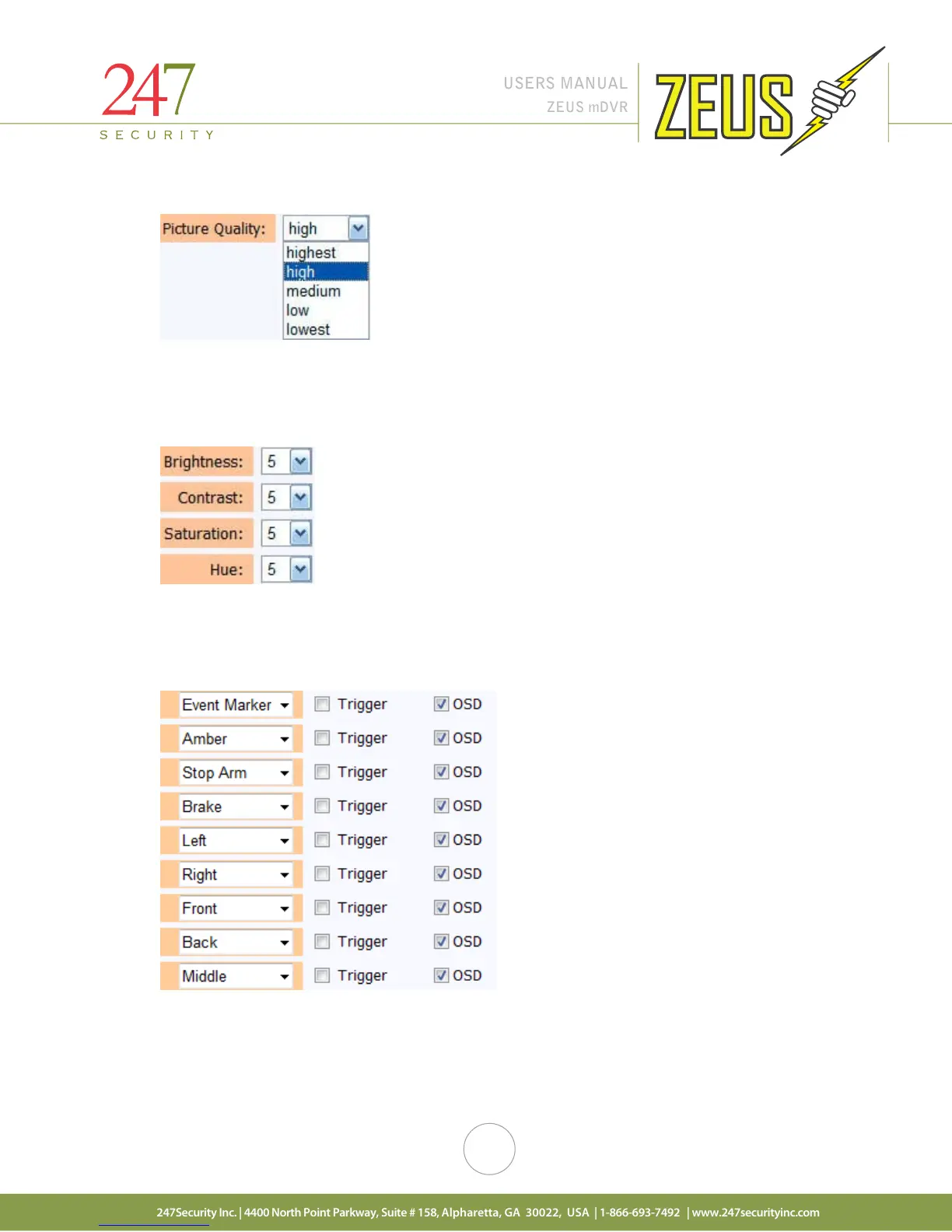
4.9.8 PICTURE QUALITY
The picture quality is also pre-set from the manufacturer to the default setting of “high”. Changing this
setting will increase or decrease the picture quality, the smaller the picture quality the smaller the file size but
less picture quality; the higher the picture quality the bigger the file size and better picture quality.
4.9.9 BRIGHTNESS, CONTRAST, HUE AND SATURATION
Each camera input can be individually adjusted for Brightness, Contrast, Hue and Saturation to enhance
the recorded video based on the location of the camera. Values range from 1 to 10, 1 being the lowest and 10
being highest.
4.9.10 TRIGGERS
The DVR has 9 digital inputs available to connect to sensors. This triggers menu allows you to select
which sensor(s) will trigger the recording process. By placing a check in the “Trigger” box corresponding to the
sensor number on its left will activate that sensor. All sensors can be enabled simultaneously. OSD stands for
On-Screen-Display; this feature embeds the sensor name (assignable by end-user) into the video files. When
playing back the video, the sensor(s) can be identified by the embedded text on the video. Placing a check mark
on the OSD box enables this feature.



 To Next Page