116 CHAPTER 9: CONFIGURING IP AND MAC ADDRESS INFORMATION
■ Config Dynamic — Indicates the MAC address is dynamically
configured.
■ Port Index — Indicates the Port through which the address was
learned.
■ Aging Time — Specifies the amount of time the MAC Address
remains in the MAC Address before it is timed out if no traffic from
the source is detected. The default value is 300 seconds.
Viewing Port
Summary Settings
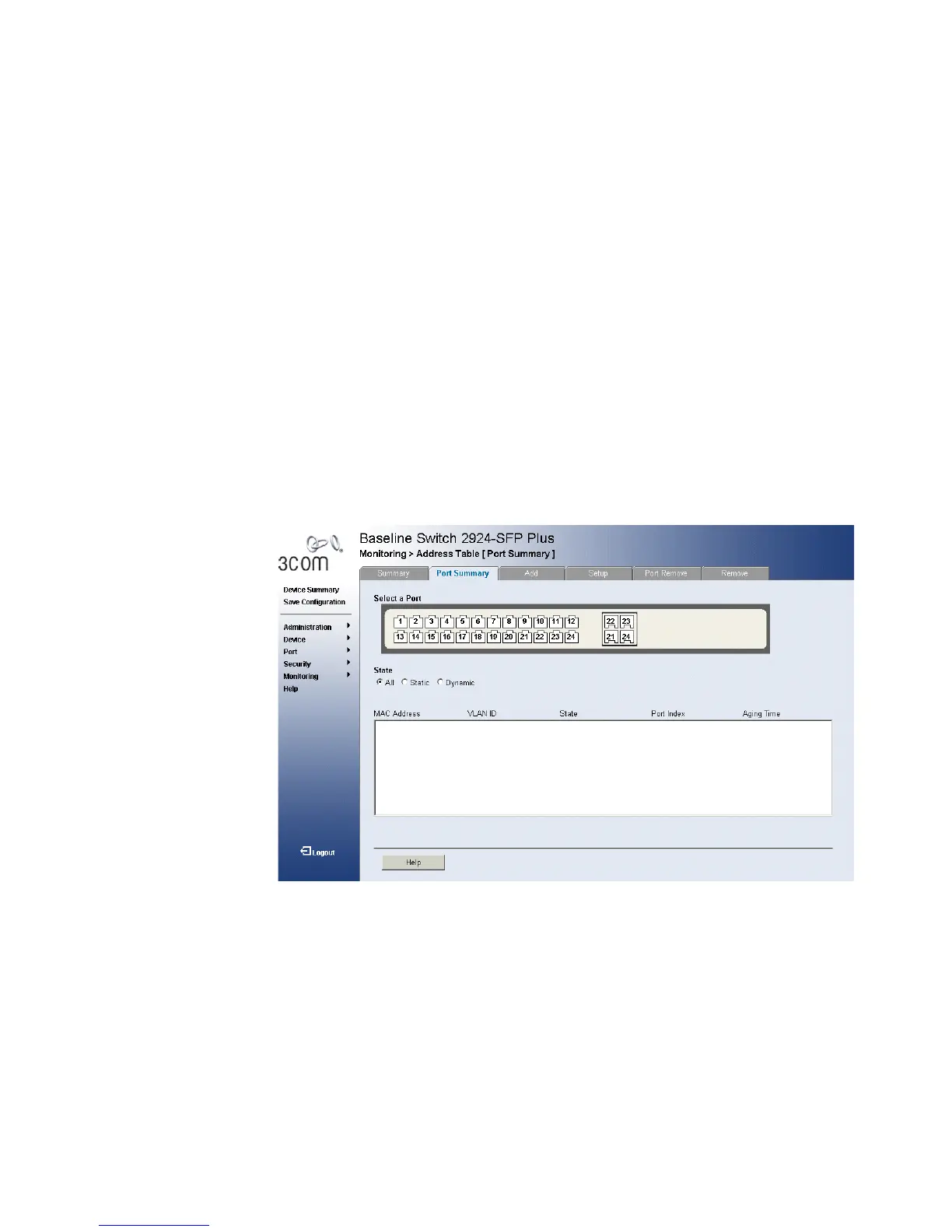
The Port Summary Page allows the user to view the MAC addresses
assigned to specific ports.
1 Click Monitoring > Address Tables > Port Summary. The Port
Summary Page opens:
Figure 63 Port Summary Page
The Port Summary Page contains the following fields:
■ Select a Port — Displays the current port settings.
■ State — Filters the list of MAC Addresses displayed according to the
type of MAC Address configuration. Possible values are:
■ All — Displays all MAC Addresses assigned to the port.
■ Static — Displays static MAC Addresses assigned to the port.
■ Dynamic — Displays dynamic MAC Addresses assigned to the port.










 To Next Page