3D Systems, Inc.
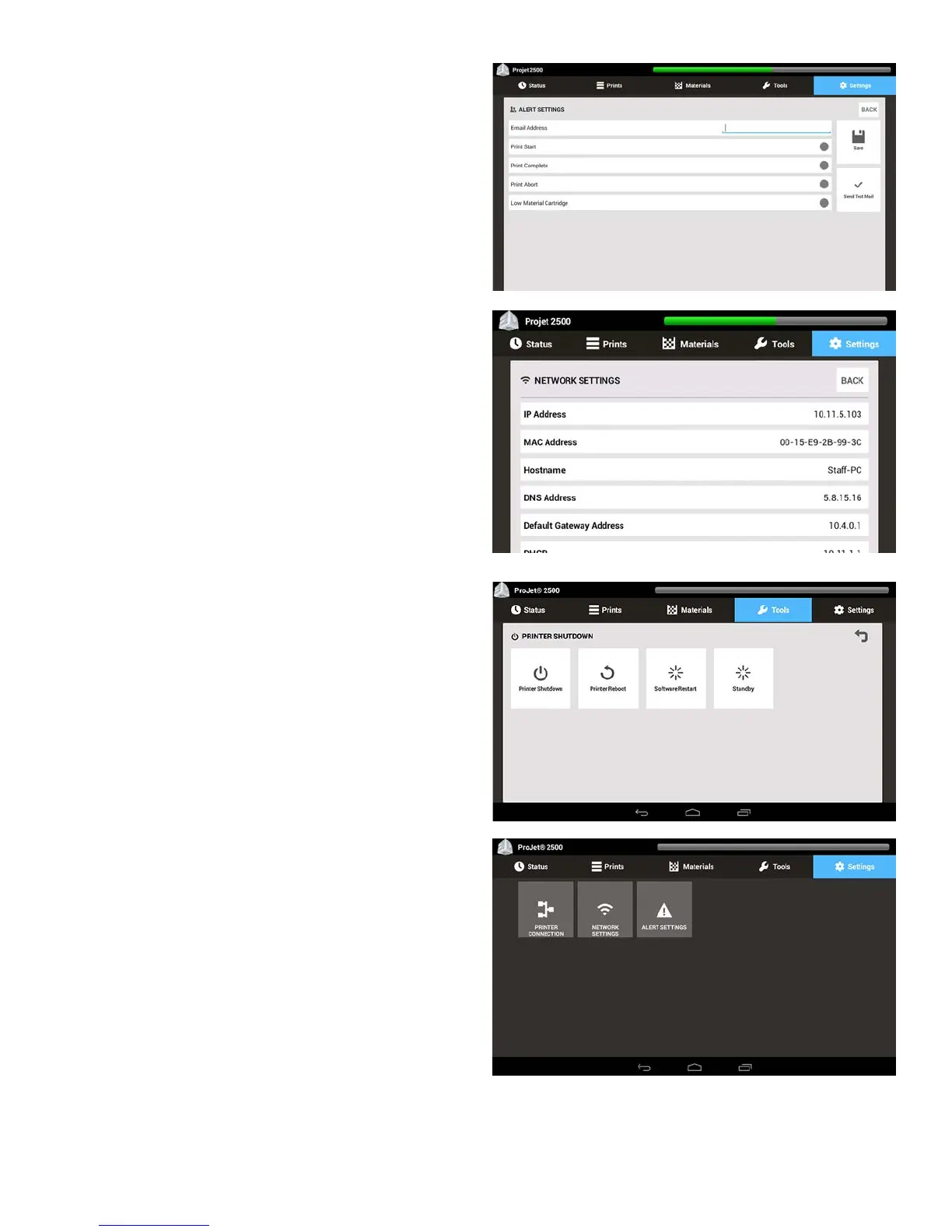
Alert Settings - This is where user would set up alerts such as an
alert for Print Start, Print Complete, Print Abort or a Low Material
Cartridge, you also input an email address you want the alert to be
delivered to.
Network Settings - This is where the user can view all the Network
settings. Various network settings include: IP Address, MAC
Address, Hostname, DNS Address, Default Gateway Address, and
DHCB.
Printer Shutdown - The user uses this screen to shut down the
printer, reboot the printer and do a software restart.
Settings Menu
In the Settings tab is where you manage the Printer Connection,
Network Settings, and Alert Settings.
15










 To Next Page