3D Systems, Inc.
Installing New Material Cartridge
NOTE: Cartridges cannot be installed into a cold printer. The
printer must be warm before drawer will open and cartridges can
be installed.
To place a material cartridge into the MDM, perform the following steps:
1. Obtain a new material cartridge ensuring that it is the same material as
currently installed in the MDM.
2. If drawer is not already open, push to unlock drawer.
3. Pull open the MDM drawer.
NOTE: The steps to install a support cartridge are the same as
installing a material cartridge.
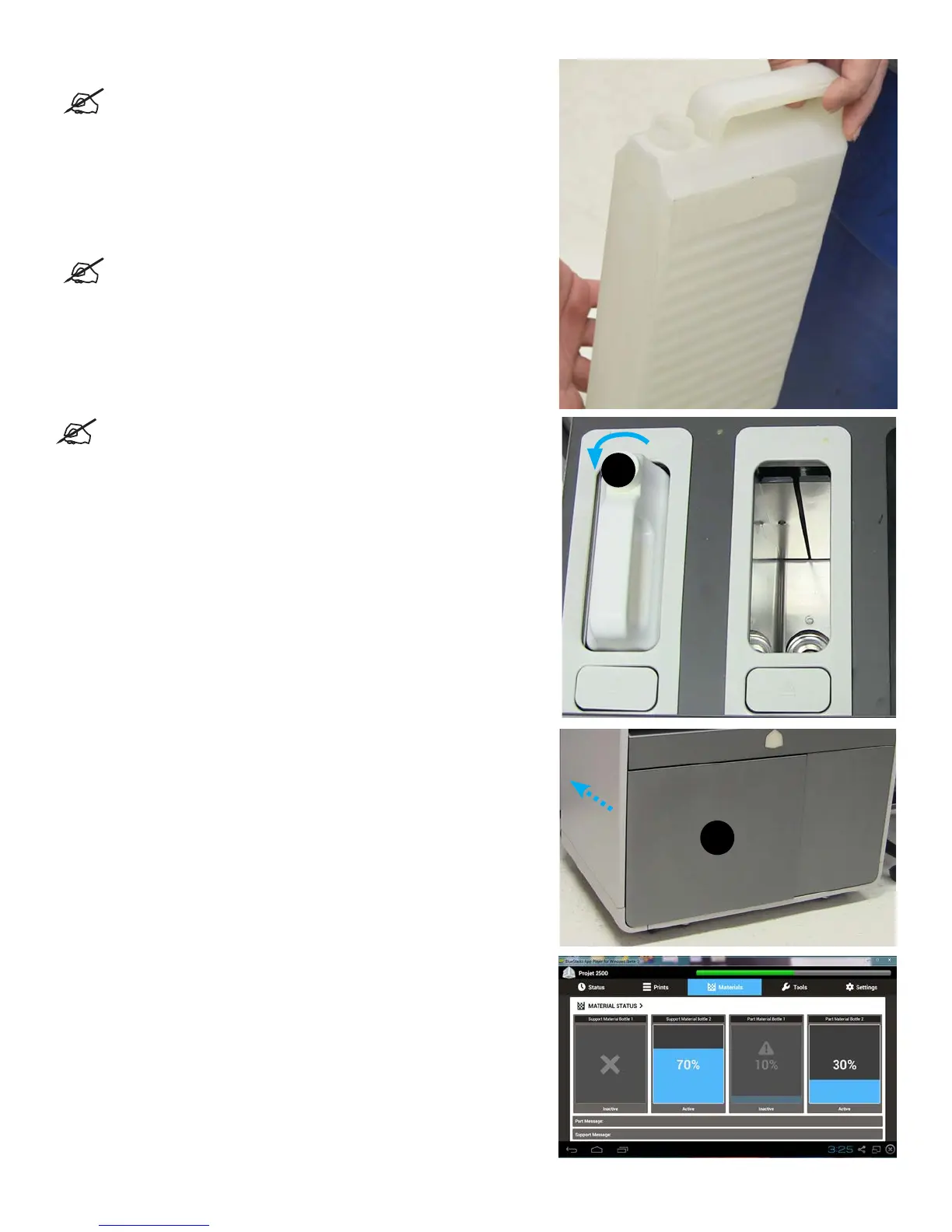
NOTE: To install cartridges into the MDM drawer properly ensure
that the small cap be installed away from the user.
4. Place cartridge in slot and push down until you hear it click in place.
5. Vent each cartridge by loosening the material cap (A) by a 1/2 turn
counterclockwise.
6. Close the MDM drawer (B), until it’s latched securely.
7. Check the material level under the Materials tab on the UI to ensure
cartridge is ceded properly into MDM and ready to print.
A
B
34










 To Next Page