3D Systems, Inc.
Inspect and Clean Planarizer Housing
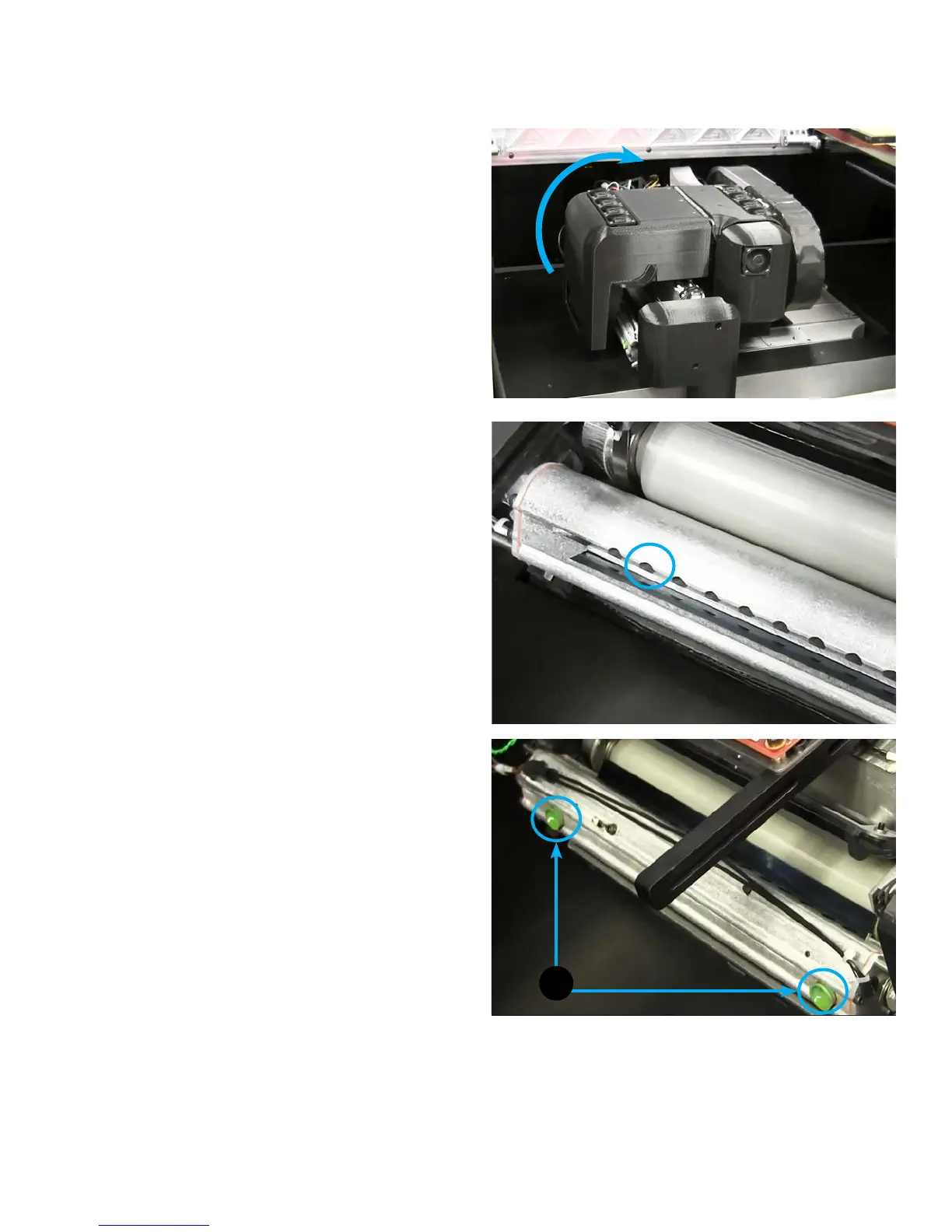
Material can get trapped and built-up in the housing of the planarizer. It is important to periodically inspect and clean these areas.
Follow these steps to inspect and clean the planarizer housing.
To inspect and clean planarizer housing:
1. Move print engine to the Ready state. This will place the
printer over build plate area and will tilt the blade.
2. Lift the cover to expose the planarizer blade.
3. Visually inspect the planarizer. It may be necessary to clean
excess material from the holes in the housing. This can be
done using a cotton swab and isopropyl alcohol.
4. Using a cotton swab, gently wipe out excess material from
holes. For stubborn areas, use a bit of isopropyl alcohol on
the cotton swab before wiping.
5. Continue this process for everywhere you see buildup.
6. Rotate planarizer so the two planarizer ducts (A) can be
easily accessed as shown.
A
26










 To Next Page