3D Systems, Inc.
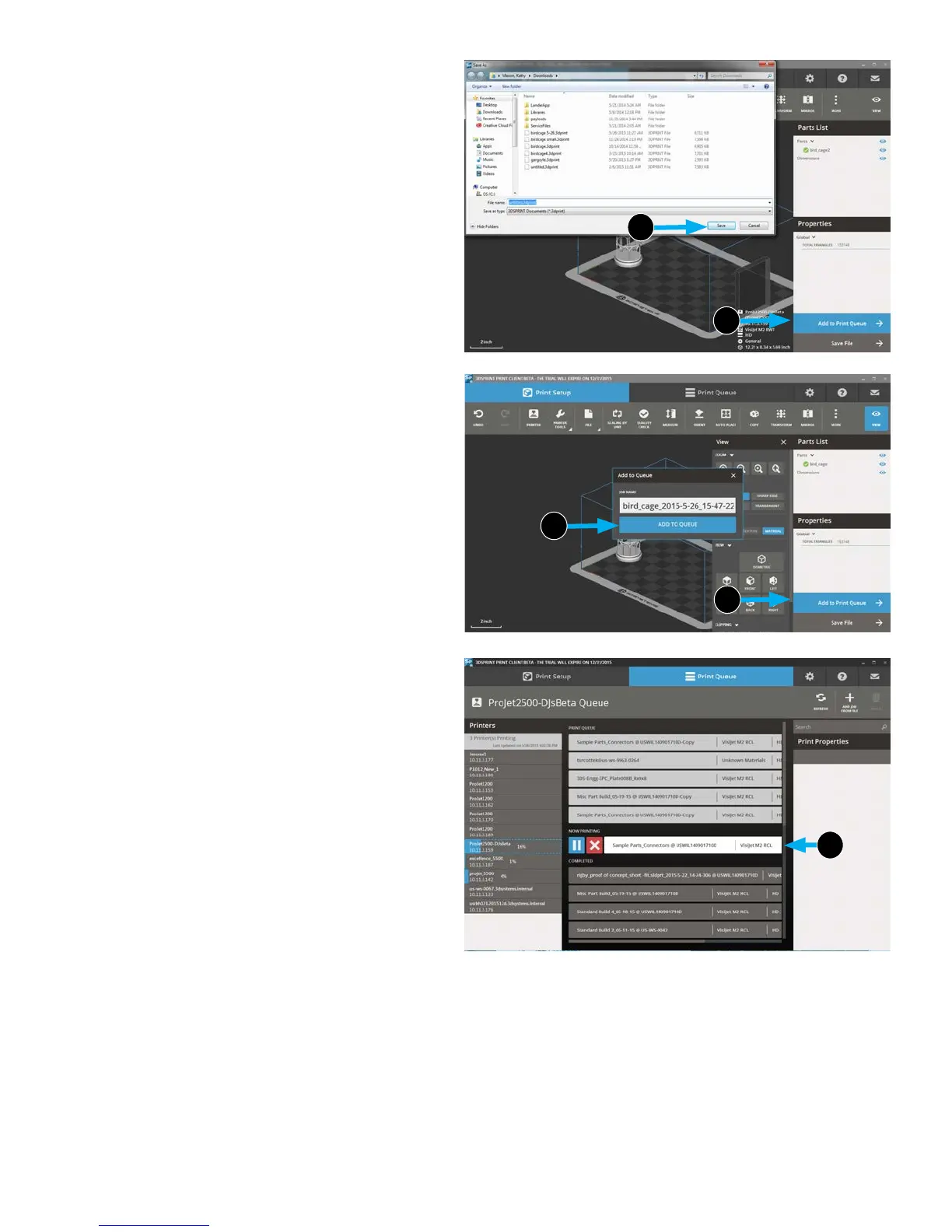
4. Click Save File (5a).
5. Navigate to where you want the le saved and click
Save (5b).
6. Select Add to Print Queue. (6a)
7. A verication box will come up. Check the le name and
when you are sure it is the correct le, select Add to
Queue
(6b).
8. Print Queue will display current parts being printed (7) and
where your job is in the queue.
5b
5a
6b
6a
7
20










 To Next Page