N5071 Speed Dome Network Camera H.264 / D1 Real-Time
- 10 -
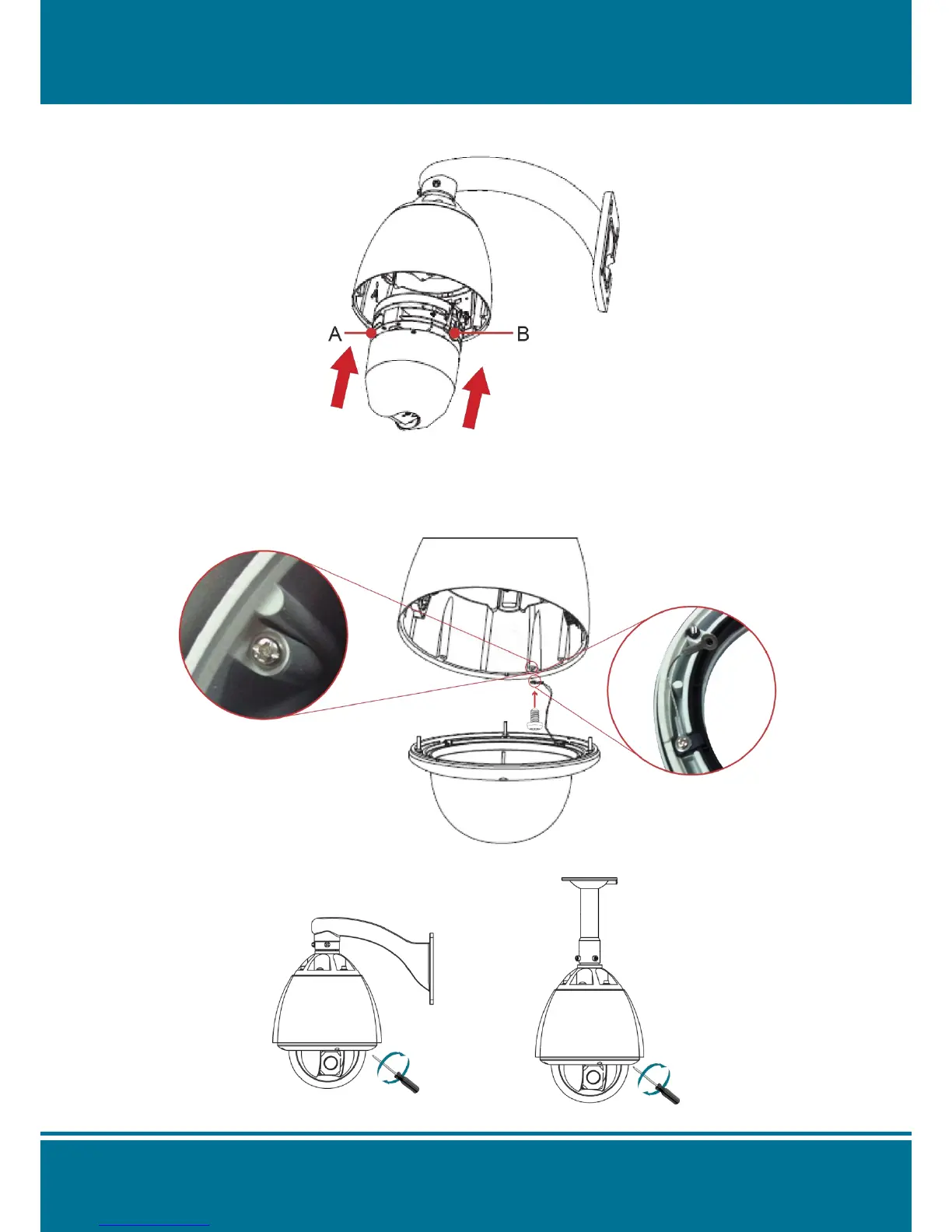
3. Assembling the dome camera body by plug-in the socket and pressing the lock gently
downward to the pedestal with two hands on the side of the dome camera body.
NOTE :
Make sure the plug-in is fully locked by the socket.
4. Attach the dome cover to the pedestal with rope.
5. Use the screwdriver to lock the dome cover with screws.



 To Next Page