N5071 Speed Dome Network Camera H.264 / D1 Real-Time
- 60 -
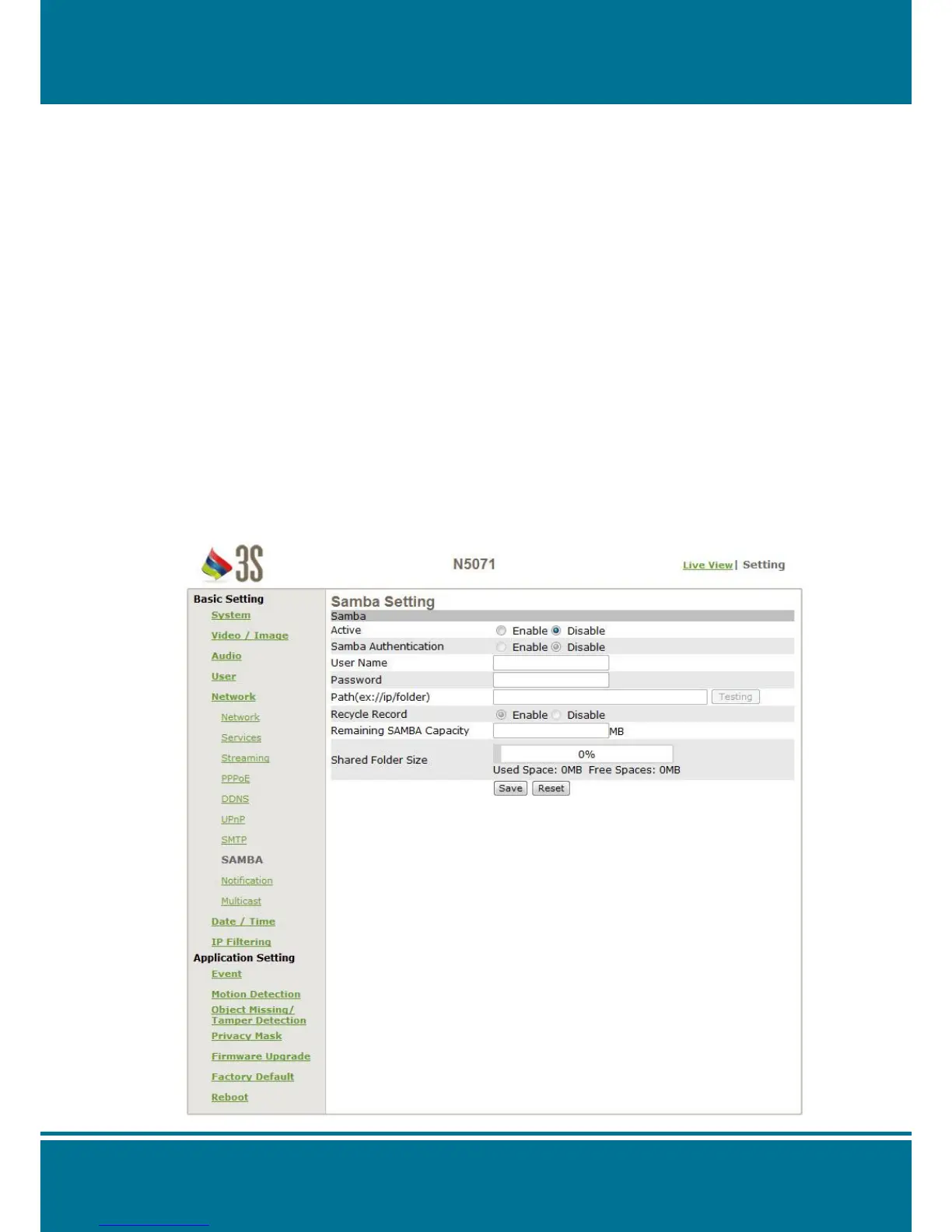
Samba
N5071 Speed Dome Network Camera provides you to upload the snapshots to a
specified shared folder when an event is triggered.
A Samba setting is required, if you want to use this function.
Samba Setting
Enter the following information sequential to complete the settings as below:
Active: Enable/Disable
Samba Authentication: Enable/Disable
Username: The username
Password: The password
Path: To specify the IP address of the computer that you want
to share with and the file name, i.e. 192.168.0.X/xxx
Recycle Record: Enable for the last record file to mantle the first record
file.
Remaining SAMBA Capacity: The remaining capacity can be record.
Shared Folder Size (MB): The total capacity of the folder. Always remember to set
the size of the folder to avoid exhaustion of disk
capacity.



 To Next Page