N5071 Speed Dome Network Camera H.264 / D1 Real-Time
- 83 -
Appendix
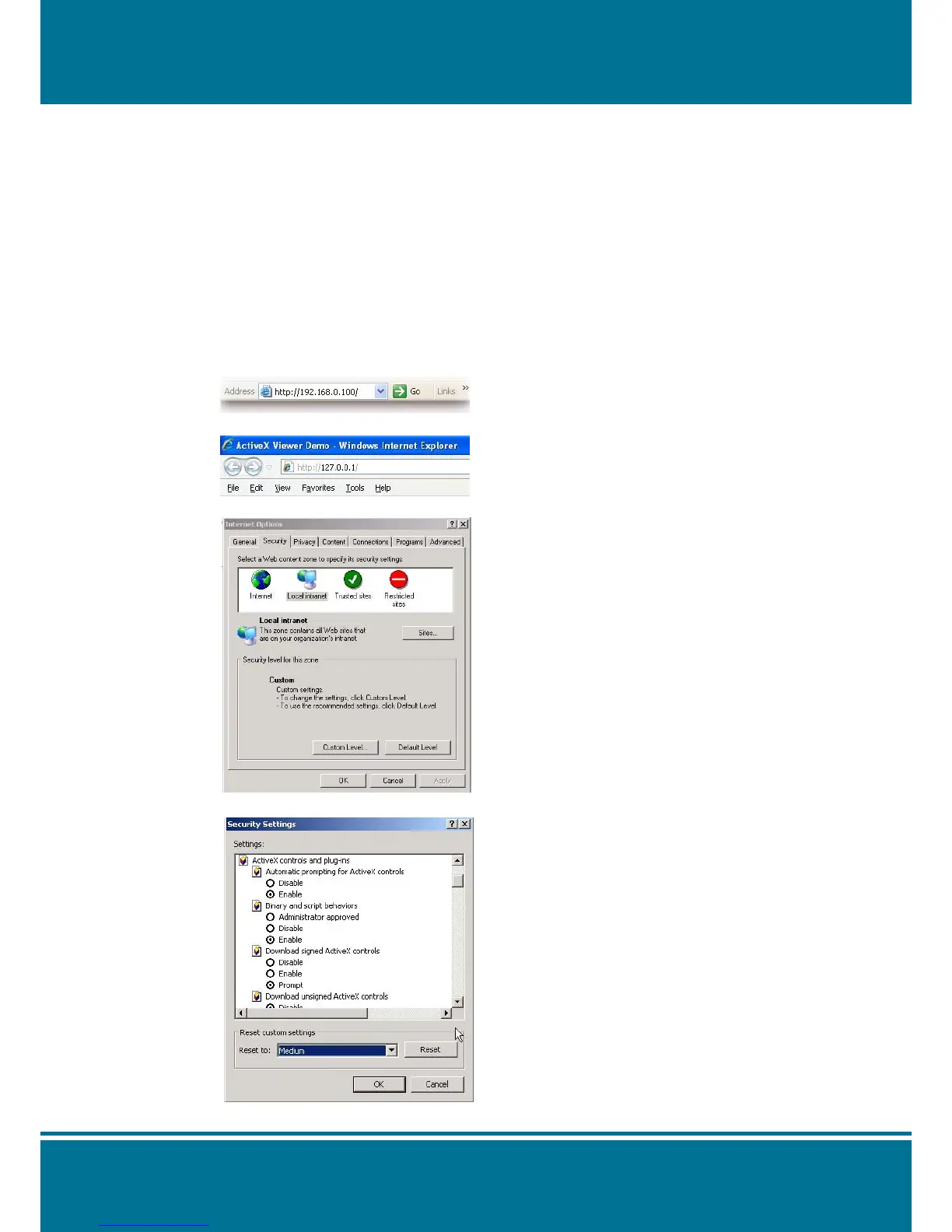
Change the Internet Explorer Settings
Change the security setting of IE browser to allow the ActiveX Control be plug-in to the IE
browser.
Please follow the steps as below:
1. Open the IE browser from Desktop or State Menu.
2. Select the Tools Internet Options Security Custom Level
3. Select the bookmark of Security and click Customer Level to check the Security Level.
4. Make sure the security setting is Medium, and the commonly used default security level.
5. Click OK to save the parameter then quit the window. Please restart the IE Browser again.



 To Next Page