N5071 Speed Dome Network Camera H.264 / D1 Real-Time
- 109 -
Motion JPEG
The setting is the same with the MJPEG.
NOTE:
Suggest using the default parameter to use the multicast function.
Please make reference to the chapter of Basic Setting > Network > Multicast for further
detailed description.
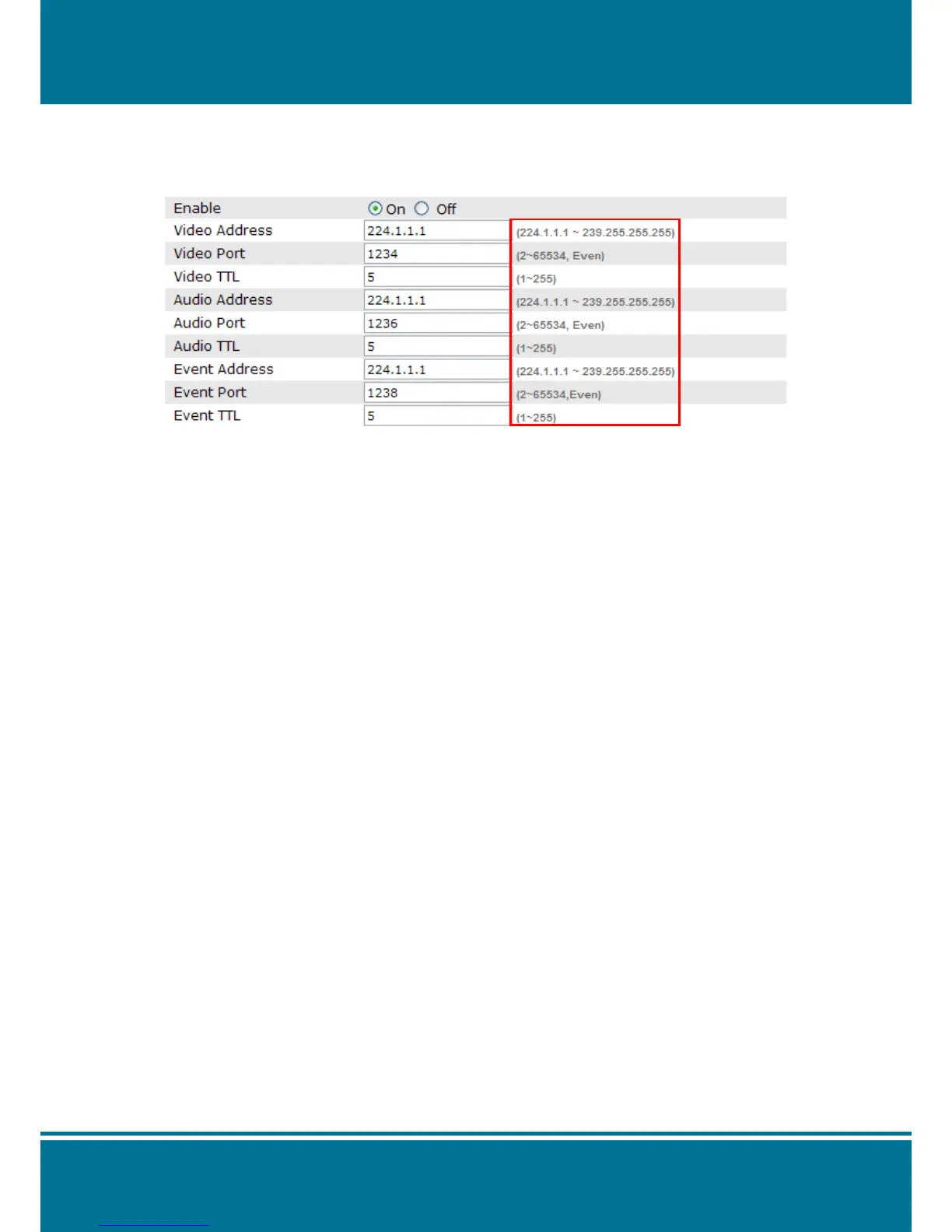
Enable
Click On or Off selection to enable or disable the function.
Video Address
Set up the IP address to transfer the Video package. The default setting is 224.1.1.3
Video Port
Set up the Port to transfer the Video package. The default setting is 1234.
Video TTL
Set up the TTL time to transfer the Video package. The default setting is 5
Audio Address
Set up the IP address to transfer the Audio package. The default setting is 224.1.1.3
Audio Port
Set up the Port to transfer the Audio package. The default setting is 1236.
Audio TTL
Set up the TTL time to transfer the Audio package. The default setting is 5
Event Address
Set up the IP address to transfer the Event package. The default setting is 224.1.1.3
Event Port
Set up the Port to transfer the Event package. The default setting is 1238.
Event TTL
Set up the TTL time to transfer the Event package. The default setting is 5



 To Next Page