N5071 Speed Dome Network Camera H.264 / D1 Real-Time
- 50 -
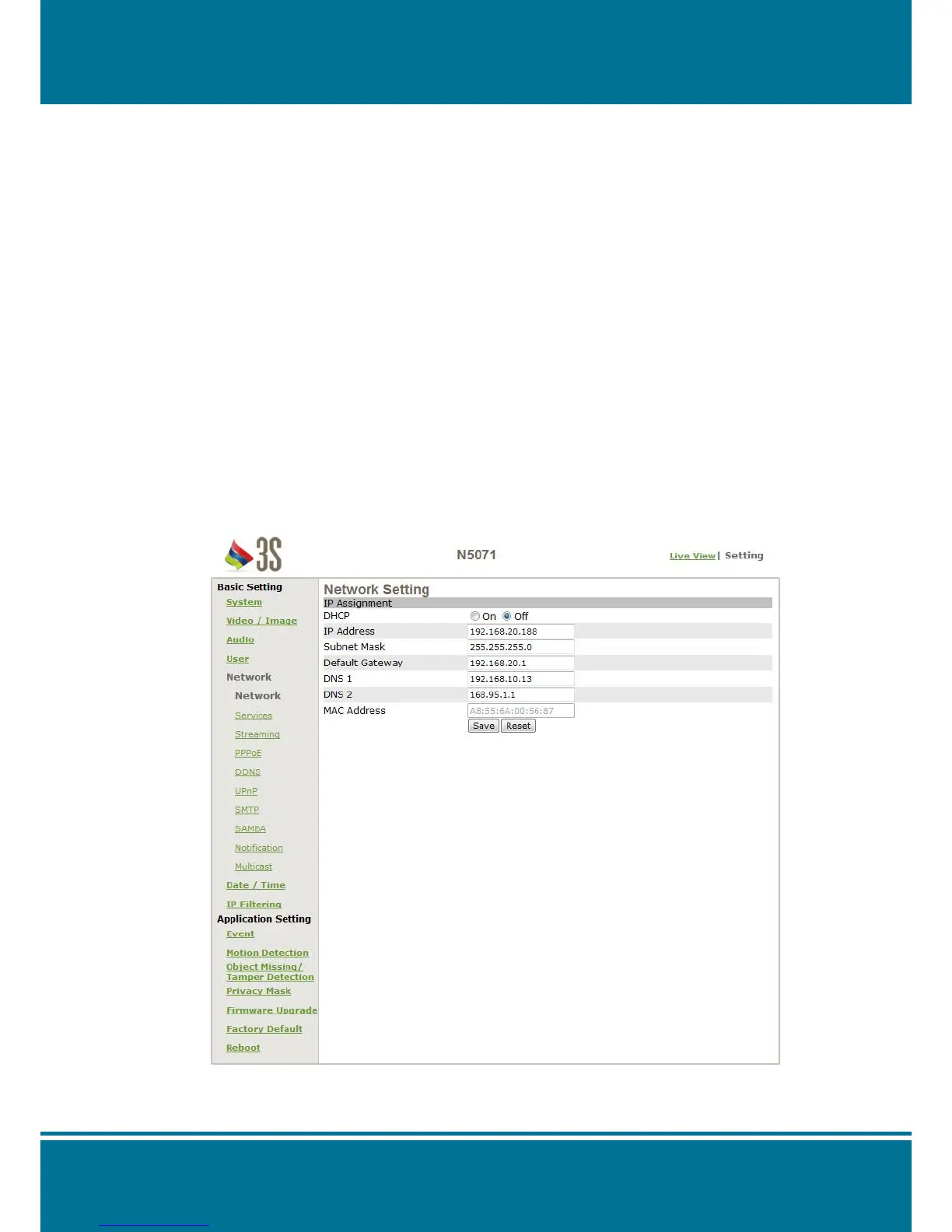
Network
Network Setting
IP Assignment
DHCP
DHCP (Dynamic Host Configuration Protocol) is a protocol that enables automatic
assignment of TCP/IP information to the client. Each DHCP client connects to the
DHCP server to access its network setting information, including IP address, gateway,
and DNS server.
The IP address of the camera is 192.168.0.20 by default when DHCP is "OFF". When
you select "DHCP ON" and access the DHCP network environment, the camera will
automatically send a DHCP packet to request an IP address. This IP address is
assigned automatically from the DHCP server on the network. No additional settings
are required for this page unless you need to change the network configuration. The
DHCP status of the camera is "OFF" by default.
Other settings:
For IP address, Subnet mask, Default gateway, DNS 1, and DNS 2, the DHCP server
will assign these values automatically when DHCP is in "ON" status; otherwise, you
need to key in the values manually.
NOTE:
The system will be set the Link-Local Address by automatically when there is no any IP
address is assigned from the DHCP server.



 To Next Page