N5071 Speed Dome Network Camera H.264 / D1 Real-Time
- 35 -
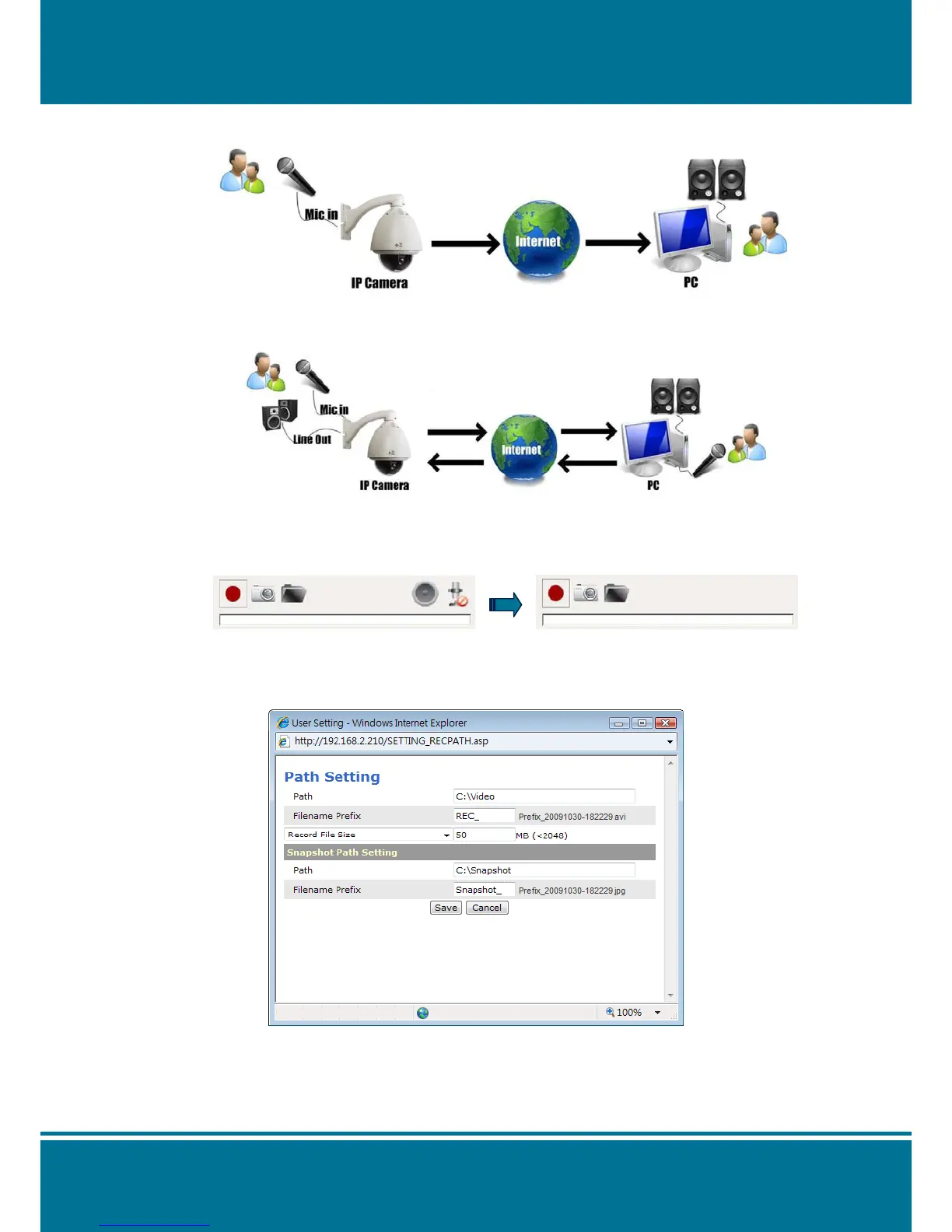
It can receive the voice of the microphone from the N5071 Speed Dome Network
Camera.
Enable the Microphone and Buzzer at the same time to achieve the two-way audio
application if you like it.
NOTE:
Adjust the parameter of the audio according to the Audio Setting.
It will hide the Audio icon from the Live View if the Audio Function is disabled.
Path
Click the thumbnail of the Path Setting on the shortcut bar to change the saving folder
path.
Please see the detail setting as below: Path, Filename Prefix and Recording Limit
NOTE:
Due to the path setting will saved the modification into ActiveX Control and the *.ini file.
No matter what the type of the IP Camera is changing, the path will follow the same folder
to save it.



 To Next Page