N5071 Speed Dome Network Camera H.264 / D1 Real-Time
- 84 -
Set up the Router setting with IP Camera
Use DHCP if you want to use N5071 Speed Dome Network Camera via the Internet (LAN).
However, the IP must be set to fixed when you want to use the camera on a WAN. For this
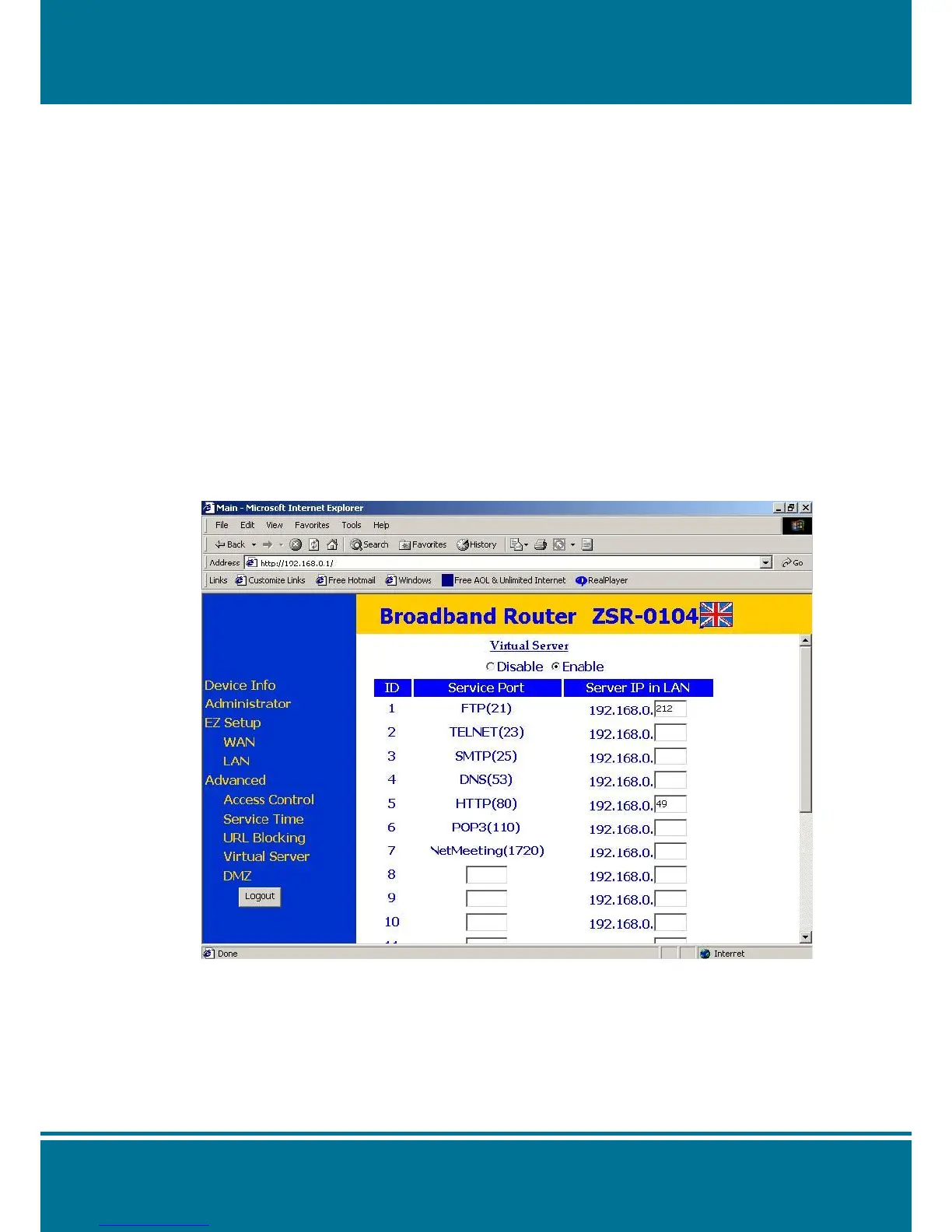
application, it is required to set up the function of the virtual server on the ADSL router.
Please follow the steps as below to complete the setting:
1. Enter the camera setting page to set a fixed IP.
(Refer to the Network Setting) Ex.: 192.168.0.49
2. Enter the ADSL router main setting page. Ex.: Zonet ADSL router
3. Enter the Virtual Server setting page.
a. Set “mapping of HTTP Port (80) and Definition Port (554) to 192.168.0.49 ”.
b. Restart ADSL router.
When the setting is completed, you can operate the camera from the WAN IP Address via
the ADSL router.
NOTE:
The setting screen of the virtual server is not the same for all of the ADSL routers.
Please refer to the manual of the ADSL router that you purchased for more information about
the setting.



 To Next Page