EasyManua.ls Logo

3S N5071 - Making Connections; Power

Default Icon
115 pages
Print Icon
To Next Page IconTo Next Page
To Previous Page IconTo Previous Page
Loading...
N5071 Speed Dome Network Camera H.264 / D1 Real-Time
- 11 -
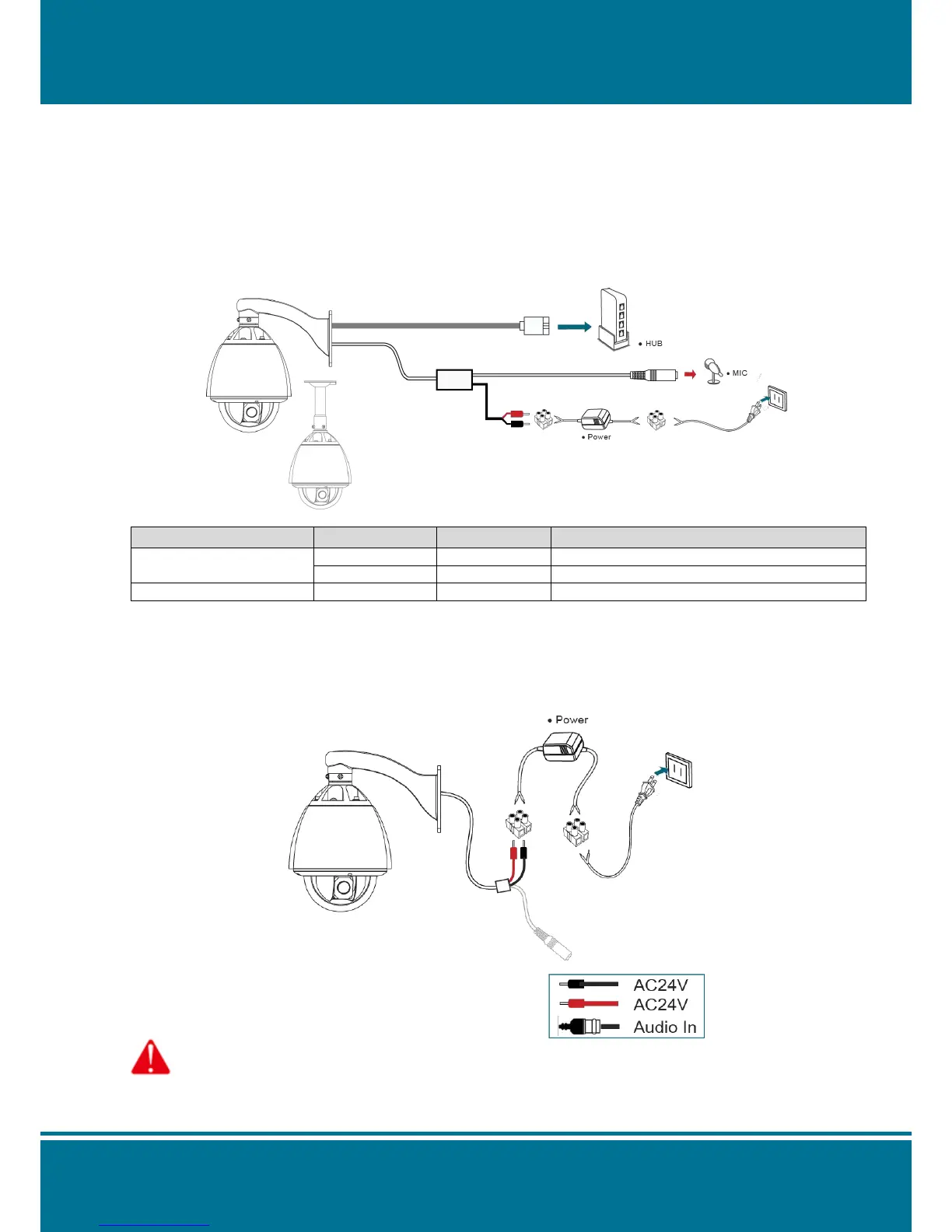
Making Connections
Before you connect your N5071, please make sure your PC has the LAN port available for
connect to the network.
Follow these instructions to connect the N5071 into your PC and LAN Port.
TYPE
FUNCTION
NAME
DESCRPITION
System Interface
Power
AC24V
AC24V, Recommend use matched power.
Ethernet
ETHERNET
10M100M Adaptive, RJ45 interface
Audio/Video Interface
Audio Input
Audio In
BNC(Q9) interface, input voltage ≤1V.
Power
The following diagram illustrates will show you how to connect the power supply to the N5071
Speed Dome Network.
Attention: Please take notice of connection of positive and negative electrode. Wrong connection will
damage the camera.

Table of Contents

Related product manuals