N5071 Speed Dome Network Camera H.264 / D1 Real-Time
- 64 -
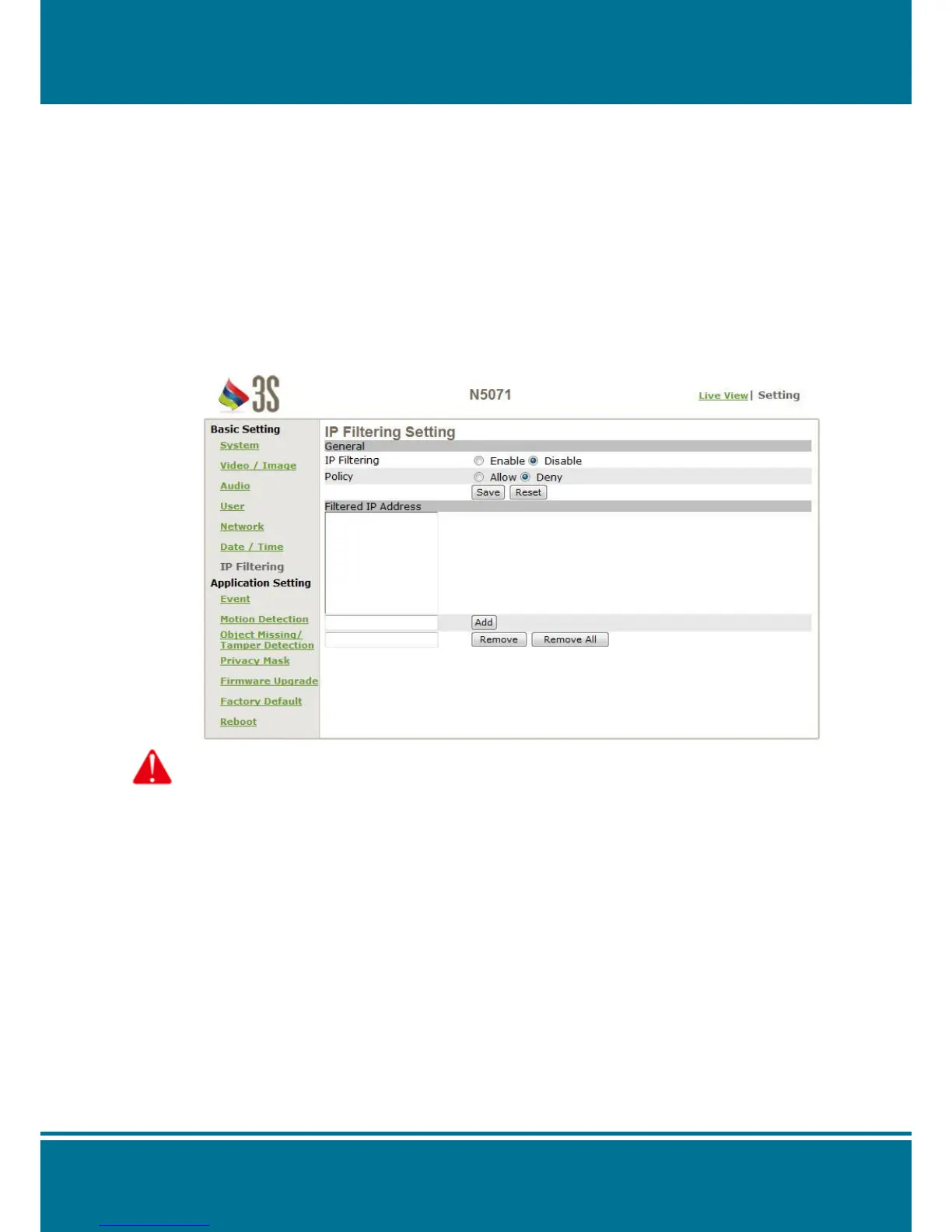
IP Filter
N5071 Speed Dome Network Camera provides you to allowed or deny the visitors from
particular/target address by IP Filter Setting.
General
IP Filtering: Enable/disable
Policy: Allow/deny
Filter IP Address (Overview of the setting for IPs)
Add: Enter the IP address that you allowed or denied it.
Remove: Remove the IP address existed.
Remove All: Remove all of the IP address existed.
Attention:
Setting rules as below:
1. Actions that may cause a limited connection are to be denied.
2. Improper use of this function may cause disconnection from Internet. You might need to use hardware
reset to reset to the factory default. Please refer to the “Factory Default” for details.



 To Next Page