N5071 Speed Dome Network Camera H.264 / D1 Real-Time
- 73 -
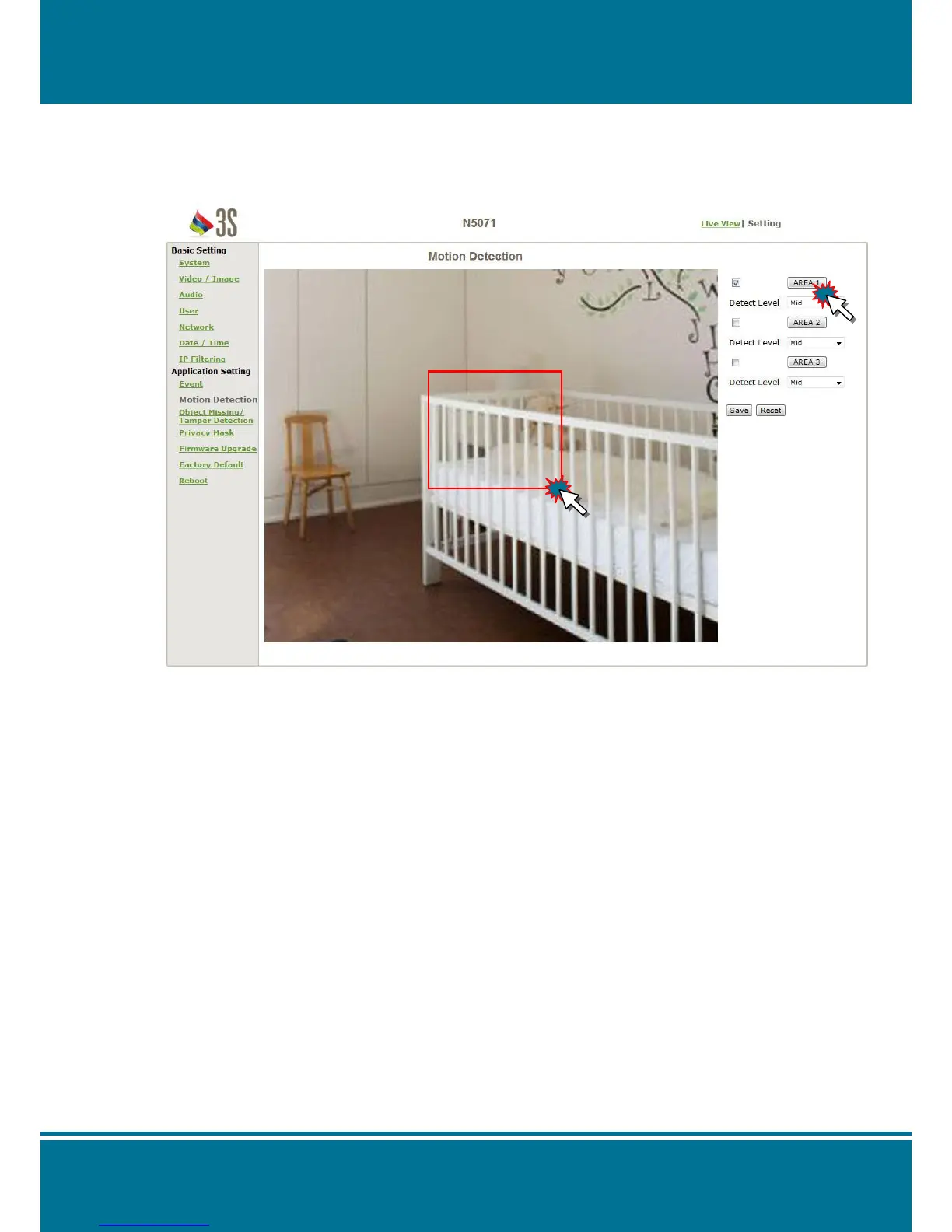
Motion Detection
Click the Area to open the setting frame and the setting frame will show on your screen.
You can adjust the frame size by move and drag the edge of the frame on the arrow of
your mouse, after adjusted click the left button of your mouse.
Area:
There are 3 frames available for setting: Area 1, Area 2 and Area 3.
Click Area to open the detectable area then click the signal checkbox to enable the
function.
Detect Level:
There are 5 levels for you to adjust the area: Lower, Low, Mid, High and Highest.



 To Next Page