N5071 Speed Dome Network Camera H.264 / D1 Real-Time
- 43 -
PreProc/Overlay
PreProc
Camera Position: Set the position of the camera from Default, Flip, Mirror and Rotate
180.
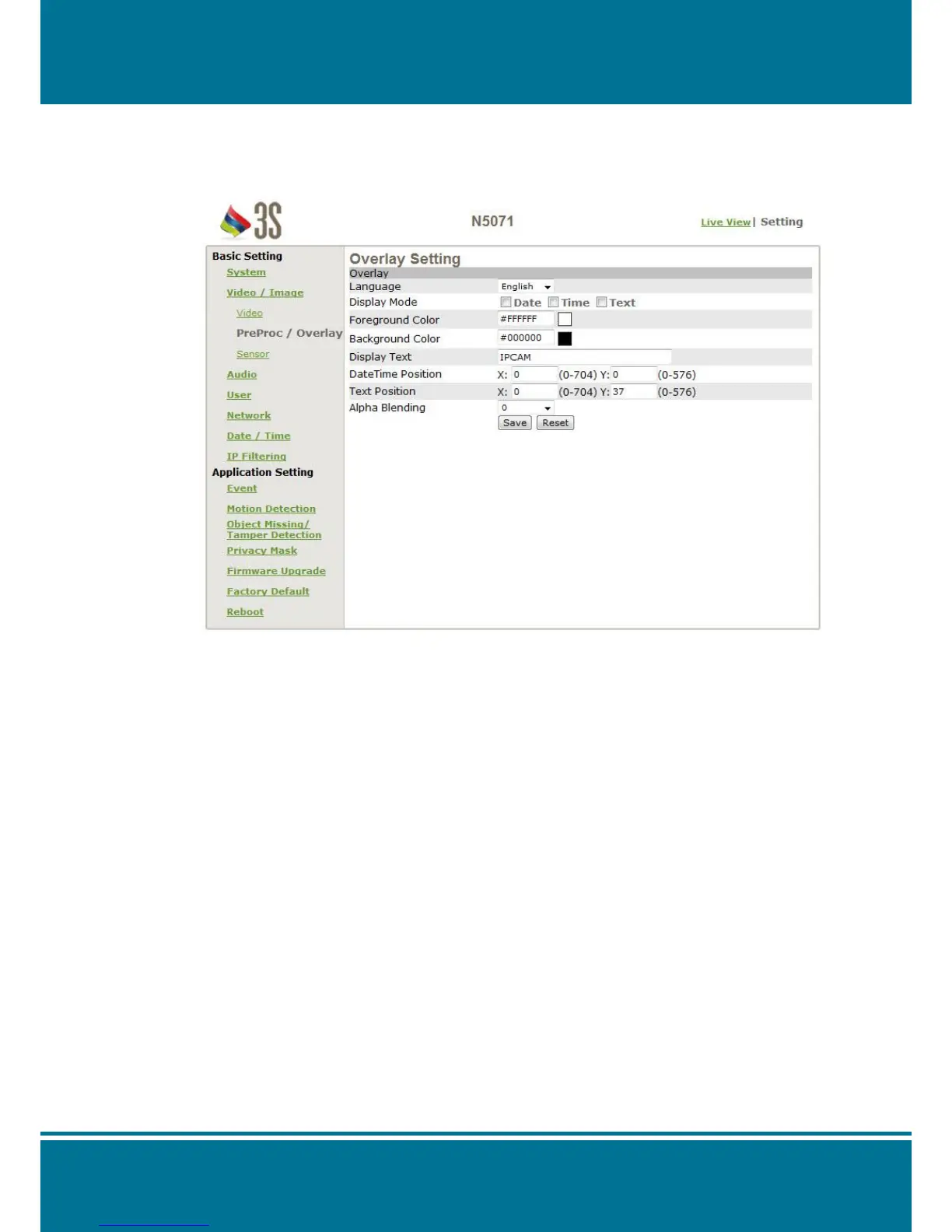
Overlay Setting
Language: Set the language for the overlay.
Display mode: Set the display mode from Date, Time and Txt or not.
Foreground color: Selects the foreground color for Date, Time and Text to display.
Click the color block in order to show the palette. Move the arrow
point and click on the color what you like.
Background color: Selects the background color for Date, Time and Text to display.
Click the color block in order to show the palette. Move the arrow
point and click on the color what you like.
Display text: Fill in the text what you want to show on the screen, e.g. Lobby IP
Cam.
Date/time position: Set the value of the X/Y-axis for the location that the Date/Time will
show on the screen. (Anyone on the four corners is available.)
Text position: Set the value of the X/Y-axis for the location that the text will show
on the screen. (Anyone on the four corners is available.)
Alpha Blending: Set the Alpha Blending for the transparency of the overlay from
0%, 50% and 90%.



 To Next Page