N5071 Speed Dome Network Camera H.264 / D1 Real-Time
- 79 -
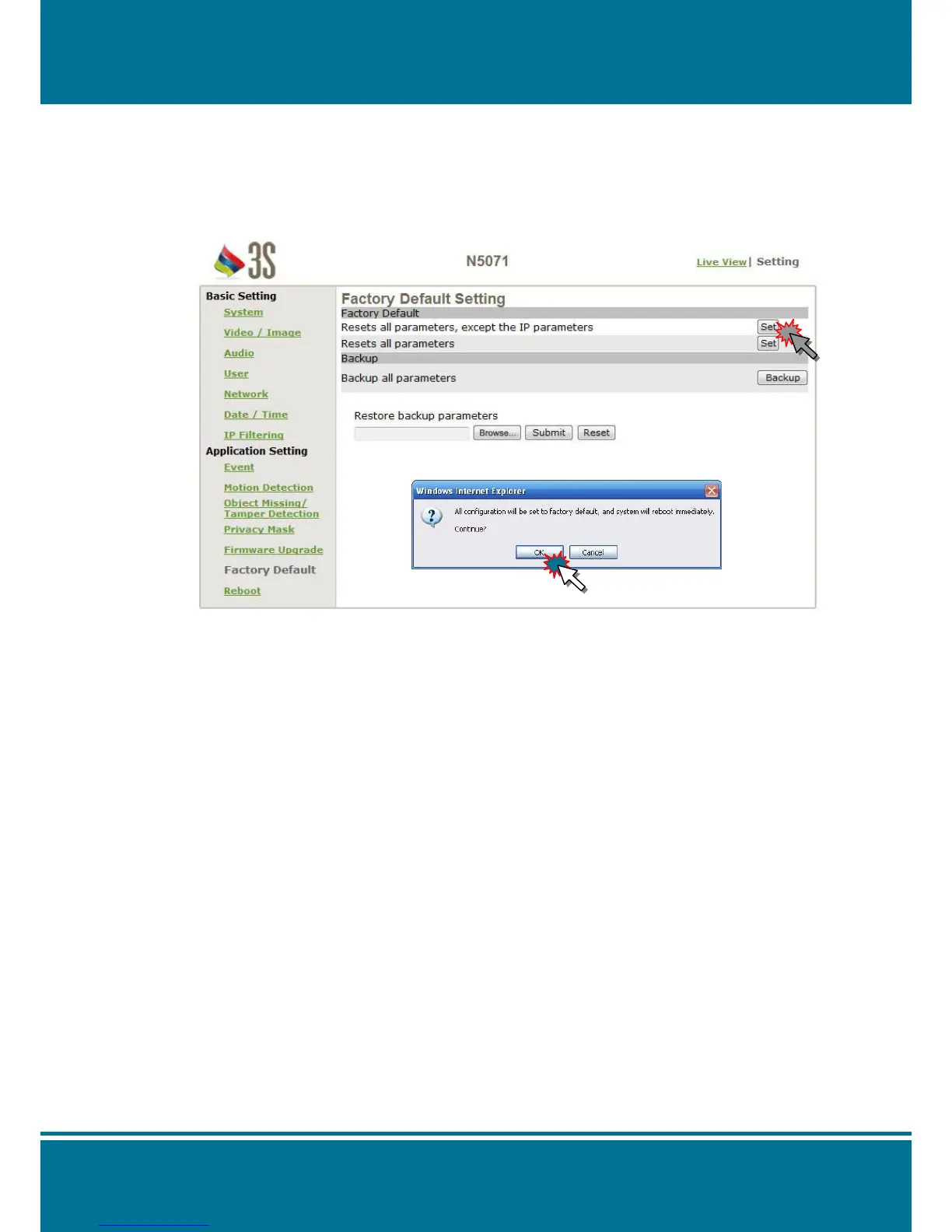
Factory Default
You can use this setting to reset N5071 Speed Dome Network Camera to the factory
default value without any changes. Including the IP address all of you have set will be
invalid.
Factory Default
Resets all parameters, except the IP parameters:
Use this setting to reset the N5071 Speed Dome Network Camera to the factory default
value and all of the changes you have set will be invalid except the IP address and all of
the settings which is relation to network will remain the valid. (Cable and wireless
network setting are included)
Click the Set to start the factory reset and a warning pop-up window will appear to ask
whether you really want to reset to the factory default value or not.
Click OK to complete the reset.
Resets all parameters:
Use this setting to reset the N5071 Speed Dome Network Camera to the factory default
value. All of the changes will be invalid. (IP address is included)
Click the Set to start the factory reset and a warning pop-up window will appear to ask
whether you really want to reset to the factory default value or not.
Click OK to complete the reset.



 To Next Page