User’s Manual
User’s ManualUser’s Manual
User’s Manual
EAP200
EAP200EAP200
EAP200 Enterprise Access Point ENGLISH
12
Copyright © 4IPNET, INC.
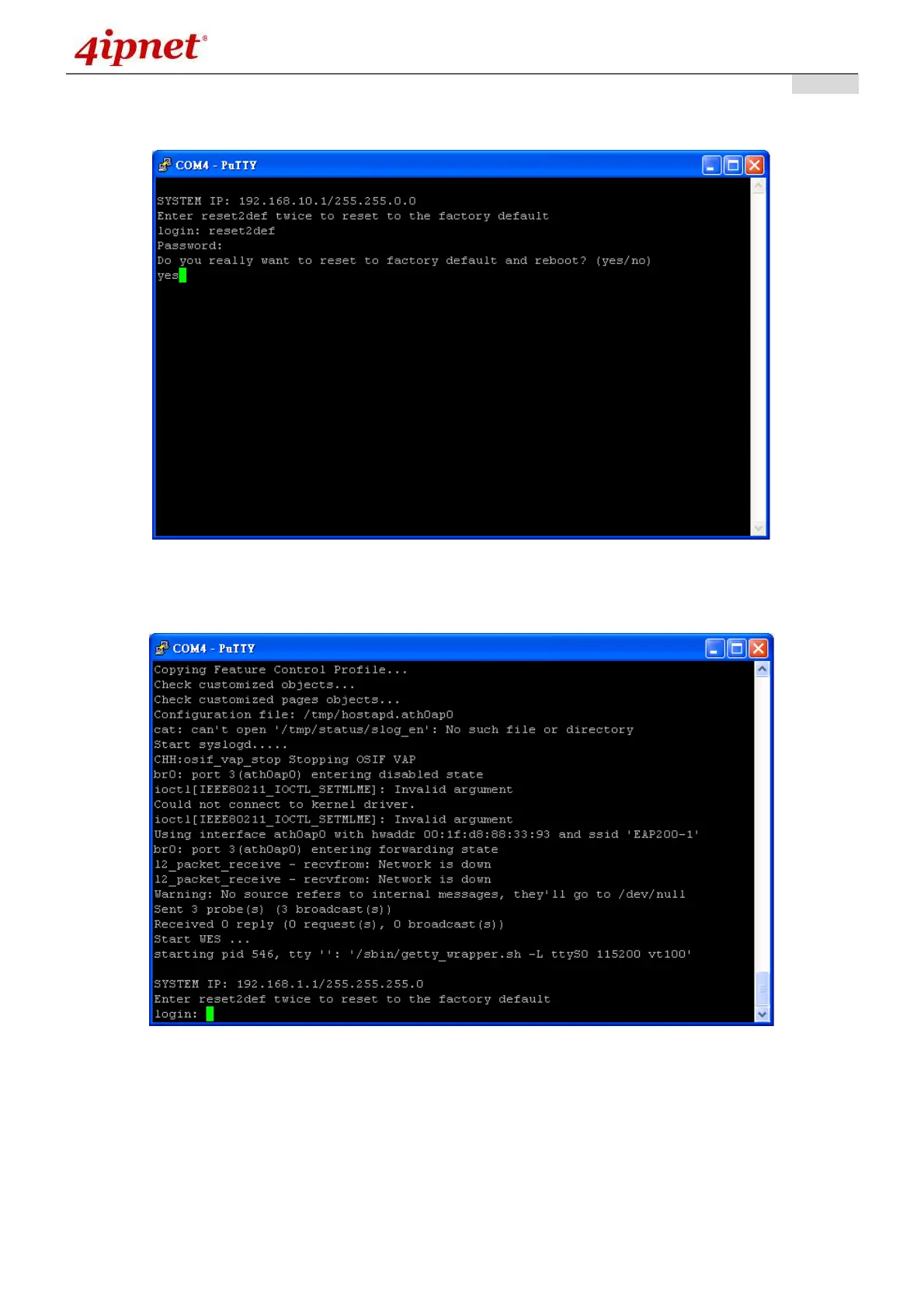
When resetting the device to default from the console interface, key in “reset2def” for login and password.
Confirm “yes” and EAP200 will begin the reset process.
When the login prompt reappears, the device has completed the reset to default process and the LAN IP is
reset to 192.168.1.1.



 To Next Page