User’s Manual
User’s ManualUser’s Manual
User’s Manual
EAP200
EAP200EAP200
EAP200 Enterprise Access Point ENGLISH
49
Copyright © 4IPNET, INC.
7.2.2 General
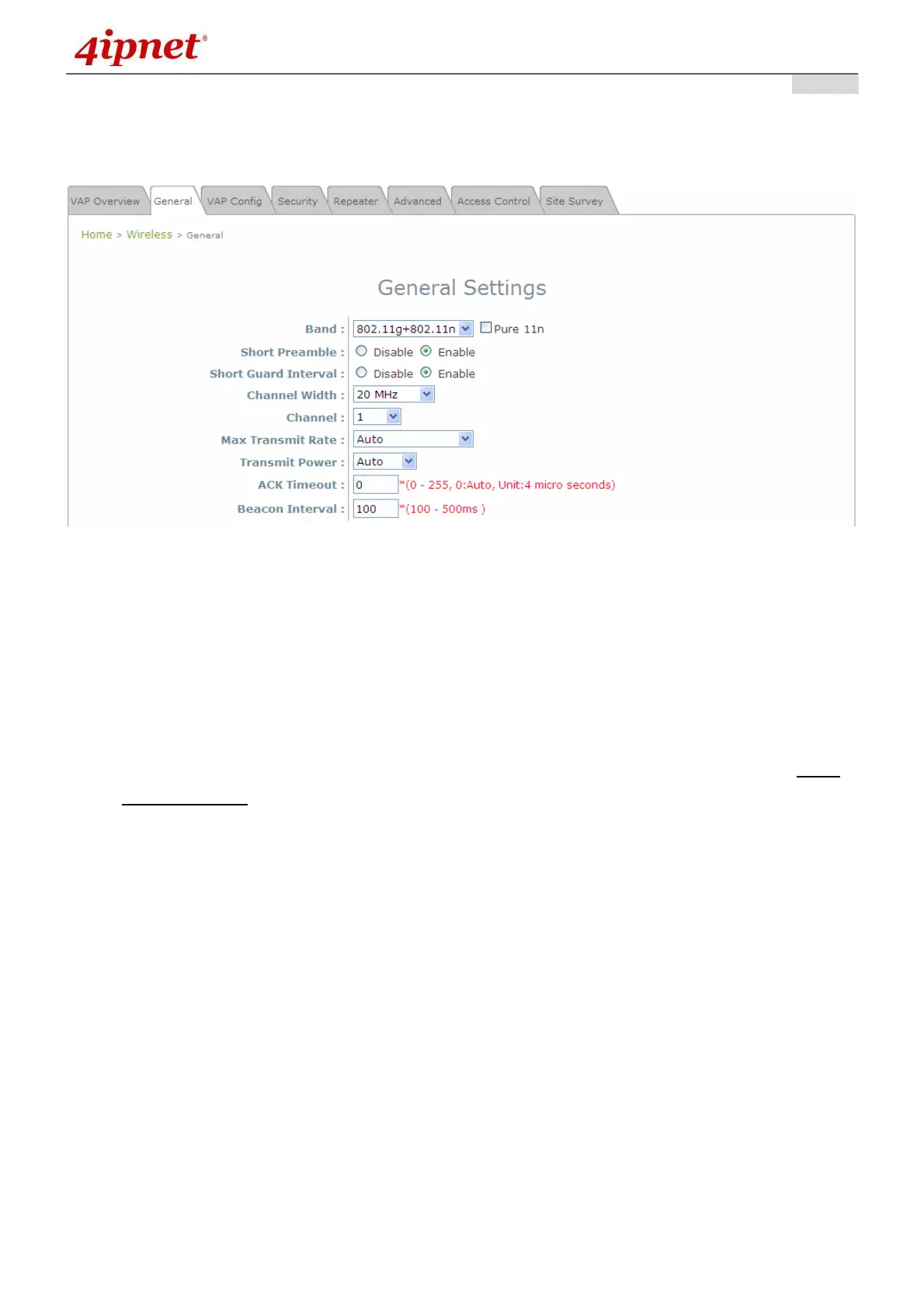
AP’s general wireless settings can be configured here:
AP General Settings Page
• Band: Select an appropriate wireless band: 802.11b, 802.11g, 802.11b+802.11g, 802.11g+802.11n
or select Disable if the wireless function is not required.
Pure 11n: Enable 802.11n network only.
• Short Preamble: The short preamble with a 56-bit synchronization field can improve WLAN
transmission efficiency. Select Enable to use Short Preamble or Disable to use Long Preamble with a
128-bit synchronization field.
• Short Guard Interval (available when Band is 802.11g+802.11n): The guard interval is the space
between symbols (characters) being transmitted to eliminate inter-symbol interference. In order to
further boost throughput with 802.11n, short guard interval is half of what it used to be; please select
Enable to use Short Guard Interval or Disable to use normal Guard Interval.
• Channel Width (available when Band is 802.11g+802.11n): Double channel bandwidth to 40 MHz
is supported to enhance throughput.
• Channel: Select the appropriate channel from the drop-down menu to correspond with your network
settings, for example, Channel 1-11 is available in North American and Channel 1-13 in Europe, or
choose the default Auto.
• Max Transmit Rate: The maximum wireless transmit rate can be selected from the drop-down menu.
The system will use the highest possible rate when Auto is selected.
• Transmit Power: The signal strength transmitted from the system can be selected among Auto,
Highest, High, Medium, Low, and Lowest from the drop-down menu.
• ACK Timeout: It indicates a period of time that the system waits for an Acknowledgement frame sent
back from a station without retransmission. In other words, upon timeout, if the Acknowledgement
frame is still not received, the frames will be retransmitted. This option can be used to tune network



 To Next Page