User’s Manual
User’s ManualUser’s Manual
User’s Manual
EAP200
EAP200EAP200
EAP200 Enterprise Access Point ENGLISH
43
Copyright © 4IPNET, INC.
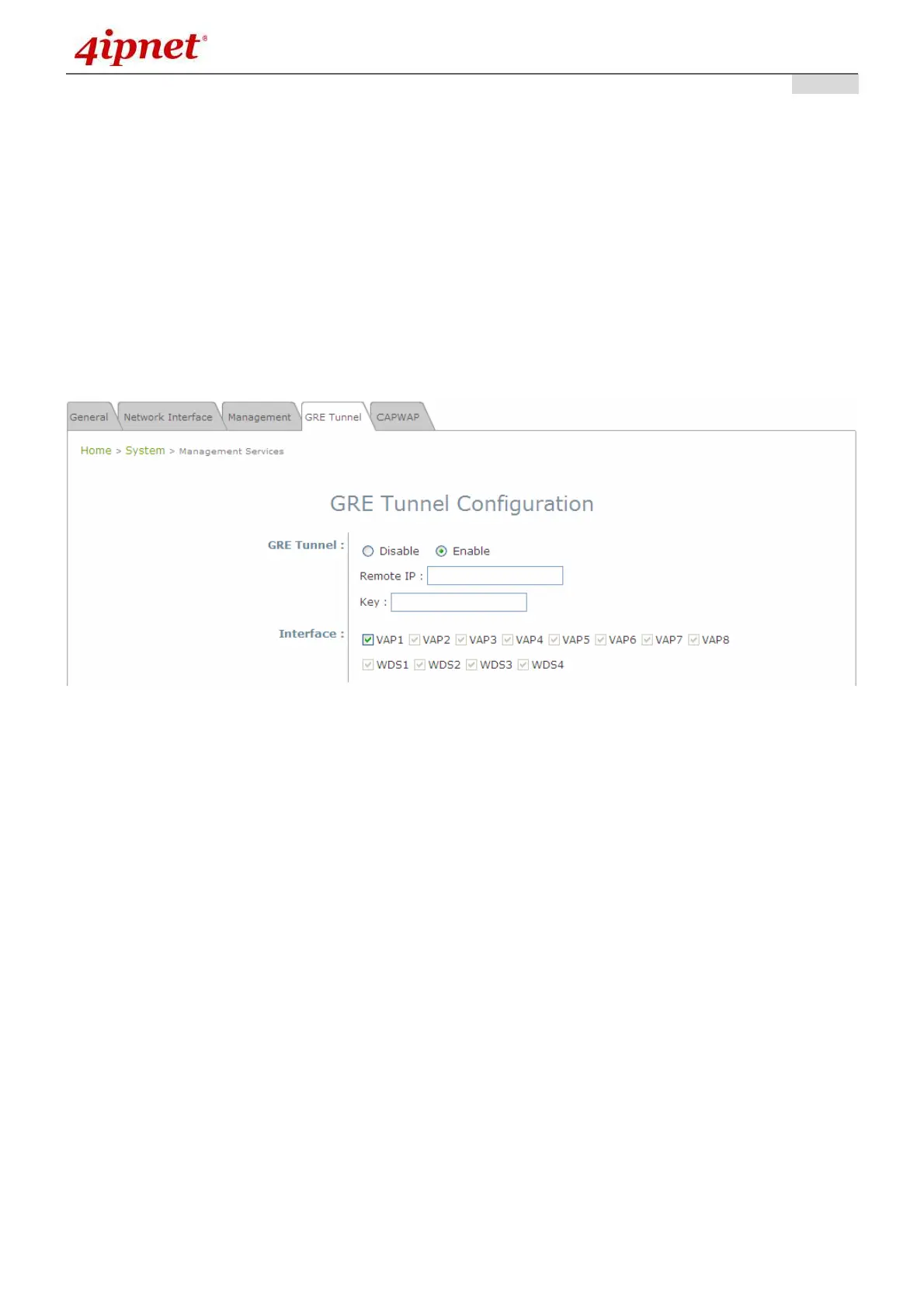
7.1.4 GRE Tunnel
When GRE tunnel is created between EAP200 and the controller, EAP200 can be logically deployed into the
Controller’s managed network regardless of its physical location. If the tunnel is created from WHG series
controllers, all of the configuration should be performed on the Controller side. It is meaningless to configure
GRE tunnel settings from the EAP200 side. Once the settings are applied from the Controller side, the applied
settings such as Key string will be passed to the corresponding EAP200 and its WMI page will automatically
open to confirm the changes. Click Restart link and EAP200 will restart to activate the tunnel. A new window
will automatically open and display the tunnel settings from the AP side which is passed from the Controller.
Click the Reboot link to apply and activate the settings to AP. Please refer to your WHG manual for more
information regarding AP management with tunnels.
• GRE Tunnel: To enable, click Enable of GRE Tunnel.
Remote IP: Enter the IP address of the Controller.
Key: Set up a password for the connection.
• Interface: Select a VAP or WDS that its traffic will pass through the GRE Tunnel between APs and
controller. For how to enable VAP items, please refer the section 7.2.3 VAP Configuration for reference.



 To Next Page