User’s Manual
User’s ManualUser’s Manual
User’s Manual
EAP200
EAP200EAP200
EAP200 Enterprise Access Point ENGLISH
17
Copyright © 4IPNET, INC.
3. Connect your AP to your Network
The following instructions depict how to establish the wireless coverage of your network. The AP will
connect to the network through its LAN port and provide wireless access to your network.
After having prepared the EAP200’s hardware for configuration, set the TCP/IP settings of administrator’s
computer to have a static IP Address of 192.168.1.10 and Subnet Mask of 255.255.255.0.
Step 1: Configuring the AP’s System Information
Enter the AP’s default IP Address (192.168.1.1) into the URL of a web browser.
Login via using Username: admin and Password: admin.
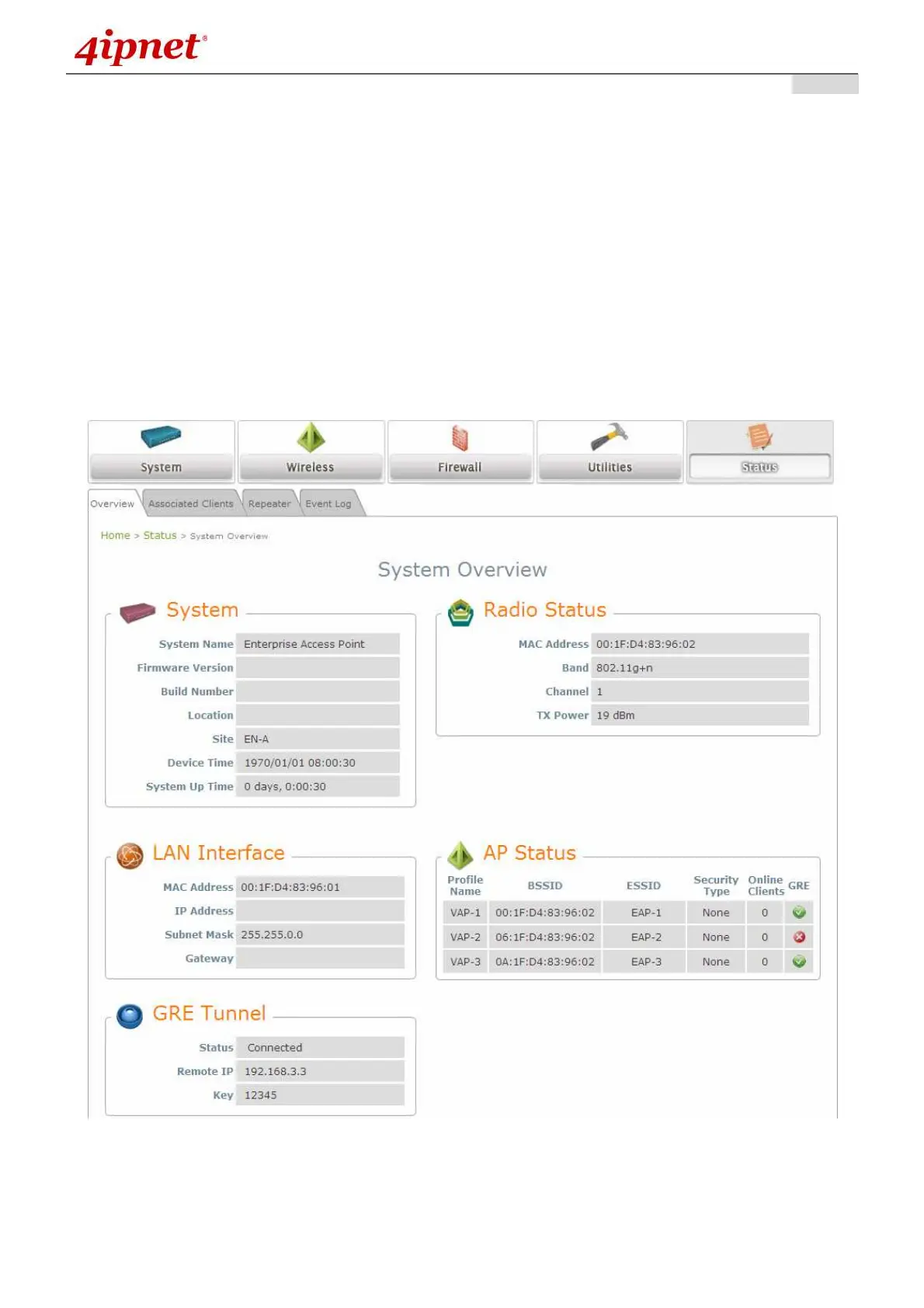
The WMI appears as shown below.
Web Management Interface Main Page (System Overview)



 To Next Page