User’s Manual
User’s ManualUser’s Manual
User’s Manual
EAP200
EAP200EAP200
EAP200 Enterprise Access Point ENGLISH
31
Copyright © 4IPNET, INC.
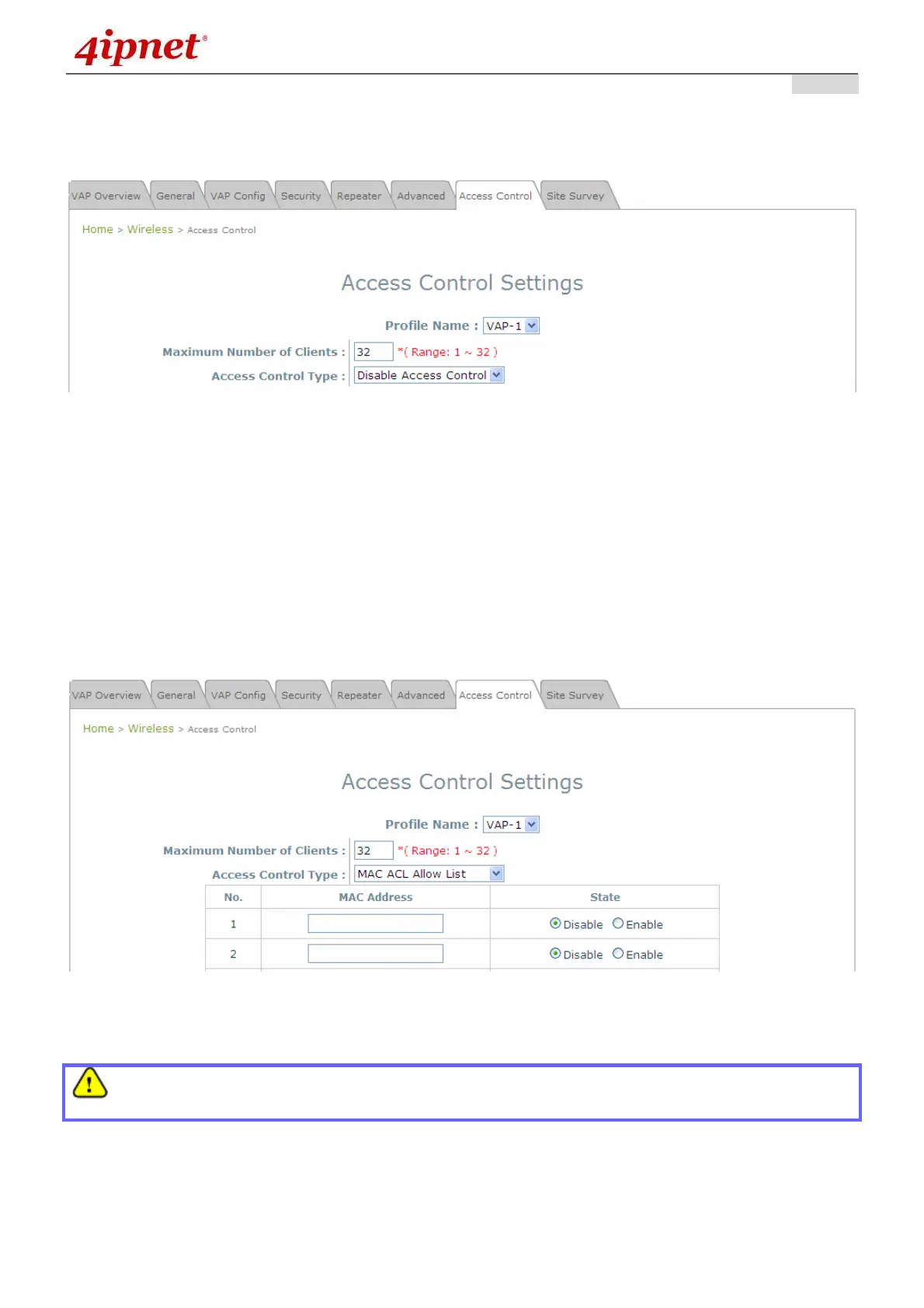
Step 3: Configuring MAC ACL (Access Control List)
Clicking on the hyperlink corresponding with intended VAP in the MAC ACL column, the user will be
brought to the Access Control Settings page.
Access Control Settings Page
Please choose among Disable, Allow, Deny, and RADIUS ACL from the drop-down menu of
Access Control Type.
1) Disable Access Control: This means that there is no restriction for client devices to access the
system.
2) MAC ACL Allow List: This means that only the client devices (identified by their MAC
addresses) listed in the Allow List (“allowed MAC addresses”) is granted with access to the
system. The administrator can temporarily block any allowed MAC address by checking Disable,
until the administrator renews the listed MAC.
MAC ACL Allow List
An empty Allow List means that there are no allowed MAC addresses. Make sure at least the MAC
of the modifying system is included (e.g. network administrator’s computer)



 To Next Page