User’s Manual
User’s ManualUser’s Manual
User’s Manual
EAP200
EAP200EAP200
EAP200 Enterprise Access Point ENGLISH
35
Copyright © 4IPNET, INC.
Step 2: Prevent Loops if Connecting Many APs
When many APs are linked in this manner, undesired loops may form to lower overall WLAN
performance. To prevent such occurrence, please make sure Layer 2 STP is enabled.
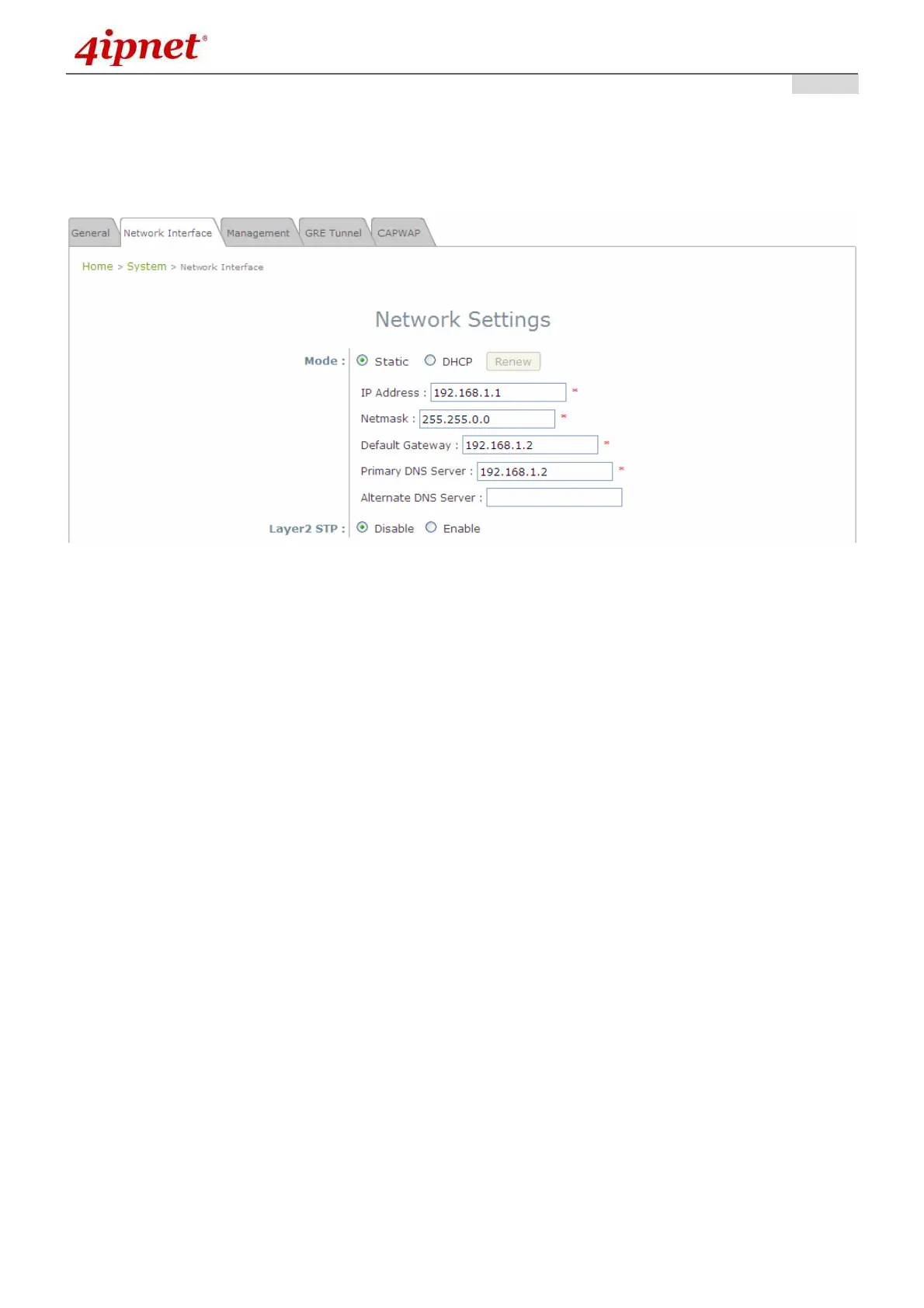
To turn on this feature, please click on the System and then Network Interface tab.
Network Settings Page
Please select Enable in the field labeled Layer2 STP. This will prevent data from looping or a broadcast
storm. Click SAVE when completed, and then Reboot to allow updated settings to take effect.



 To Next Page