User’s Manual
User’s ManualUser’s Manual
User’s Manual
EAP200
EAP200EAP200
EAP200 Enterprise Access Point ENGLISH
57
Copyright © 4IPNET, INC.
WDS
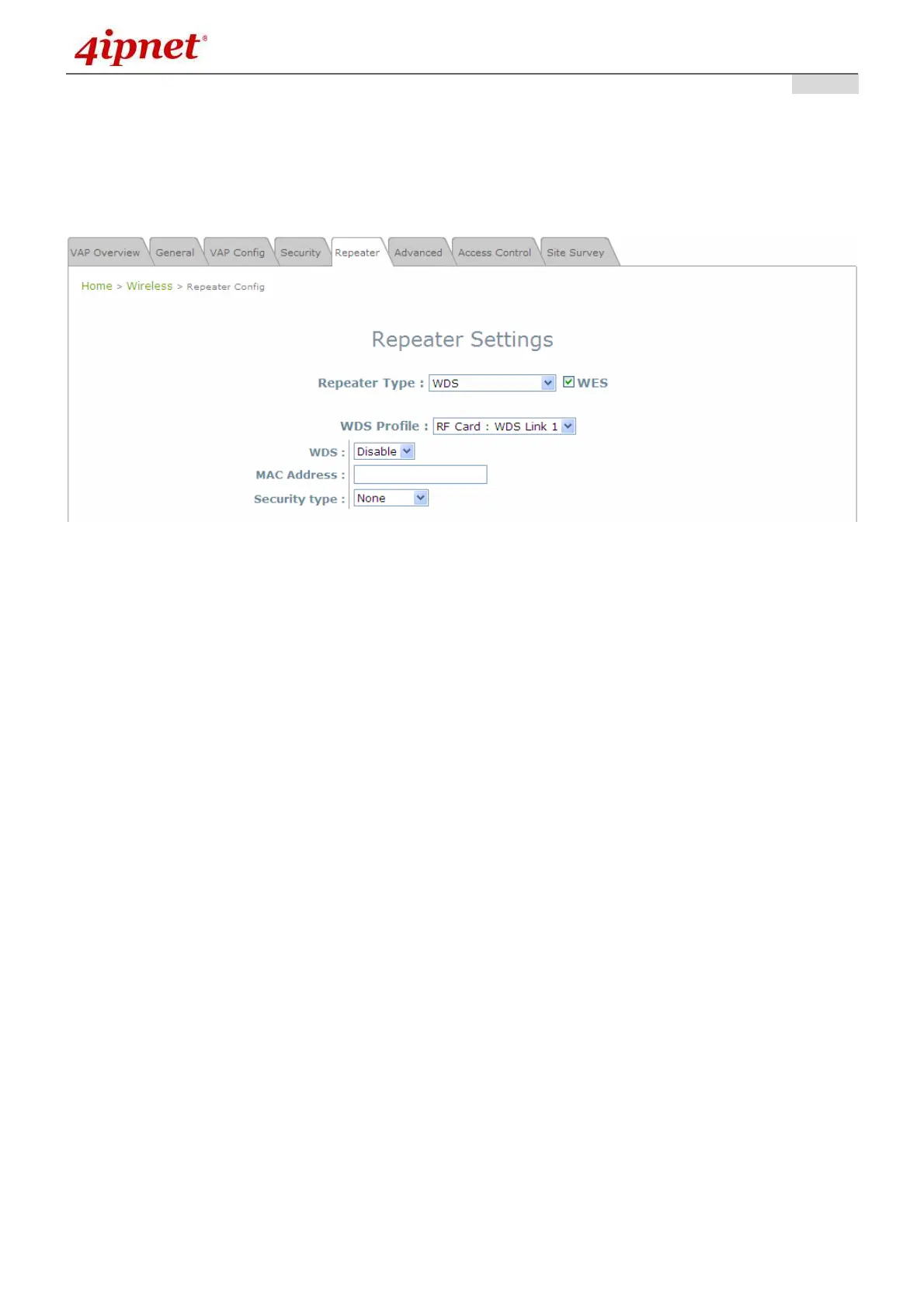
If WDS is selected, EAP200 can support up to 4 WDS links to its peer APs. Security Type (None,
WEP, or WPA/PSK) can be configured to decide which encryption to be used for WDS connections
respectively. Please fill in remote peer’s MAC address and click SAVE to proceed; if setting revision is
necessary, CLEAR button is used to clear the contents in the above WDS connection list.
Repeater Settings: WDS
o WES: Enable WES.
o MAC Address: To remote peer’s MAC address.
o WDS: Click on Enable to enable the respective WDS links; click on Delete to remove them.
o Security Type: None, WEP, or WPA-PSK.



 To Next Page