Aprisa SRx User Manual 1.3.0
IP > L3 Filtering
This page is only available if the Ethernet traffic option has been licensed (see ‘Maintenance > Licence’ on
page 160) and Router Mode selected. It is not active in Bridge Mode (see 'Terminal > Operating Mode’ on
page 87).
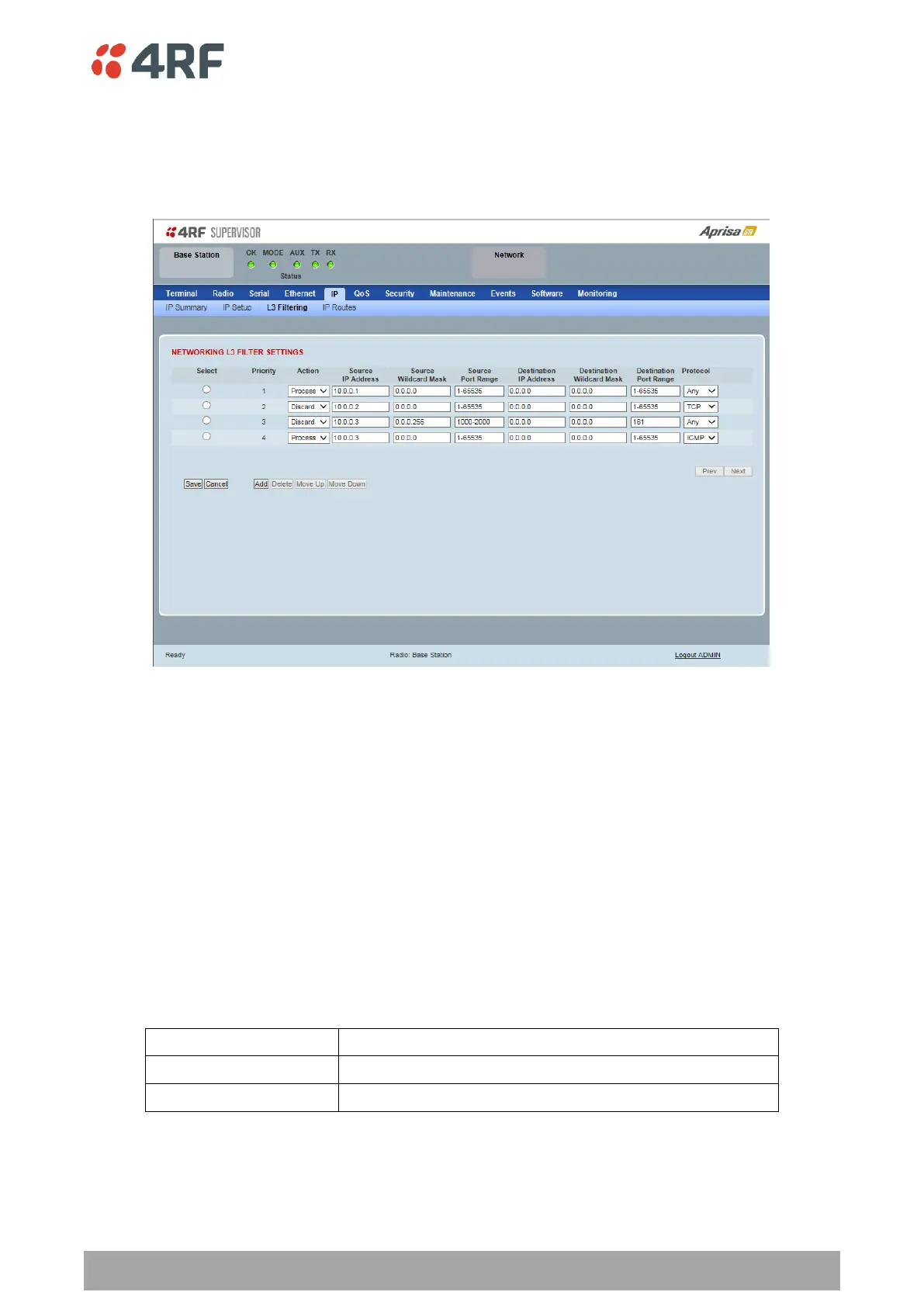
NETWORKING L3 FILTER SETTINGS
L3 Filtering provides the ability to evaluate traffic and take specific action based on the filter criteria.
This filtering can also be used for L4 TCP / UDP port filtering which in most cases relates to specific
applications as per IANA official and unofficial well-known ports.
Entering a * into any to field will automatically enter the wildcard values when the data is saved.
Priority
This parameter shows the priority order in which the filters are processed.
Action
This parameter defines the action taken on the packet when it meets the filter criteria.
Processes the packet if it meets the filter criteria
Discards the packet if it meets the filter criteria
Source IP Address
If the source IP address is set to 0.0.0.0, any source IP address will meet the filter criteria.



 To Next Page