Aprisa SRx User Manual 1.3.0
USB RS-232 / RS-485 Serial Port
The Aprisa SR USB host port is predominantly used for software upgrade and diagnostic reporting.
However, it can also be used to provide an additional RS-232 DCE or RS-485 serial port for customer
traffic.
This is accomplished with a USB to RS-232 / RS-485 serial converter cable. This plugs into the USB host
port connector and can be terminated with the required customer connector.
This additional RS-232 / RS-485 serial port is enabled with the SuperVisor mode setting in Serial Port
Settings (see ‘Serial > Port Setup’ on page 106).
The Aprisa SR USB port has driver support for these USB serial converters. Other USB serial converters may
not operate correctly.
USB RS-232 / RS-485 operation
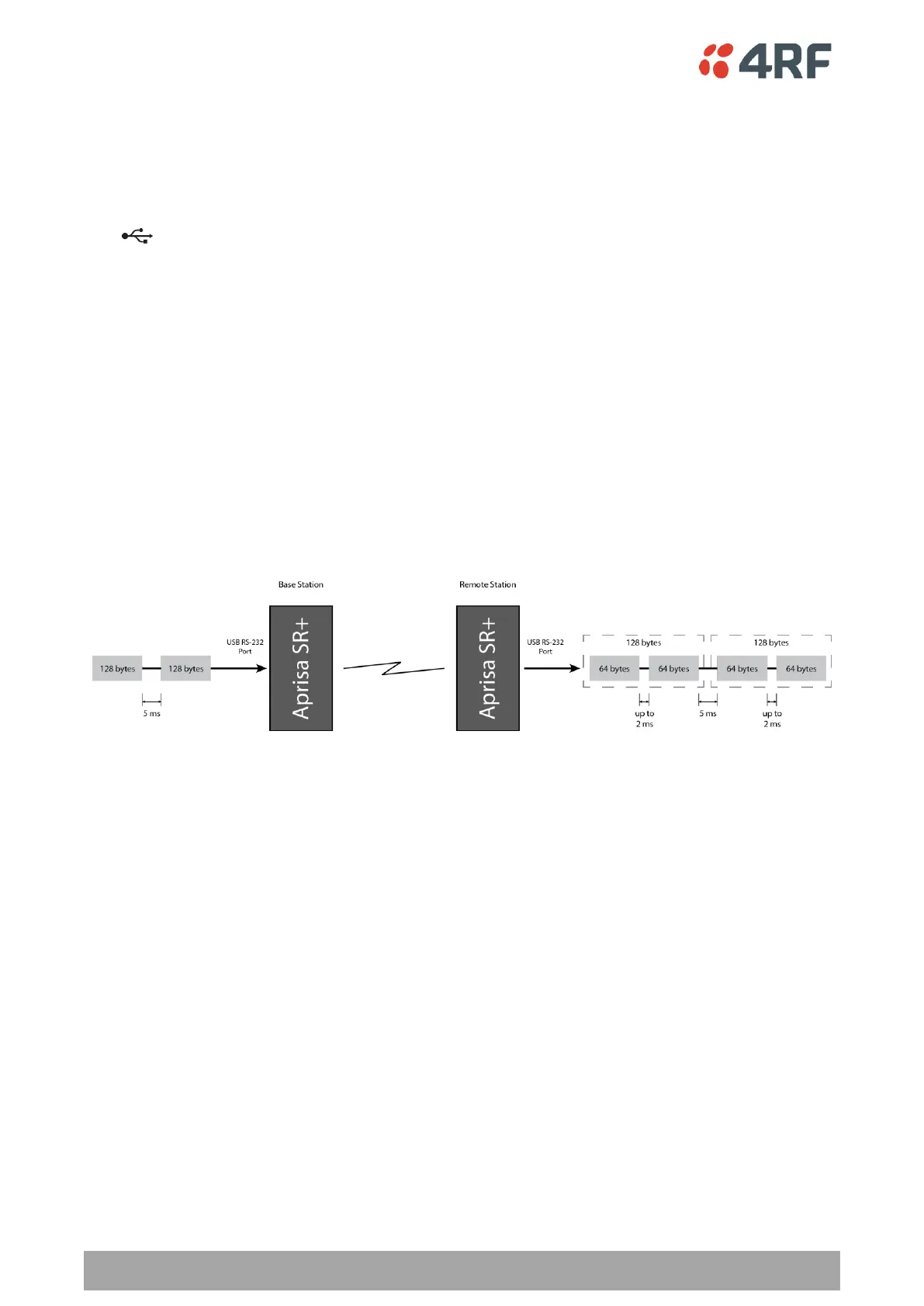
The USB serial converter buffers the received data frames into 64 byte blocks separated by a small inter-
frame gap.
For the majority of applications, this fragmentation of egress frames is not an issue. However, there are
some applications that may be sensitive to the inter-frame gap, therefore, these applications need
consideration.
A 5 ms inter-frame is recommended for the applications that are sensitive to inter-frame gap timings.
On a USB RS-232 port, Modbus RTU can operate up to 9600 bit/s with all packet sizes and up to 115200
bit/s if the packet size is less than 64 bytes. The standard RS-232 port is fully compatible with Modbus RTU
at all baud rates.



 To Next Page