Aprisa SRx User Manual 1.3.0
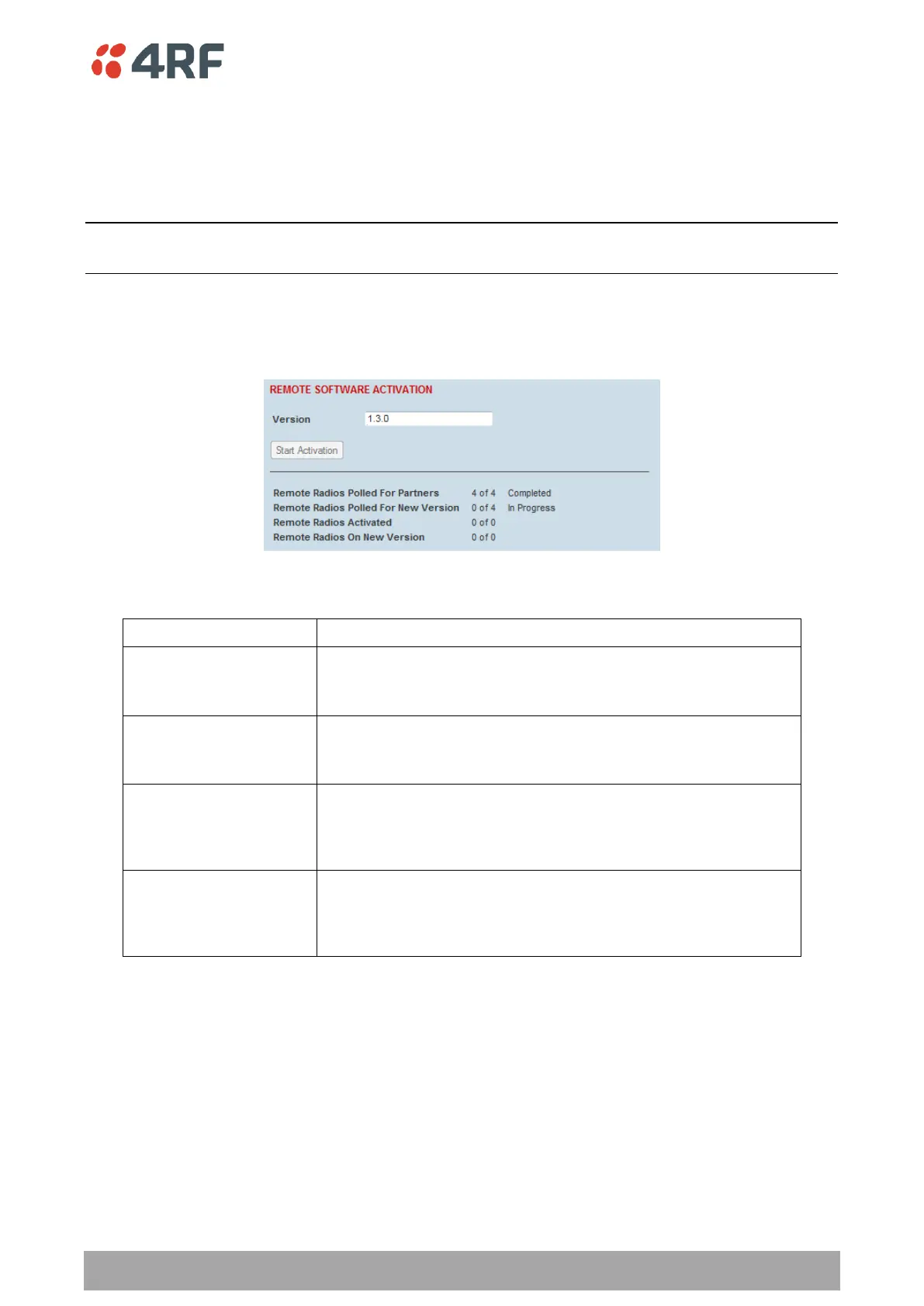
To activate software in remote stations:
This process assumes that a Software Pack has been loaded into the base station with the file transfer
process (see ‘Software > File Transfer’ on page 181) and that distributed to all remote radios in the
network.
Note: Do not navigate SuperVisor away from this page during the activation process (SuperVisor can lose
PC focus).
1. Enter the Software Pack version (if different from displayed version).
2. See ‘Software > Manager’ on page 184 for the activation options.
The remote stations will be polled to determine which radios require activation:
Remote Radios Polled for
Partners
X is the number of radios polled to determine the number of
protected stations in the network.
Y is the number of remote radios registered with the base station.
Remote Radios Polled for
New Version
X is the number of radios polled to determine the number of radios
that contain the new software version.
Y is the number of remote radios registered with the base station.
X is the number of radios that contain the new software version
and have been activated.
Y is the number of radios that contain the new software version
and can be activated.
Remote Radios On New
Version
X is the number of radios that has been successfully activated and
now running the new version of software.
Y is the number of radios that the activation command was
executed on.



 To Next Page