Aprisa SRx User Manual 1.3.0
To change the PC pop-up status:
Some functions within SuperVisor require Pop-ups enabled e.g. saving a MIB
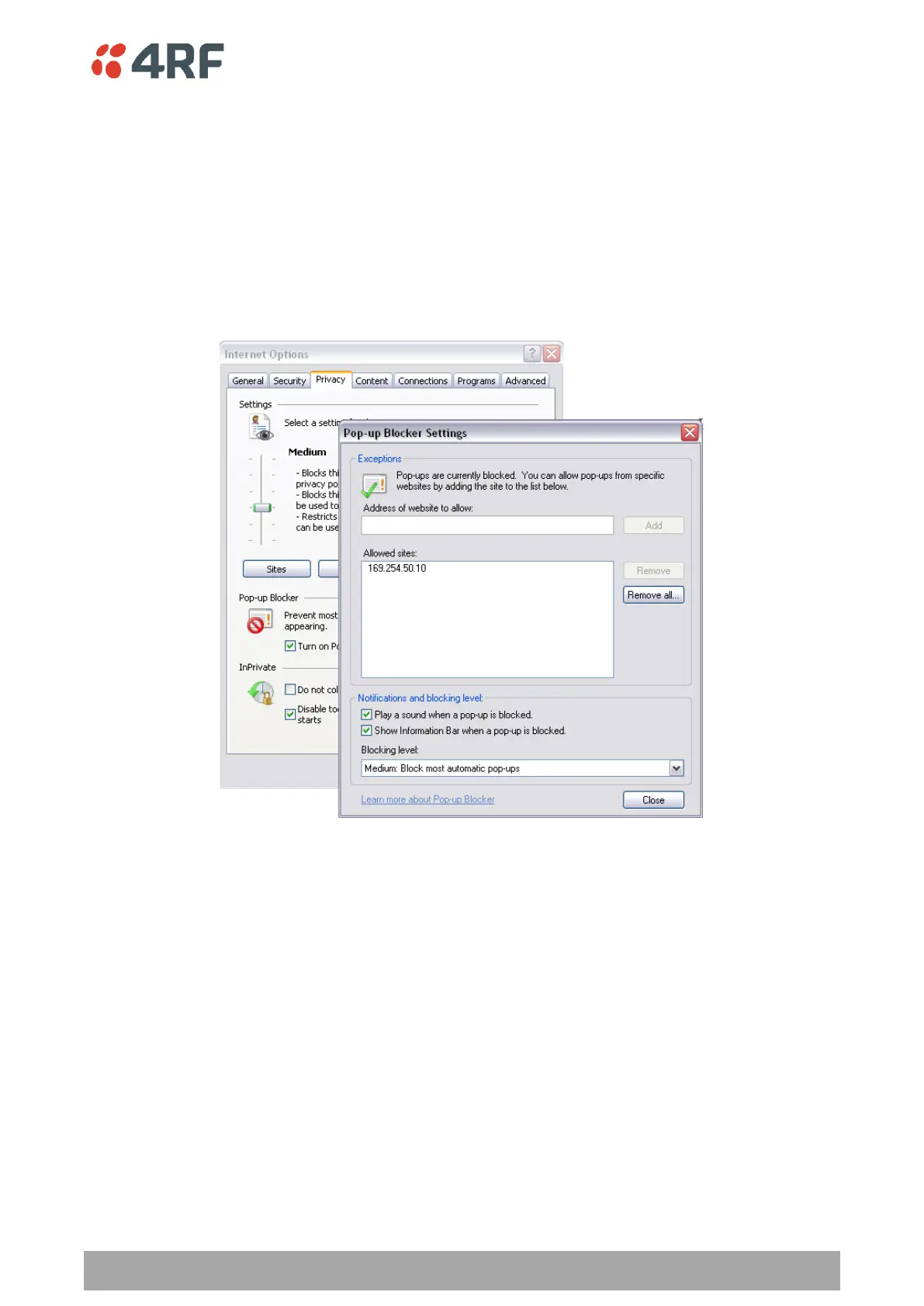
Windows Internet Explorer 8 example:
1. Open Internet Explorer.
2. Open the menu item Tools > Internet Options and click on the ‘Privacy’ tab.
3. Click on ‘Pop-up Blocker Settings’.
4. Set the ‘Address of Web site to allow’ to the radio address or set the ‘Blocking Level’ to ‘Low: Allow
Pop-ups from secure sites’ and close the window.



 To Next Page