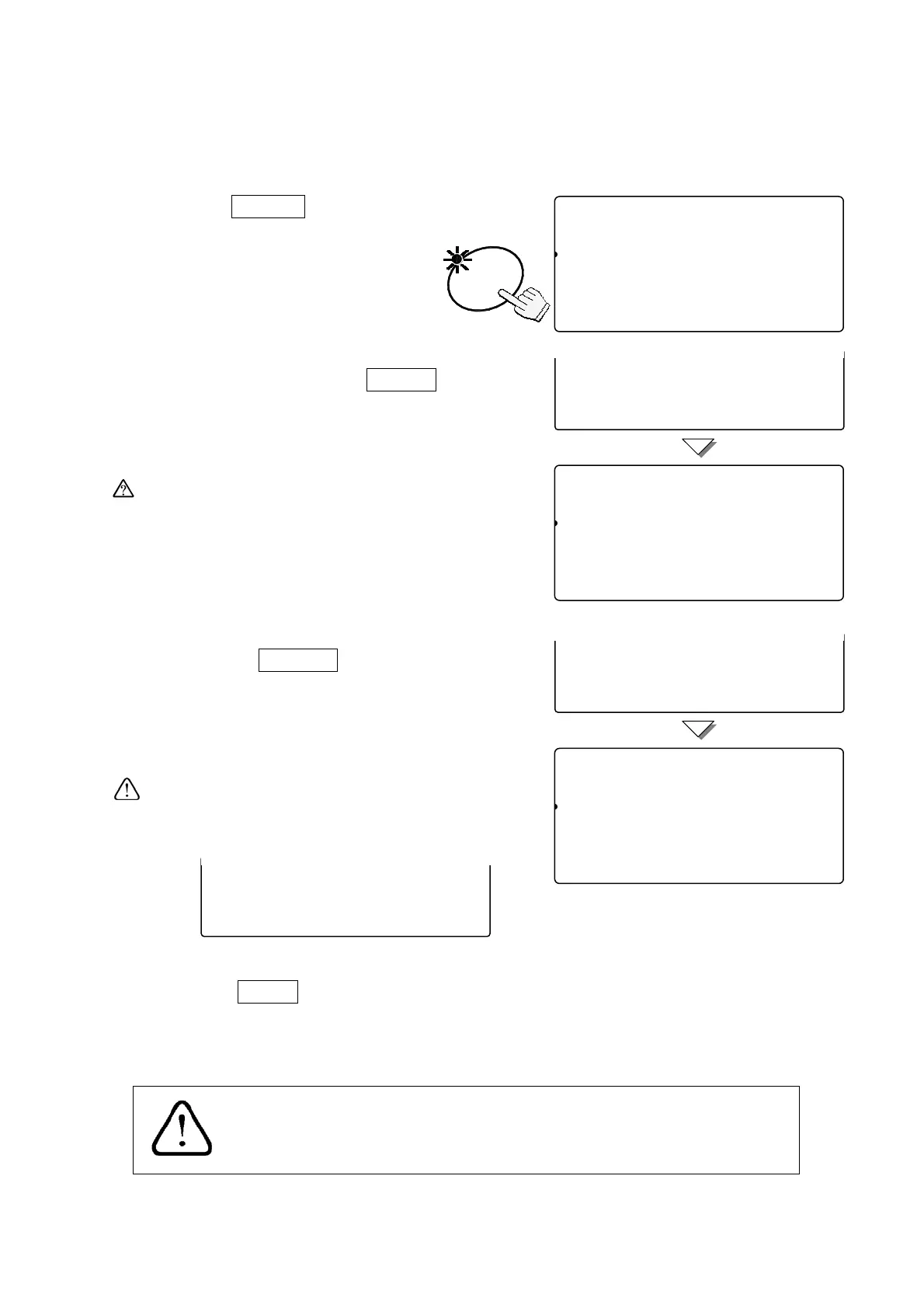
display the desired calibration weight.
(For example: Using 10kg calibration weight
that actually weighs 10.002kg.)
3. Press the
ENTER
key.
The calibration weight stops blinking
and “Cal 0” appears.
4. Making sure that there is nothing on, or touching
the weighing pan, press the
ENTER
key.
When zero calibration is completed, the display
will show “Cal f”.
If you don’t need span calibration, press the
CAL switch to exit from the calibration
procedure.
5. Place the calibration weight on the weighing pan
and press the ENTER key.
When span calibration is completed, the display
will show “
Calibration End
”.
If the calibration weight is not what it should be,
an error will be displayed. Check if the weight is
correct and try again.
6. Press the CAL switch and re-attach the
calibration switch cover.
(End of the calibration procedure.)
ENTER
8Call00
81
pcs
Calibration Zero
Cala0
Calibration weight (kg)
123456789012345678901210.000
8Callf0
81
pcs
Calibration Span
Calaf
Calibration weight (kg)
123456789012345678901210.000
Calibration Zero
Cala0
Calibration weight (kg)
1234567890123456789--------
Calibration Span
Calaf
Calibration weight (kg)
1234567890123456789--------
88Cal10
81
pcs
Calibration End
Cala
Calibration weight (kg)
123456789012345678901210.000
Calibration Span
Calaf
Calibration weight (kg)
1234567890123456789err
If the scale will be moved to another place, set the gravity
acceleration value before calibration. The value must be of the
area where the calibration is to be done.
32



 To Next Page