12-2. Data Output Mode
The data output modes and parameters are set by F-Functions in f-06
/
07
/
08-X
as described in the F-Function parameters, section 9.
To control the scale using commands from an external device, refer to “12-5.
Command Mode”.
Refer to “12-5. Command Mode” about the output data format.
Data Out Mode (f-06/07/08-01)
Key Mode (f-06/07/08-01="0")
When the weight display is stable, data is sent by pressing the
PRINT
key.
The count display will blink when the data has been sent.
Stream Mode (f-06
/
07
/
08-01="1")
Data is sent continuously. The data-update rate is approximately 5 times per second for
f-06
/
07
/
08-03="2". For f-06
/
07
/
08-3="0" or "1", the interval between continuous data is
approximately 2 seconds.
Auto-print Mode A (f-06
/
07
/
08-01="2")
Data is sent if the WEIGHT display is stable at +5d (weighing display division) and
above. The next transmission can not occur until after the weight display falls below
+5d.
Auto-print Mode B (f-06
/
07
/
08-01="3")
Data is sent if the WEIGHT display is stable at ±5d (weighing display division) and
above/below. The next transmission can not occur until after the weight display falls
between –5d and +5d.
To use with the UFC format.
Refer to "12-7. Using UFC (Universal Flex Coms) Function"
Data to be Sent (f-06/07/08-02)
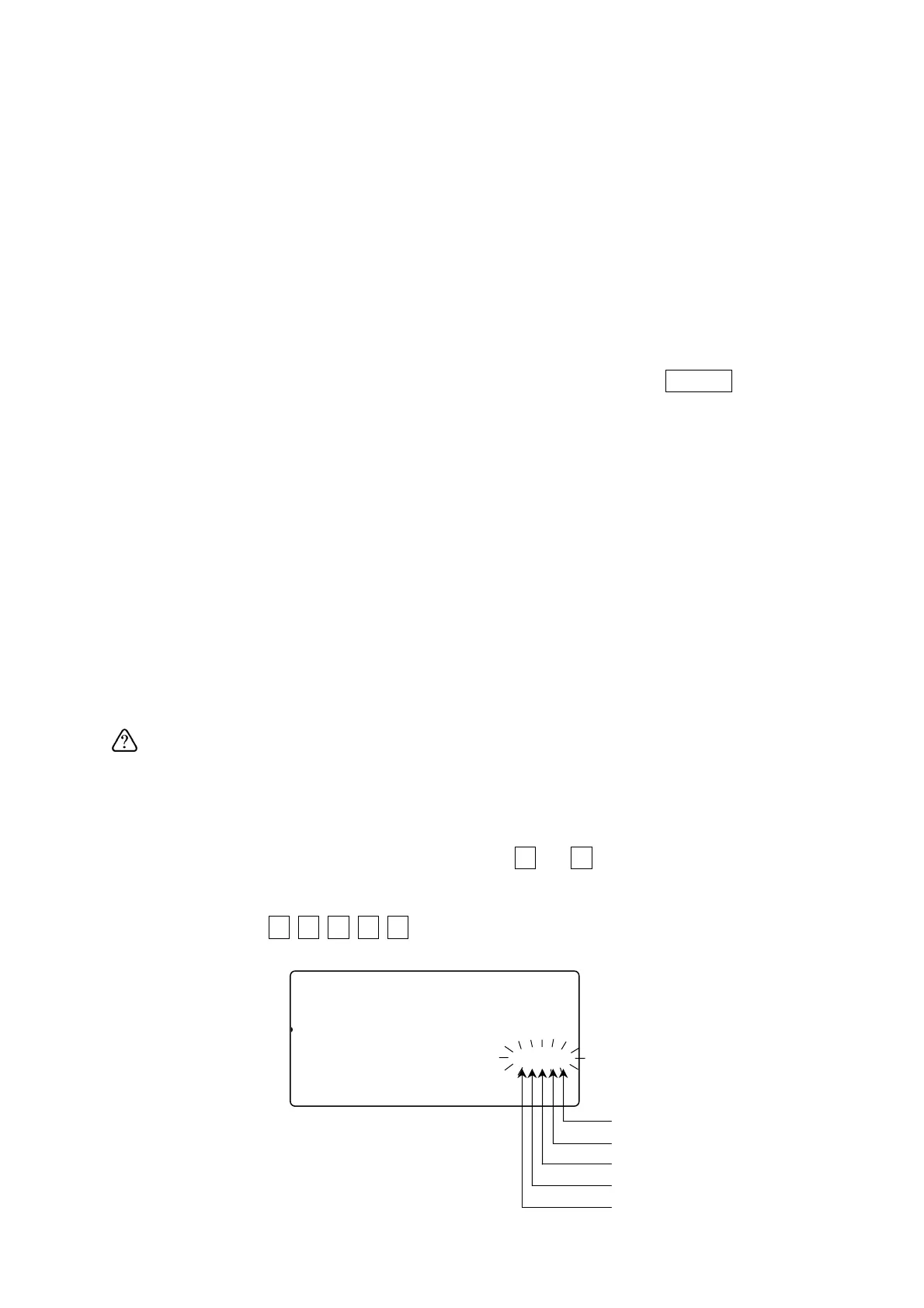
Select which data is o be sent by keying in a
0
or
1
for the data: Date / time, ID
Number, PCS (count), weight or unit weight.
Example: Key in
0
1
1
0
0
to display 01100, this setting would send only the
ID number and the count.
Unit weight
Weight
PCS (count)
ID
Date / time
f-06-02
81
pcs
Comparator
12345678C000045678id-001100
23SAMUUW (g)12Clear ID
12345670.0000045678901234567
‘0’ not to send data
‘1’ to send data
47



 To Next Page