3-2. To Start Counting
1. Press the
STANDBY/OPERATE
key to turn the scale on when displaying the standby
indicator. Or press the
RESET
key to clear
any previous operations.
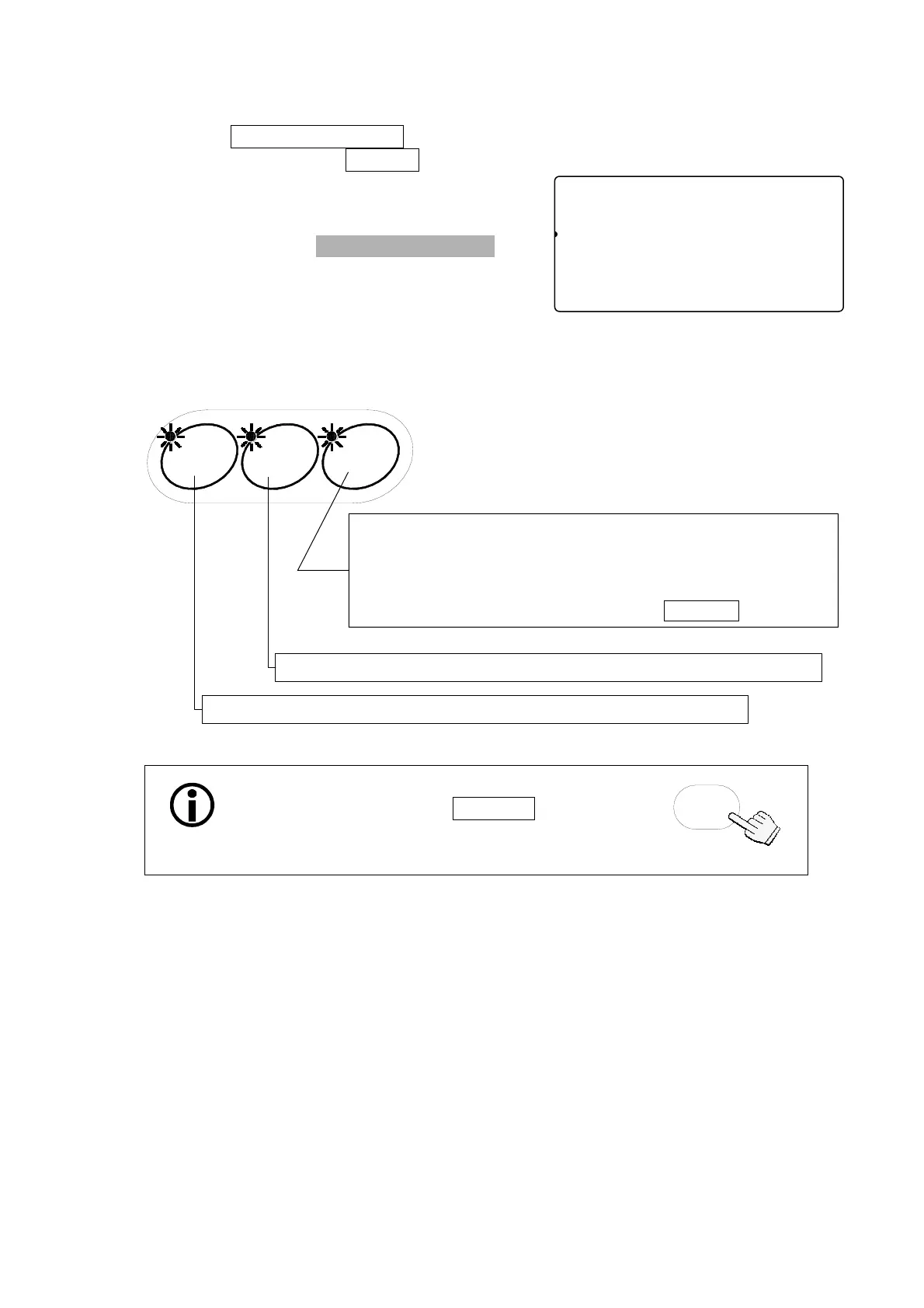
2. Three LED’s on the
UNIT WEIGHT BY keys
will blink. This is to prompt you to select a
method for entering a unit weight for operation.
3.
S
elect one of the ways to enter or recall the unit weight (the weight of one item of
what you are counting), and refer to the section noted for more instructions.
STABL
8888810
81
pcs
W2WEIGHT (kg)
12134567890.000
23ASAMPUW (g)
123415670.000004567890123456
TARE
ENTERED
ZERO
M+
SCALE
TOTAL
UNIT WEIGHT BY
KEY-
BOARD
You can return to this point at any time during
operation by pressing the RESET key.
(This doesn’t clear the entered tare weight
and M+ memory.)
RESET
SAMPLE
ID.
By using a sample: Section “3-3. Unit Weight By Samples”
10 sample size
5, 25, 50 or 100 sample size
Desired sample size
Desired sample size not to use the
SAMPLE
key
By using the l0-key pad: Section“3-4.Unit Weight By KEYBOARD”
By stored lD number: Section“3-5.Unit Weight By ID Number”
12



 To Next Page