66VCCX-454 Controller Technical Guide
TROUBLESHOOTING
LED Diagnostics
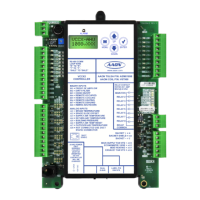
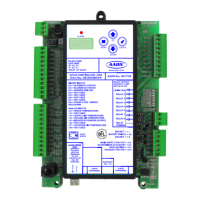
VCCX-454 Controller LEDs
The VCCX-454 Controller is equipped with LEDs that can be
used to verify operation and perform troubleshooting. There are
LEDs for communication, operation modes, and diagnostic codes.
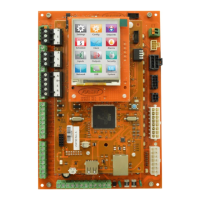
The VCCX-454 Controller has 26 LEDs—10 used for operation
and status, eight are used for relays, and eight are used for binary
inputs. The LEDs associated with these inputs and outputs show
what is active without using a voltmeter. The LEDs and their uses
are as follows:
Operation LEDs - Factory Troubleshooting
POWER - This green LED lights up to indicate that 24 VAC power
has been applied to the controller.
APP HB - This green LED lights up and blinks continuously to
indicate the application software is working properly.
OS HB - This green LED lights up and blinks continuously to
indicate the operating system is working properly.
WDOG - This green LED lights up and stays lit to indicate the
operating system is working properly.
Diagnostic LEDs
ALARM - This red LED is a diagnostic blink code LED. It lights
up and stays lit when there is an alarm present. The type of alarm
displays on the LCD display.
STATUS 1 - This red LED is a diagnostic blink code LED. Under
normal operation, it should not be blinking. If the LED is blinking
non-stop along with Status 2 LED, the controller is resetting to
factory defaults.
STATUS 2 - This red LED is a diagnostic blink code LED. If the
software is running, this LED should blink at a rate of one blink
every 10 seconds. If there is an override, the LED blinks two times
every 10 seconds. And nally, if one of the outputs is in Force Mode,
the LED blinks three times every 10 seconds.
Communication LEDs
EBUS - This yellow LED blinks to signal E-BUS communications.
LOOP COMM - This yellow LED lights up and blinks continuously
to indicate the VCCX-454 Controller is communicating.
BACnet- This yellow LED lights up and blinks continuously to
indicate BACnet communications.
Relay LEDs
RLY1 - This green LED lights up when the supply fan is enabled
and stays lit as long as the supply fan is active.
RLY2 - RLY8 - These green LEDs light up when the relays are
enabled and stay lit as long as they are active.
Binary Input LEDs
BI1 - This green LED lights up when the proof of ow contact is
closed.
BI2 - This green LED lights up when the dirty lter switch is closed.
BI3 - This green LED lights up when the hood on/o switch is closed.
BI4 - This green LED lights up when the remote occupied switch
is closed.
BI5 - This green LED lights up when the A2L Airstream Leak
Detect switch is closed.
BI6 - This green LED lights up when the A2L Cabinet Leak Detect
switch is closed.
BI7 - This green LED is not used.
BI8 - This green LED lights up when the emergency shutdown
contact is closed.
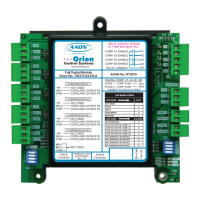
EM1 Expansion Module LEDs
The EM1 Expansion Module is equipped with four LEDs that can
be used as troubleshooting tools. The LEDs and their uses are as
follows:
PWR - This LED lights up to indicate that 24 VAC power has been
applied to the controller.
ALARM - If the module does not receive communications for more
than one minute, this LED lights up, the relays turn o, and the
Analog Outputs go to 0 VDC.
STAT - If the software is running, this LED blinks at a rate of one
blink per second.
COMM - Every time the module receives a valid E-BUS request
from the VCCX-454 Controller, this LED blinks on and then o,
indicating it received a valid request and responded.
Binary Input LEDs
BI1 - This green LED lights up when the return/exhaust proof of
ow contact is closed.


 To Next Page