NOTICE!
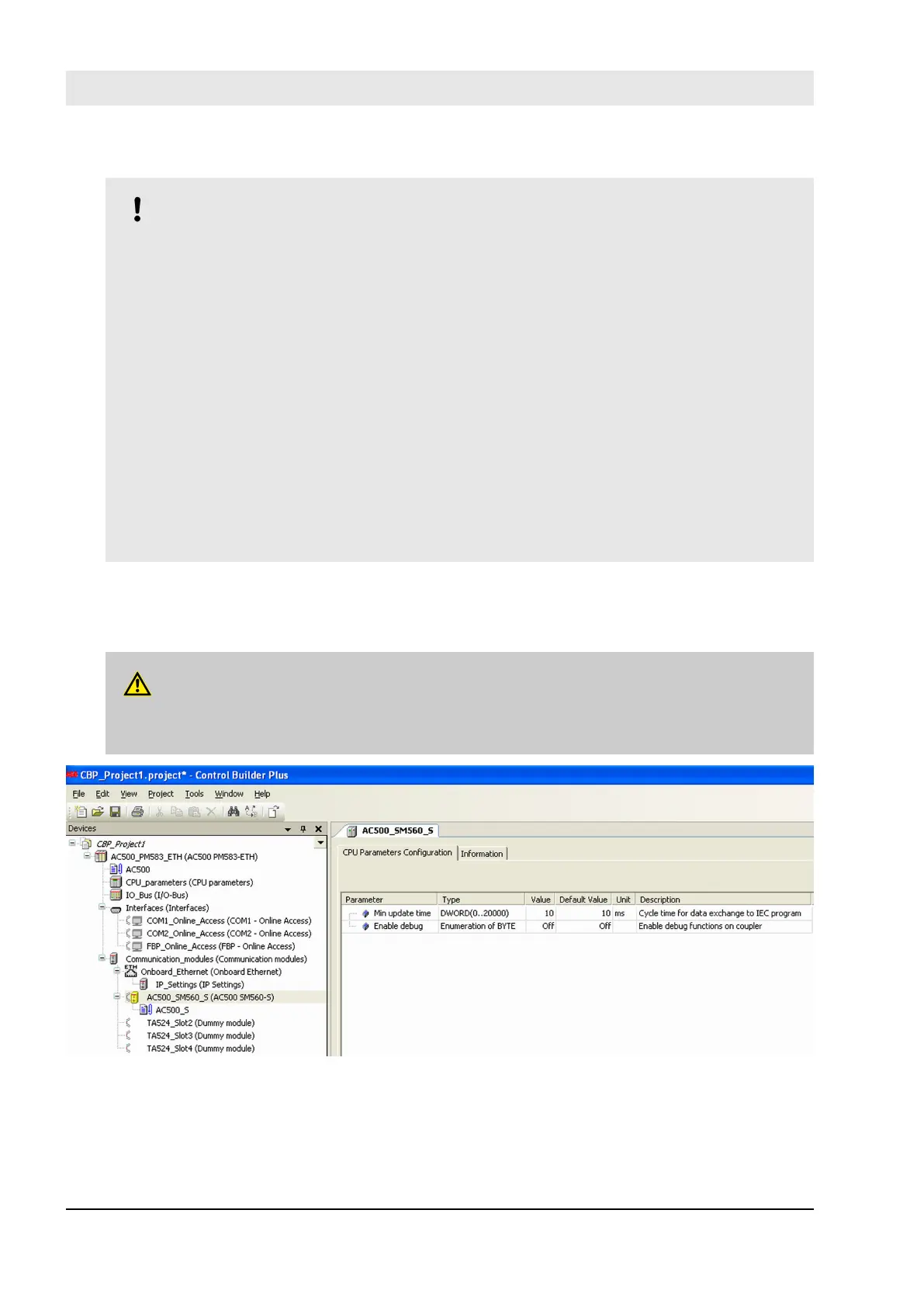
Pay attention to SM560-S Safety CPU parameter “Enable debug”. If this parameter is set to
“OFF” , then no new boot project can be loaded to SM560-S.
If a new boot project has to be loaded to SM560-S Safety CPU, then, in advance, a new boot
project with “Enable debug” parameter set to “ON” for SM560-S shall be loaded to PM5xx Non-
safety CPU. After the reboot of PM5xx Non-safety CPU, a new boot project can be loaded to
SM560-S Safety CPU.
Note that the following PLC Browser commands are allowed only if “Enable debug” parameter is
set to “ON” (
Ä
“The following PLC Browser commands (these commands can be called from
CoDeSys Safety V2.3) are supported by SM560-S Safety CPU:” on page 200 for a list of all PLC
Browser commands):
– resetprg – Reset PLC program
– resetprgorg – Reset PLC program original
– setpwd – set login password
– delpwd – delete login password
– delappl – delete user program
– deluserdat – delete user data segments
Note, that “Min update time” influences the “black channel” performance for SM560-S. The smaller the
value is the higher Safety Function Response Time (
Ä
Chapter 5.1 “Overview” on page 395) can be
reached. However, at the same time, the load on Non-safety CPU increases with smaller values of “Min
update time”.
DANGER!
Big values (e.g., > 10 ms) of “Min update time” parameter increase the chance of not delivering
input pulse signals with a length < “Min update time” value to SM560-S Safety CPU.
Fig. 75: CPU parameter configuration
Configuration and programming
System configuration and programming > Instantiation and configuration of safety modules/Definition of variable names
30.03.2017AC500-S180


 To Next Page