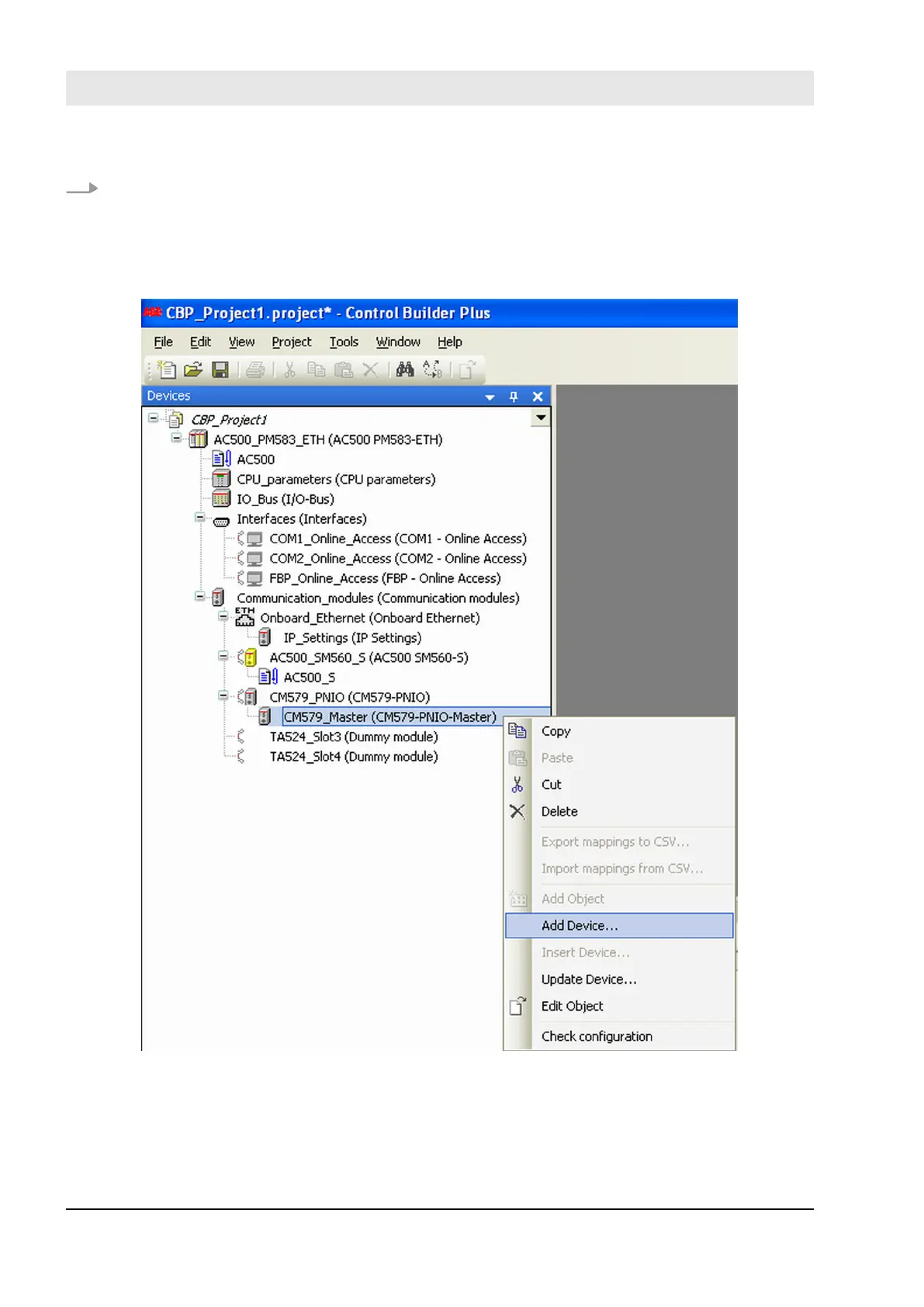
4. Now, select newly created CM579-PNIO module and using “Add Device…” command instantiate the
required number of PROFINET modules, e.g., CI501-PNIO, CI502-PNIO, etc. (Release date: 2013 and
newer) or any 3
rd
party PROFINET modules previously imported in the Device Repository using
GSDML files.
Details on how to set proper PROFINET device names and IP addresses can be found in AC500 User
Documentation.
Fig. 77: Select module and open “Add Device menu …”
Configuration and programming
System configuration and programming > Instantiation and configuration of safety modules/Definition of variable names
30.03.2017AC500-S182


 To Next Page