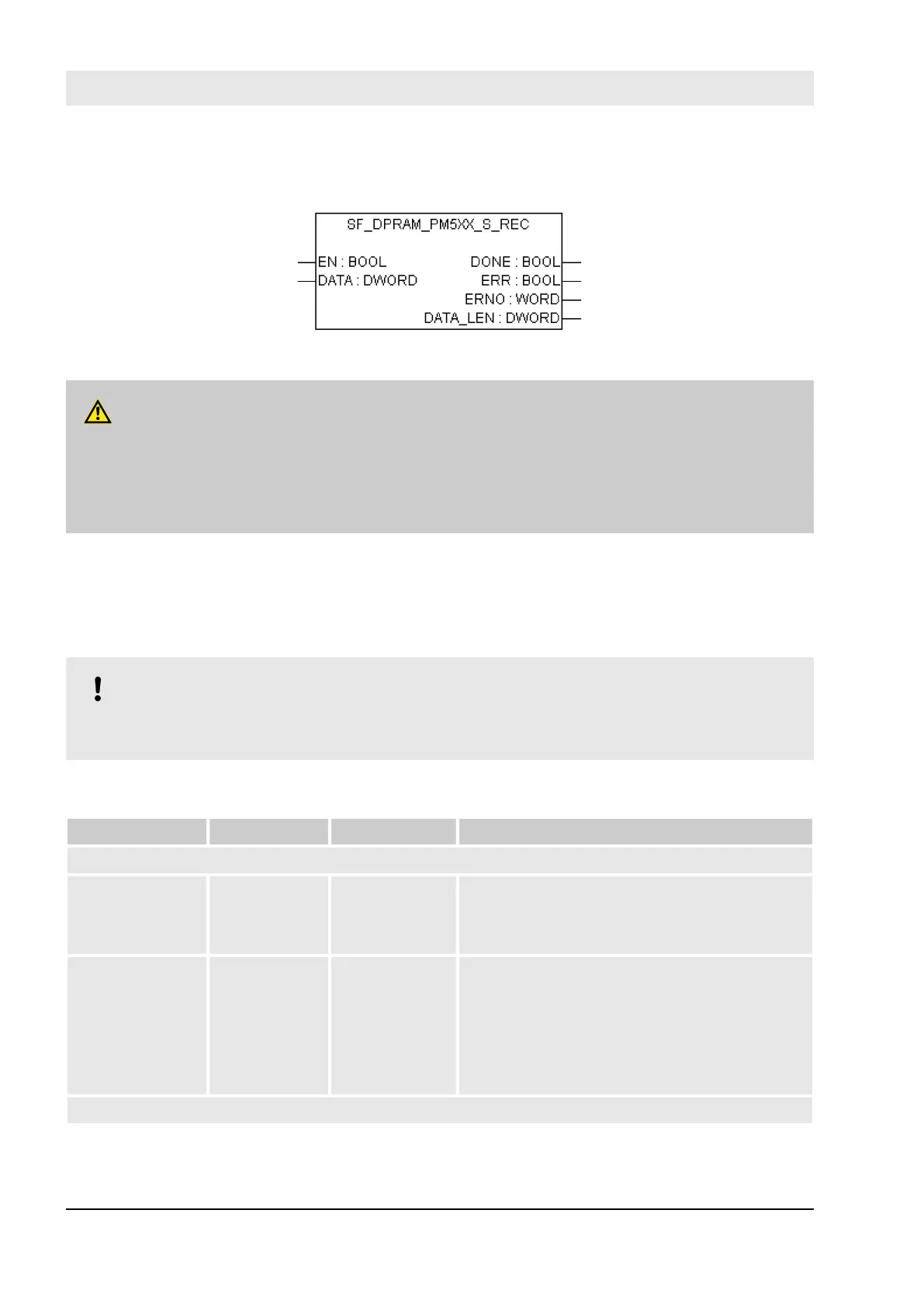
4.6.4.13 SF_DPRAM_PM5XX_S_REC
Reading the data from PM5xx Non-safety CPU to safety application on SM560-S Safety CPU
DANGER!
It is of no concern to transfer data values from Safety CPU to Non-safety CPU (e.g., for diagnosis and
later visualization on the operator panels), but it is not recommended to transfer data values from Non-
safety CPU to Safety CPU. In the latter case, end-users have to define additional process-specific vali-
dation procedures in the safety program to check the correctness of the transferred non-safety data, if
they would like to use those non-safety values for safety functions.
The SF_DPRAM_PM5XX_S_REC function block is used to receive data from the non-safety CPU PM5xx.
These data are stored in the planned memory area (DATA, memory address for received data, provided via
ADR operator). The function block is enabled by a TRUE signal at input EN. It remains active until input EN
is set to FALSE. Output DATA_LEN displays the length of the received data in bytes. DONE = TRUE and
ERR = FALSE indicate successful reception. If an error was detected during function block processing, the
error is indicated at the outputs ERR and ERNO.
NOTICE!
Reception using the SF_DPRAM_SM5XX_S_REC function block is not edge-triggered. Therefore,
input EN has to be continuously set to TRUE during data reception.
Table 27: FB Name: SF_DPRAM_PM5XX_S_REC function
Name Data Type Initial Value Description, Parameter Values
VAR_INPUT
EN BOOL FALSE Processing of this function block is controlled by
input EN. The function block is active if EN =
TRUE. The reception of data is indicated by
output DONE.
DATA DWORD 16#00000000 Input DATA is used to specify the address of the
variable the user data are to be copied to. The
address specified at DATA has to belong to a vari-
able of the type ARRAY or STRUCT.
Set the variable size to the maximum expected
amount of data in order to avoid overlapping of
memory areas.
VAR_OUTPUT
Configuration and programming
AC500-S Libraries > SafetyExt_AC500_V22.lib
30.03.2017AC500-S256


 To Next Page