136 Real-time clock and timed functions
ACH550-01 User's Manual
5. Go to parameters 3614…3617 and set the start time to
8 PM and stop time to 10 PM. Then set the start and stop
days to Saturday and Sunday. Now time period 4 is set.
6. Create the timer by going to parameter 3626
TIMER 1 SRC
and select all the created time periods (P1+P2+P3+P4).
7. Go to Group 12: CONSTANT SPEEDS and select timer 1 in
parameter 1201
CONSTANT SPEED. Now timer 1 acts as the
source of constant speed selection.
8. Set the drive to the AUTO mode for the timer to function.
Note: For more information about the Timed functions, see
Group 36: TIMED FUNCTIONS on page 265.
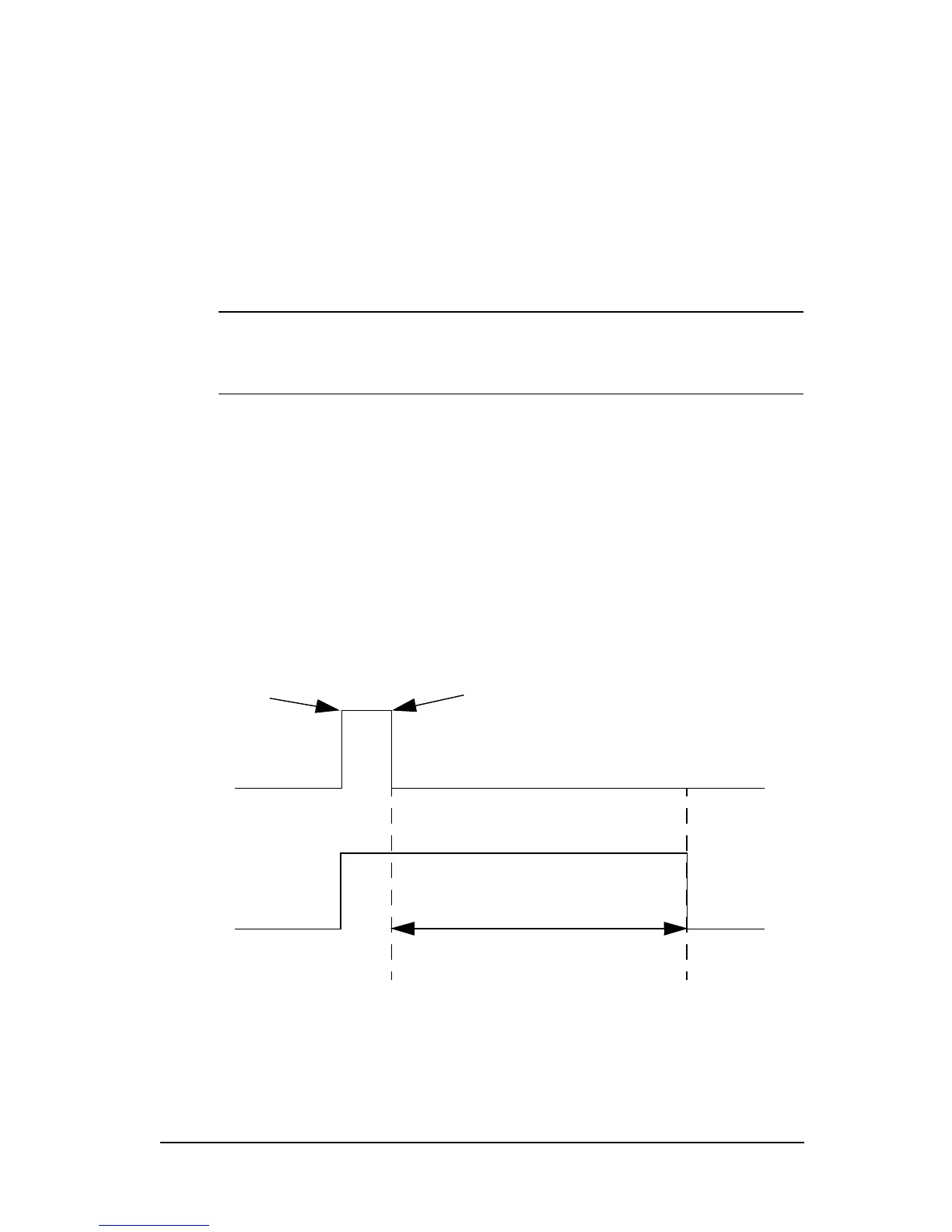
Boost
The boost function operates the drive for a certain
predetermined time. The time is defined with parameters and
activated with a selected digital input. The boost time starts
running after the digital input has been activated momentarily.
Boost must be connected to the timers and selected when a
timer is created. Boost is typically used for amplified air
ventilation.


 To Next Page