15
8
300.3
A3.hP
•1
t-StOP
123456
rSt-n
t-GO
SEC.tOt
•3
•3
•4
34.6
A3 HYS
•2
3 SET UP MODE…
…3.2 Setup Level (Level 2)
•1 Not displayed if the alarm is disabled (None selected) – see section 4.3.2
•2 Only displayed if custom alarm hysteresis is selected – see section 4.3.2
•3 Only displayed if enabled in the Configuration Level – see section 4.3.3
•4 A digital input can also be used to reset the batch total.
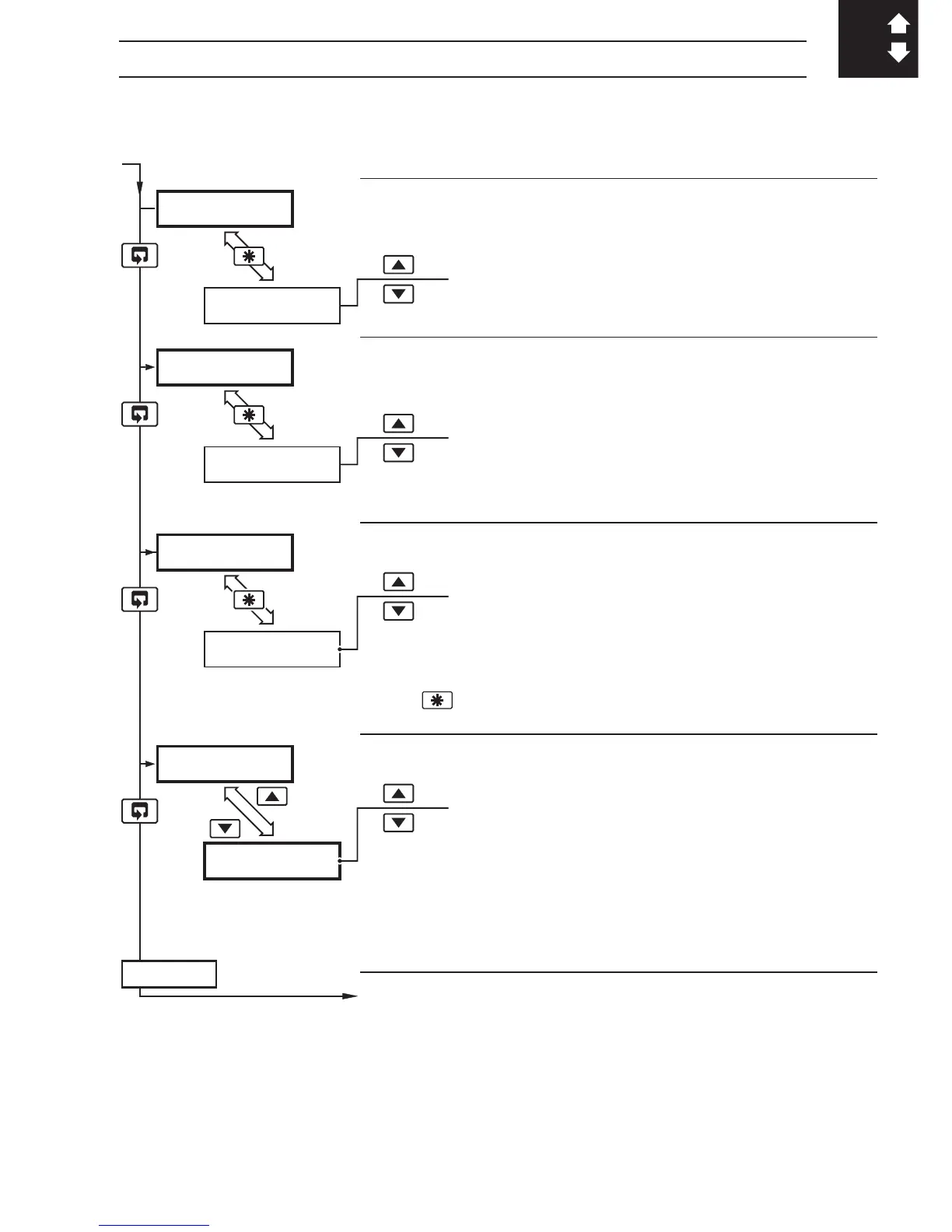
Alarm 3 Trip Point
Alarm type
[In engineering units]
Alarm 3 Hysteresis Value
[In engineering units]
Totalizer Value
rSt-Y – reset
rSt-n – do not reset
To reset the maximum value, select
rSt-Y then press
the
key.
Totalizer Stop/Go
t-GO – start totalizer
t-StOP – stop totalizer
Setting to
t-GO starts the totalizer counting towards
the predetermined value. Setting to
t-StOP holds the
totalizer at its present value.
Continued on next page



 To Next Page