6.3.10 Connect the optical fiber cables (Ethernet to fiber)
Preliminary requirements
• Optical fiber cable. Refer to
section 12.13.11.
•
• The maximum length of the optical fiber cable is 150 meters.
• For the wiring diagram, refer to section 12.12.
• For the specific connections, refer to the installation brief, the installation
drawing and the installation manuals of the devices installed in the system you
ordered.
Procedure
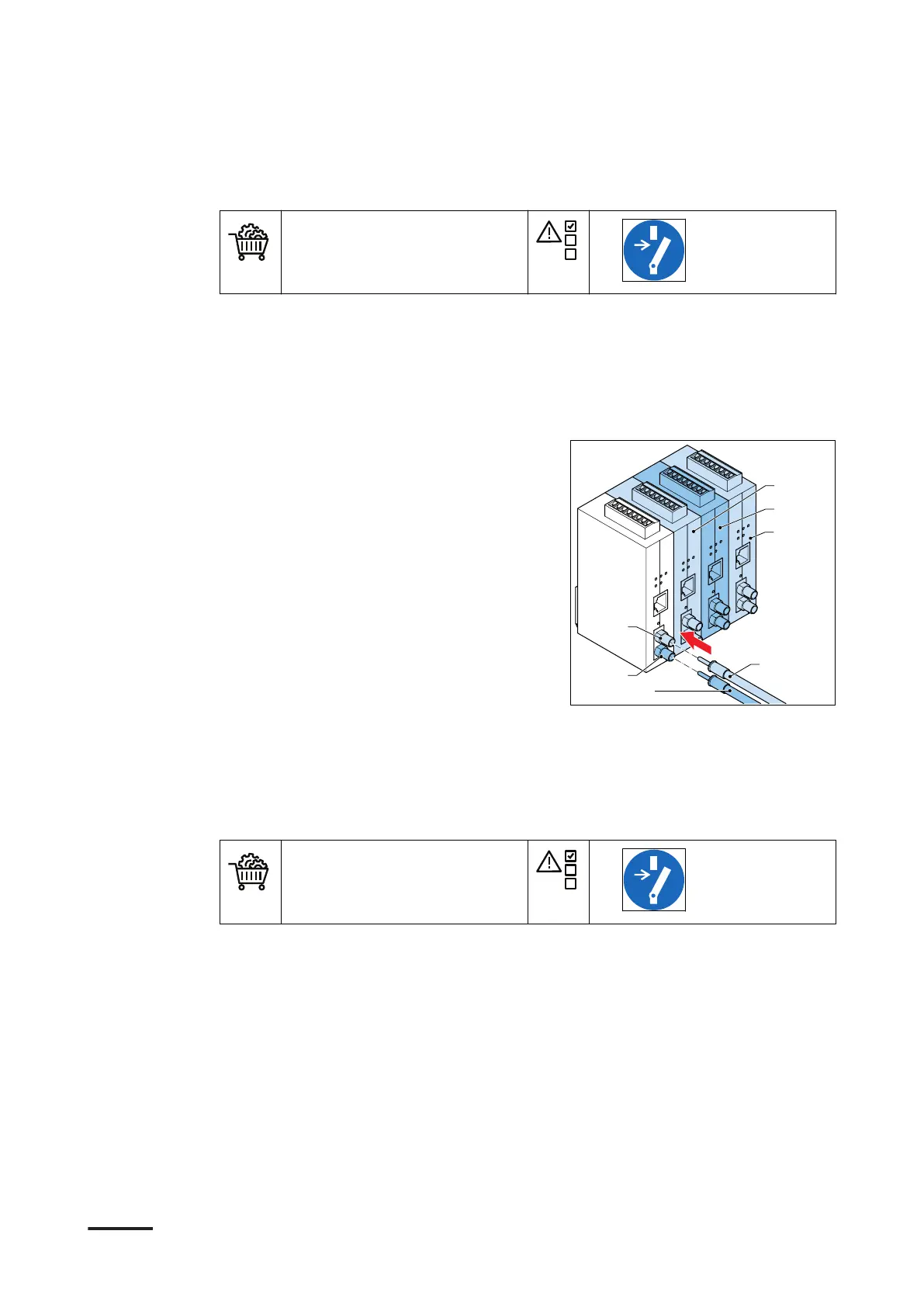
1. Guide the cables to the terminals.
2. Connect these optical fiber cables for
outlet 1:
• Output cable (A) to the output
terminal D6 (B)
• Input cable (C) to the input
terminal D6 (D)
3. Repeat step 2 for the other outlets to
these terminals:
• For outlet 2: connect the cables to
D7 (E)
• For outlet 3: connect the cables to
D8 (F)
• For outlet 4: connect the cables to D9 (G)
6.3.11 Connect the optical fiber cables (CAN to fiber)
Preliminary requirements
• Optical fiber cables. Refer
to section 12.13.11.
•
• The maximum length of the optical fiber cable is 150 meters.
• For the wiring diagram, refer to section 12.12.
• For the specific connections, refer to the installation brief, the installation
drawing and the installation manuals of the devices installed in the system you
ordered.
Installation
52 HVC 200/300/360-EN | 002



 To Next Page