Procedure
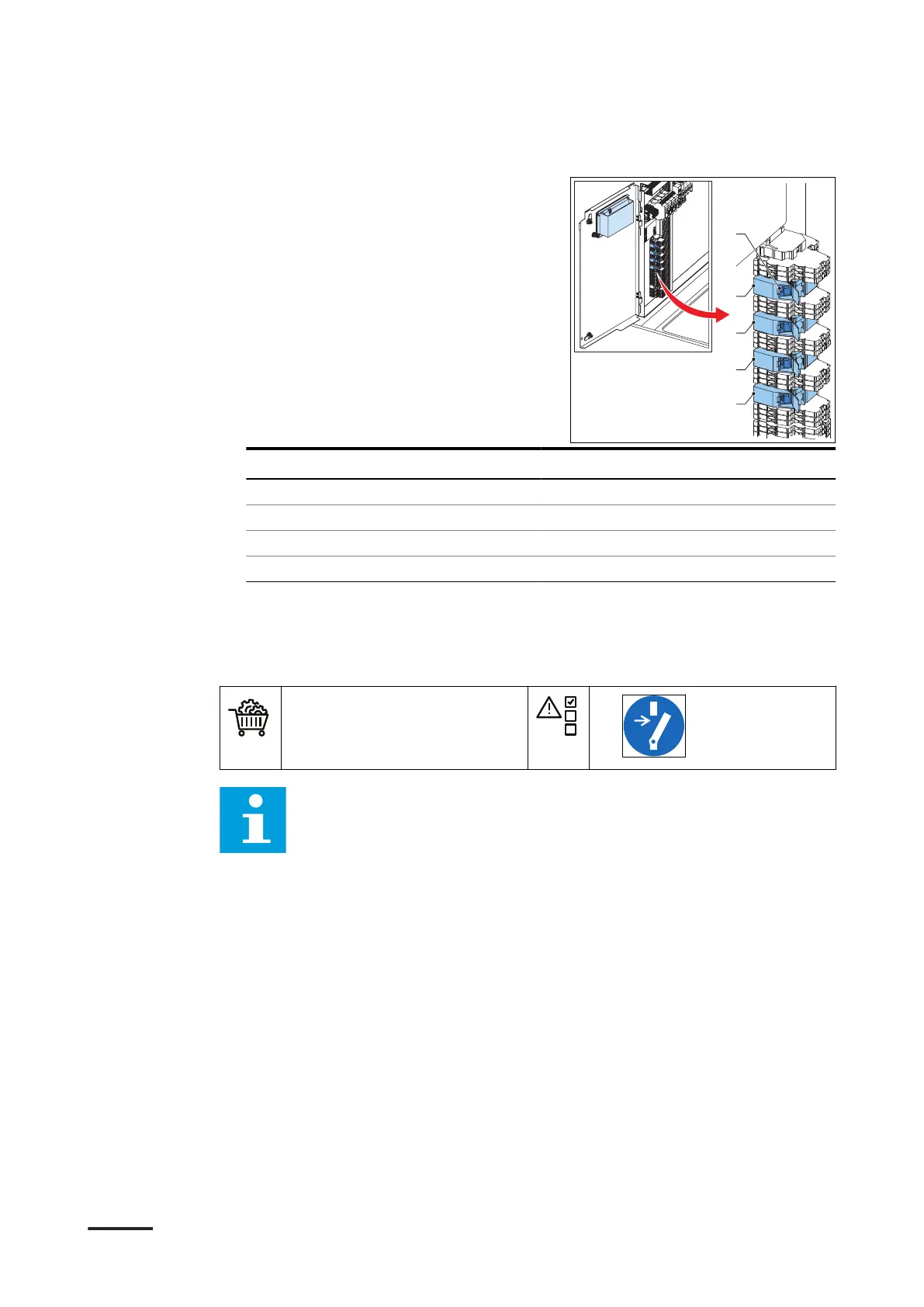
1. Put the cable in the socket (A) of
the connector (B, C, D or E). Look at
the table that follows, to see which
connector belongs to which outlet.
Outlet number of the power cabinet Connector
Outlet 1 B (-X84 (-X4:8))
Outlet 2 C (-X85 (-X5:8))
Outlet 3 D (-X86 (-X6:8))
Outlet 4 E (-X87 (-X7:8))
6.3.15 Connect the EMO cable to the power cabinet (optional)
Preliminary requirements
• EMO cable.
•
Note:
• The illustration shows the terminal block X9 on the power cabinet and
the connections treated in this section.
• Typically, an EMO has two internal switches that are connected to
four terminals on the connection block.
Installation
HVC 200/300/360-EN | 002 55



 To Next Page