Procedure
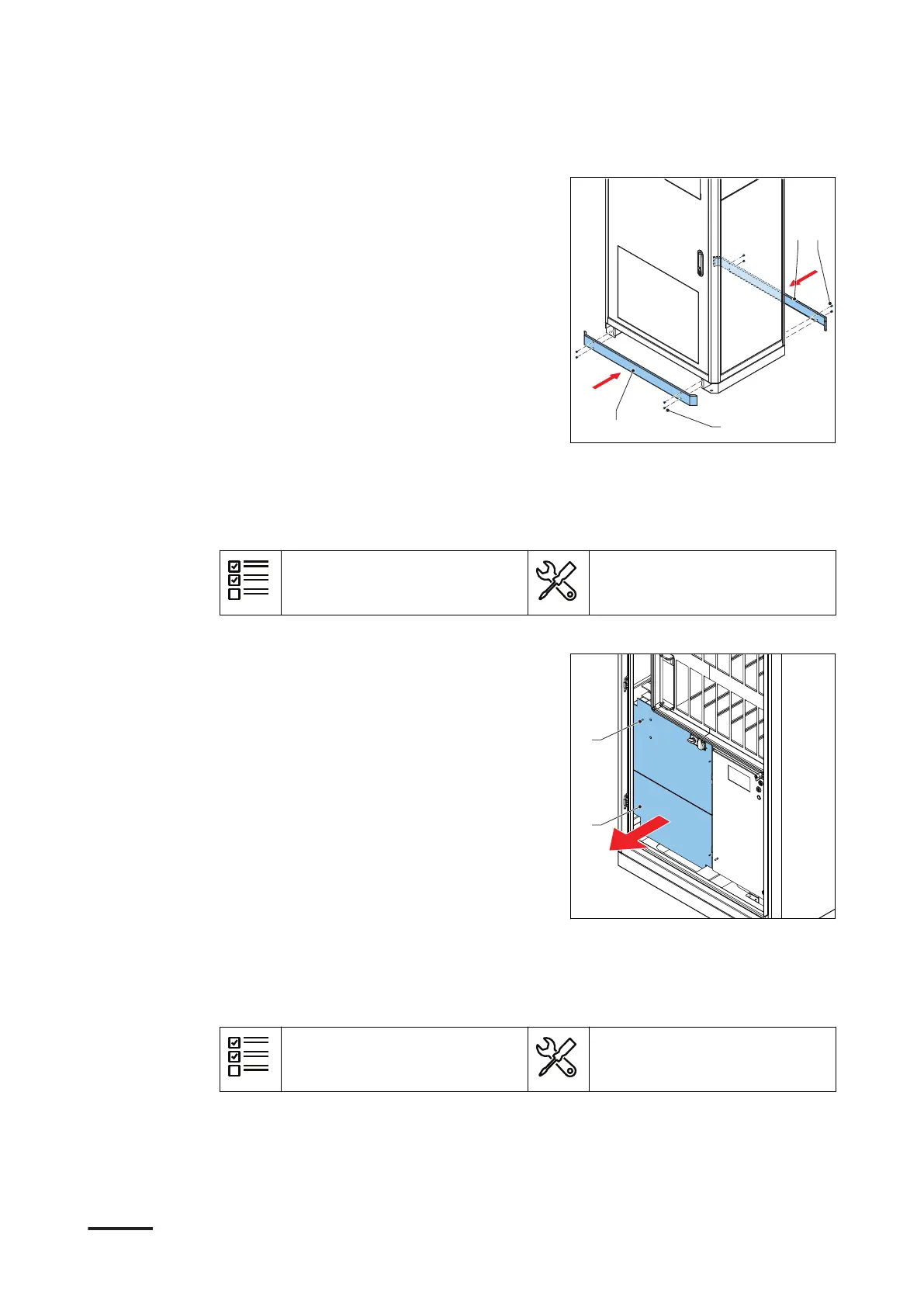
1. Install the front border cover (A):
a. Align the cover bolts with the holes
in the bottom part of the cabinet.
b. Install the nuts and wahers (C).
c. Tighten the nuts.
2. Install the rear cover (B):
a. Install the cover.
b. Install the bolts (D).
c. Tighten the bolts.
10.5 Remove the AC cover
Preliminary requirements
• The main switch is set to
OFF.
• Screwdriver
Procedure
1. Loosen the fasteners and remove the
lower lexan cover (A).
2. Loosen the fasteners and remove the
upper lexan cover (B).
10.6 Install the AC cover
Preliminary requirements
• The main switch is set to
OFF.
• Screwdriver
Access to parts
70 HVC 200/300/360-EN | 002



 To Next Page