Procedure
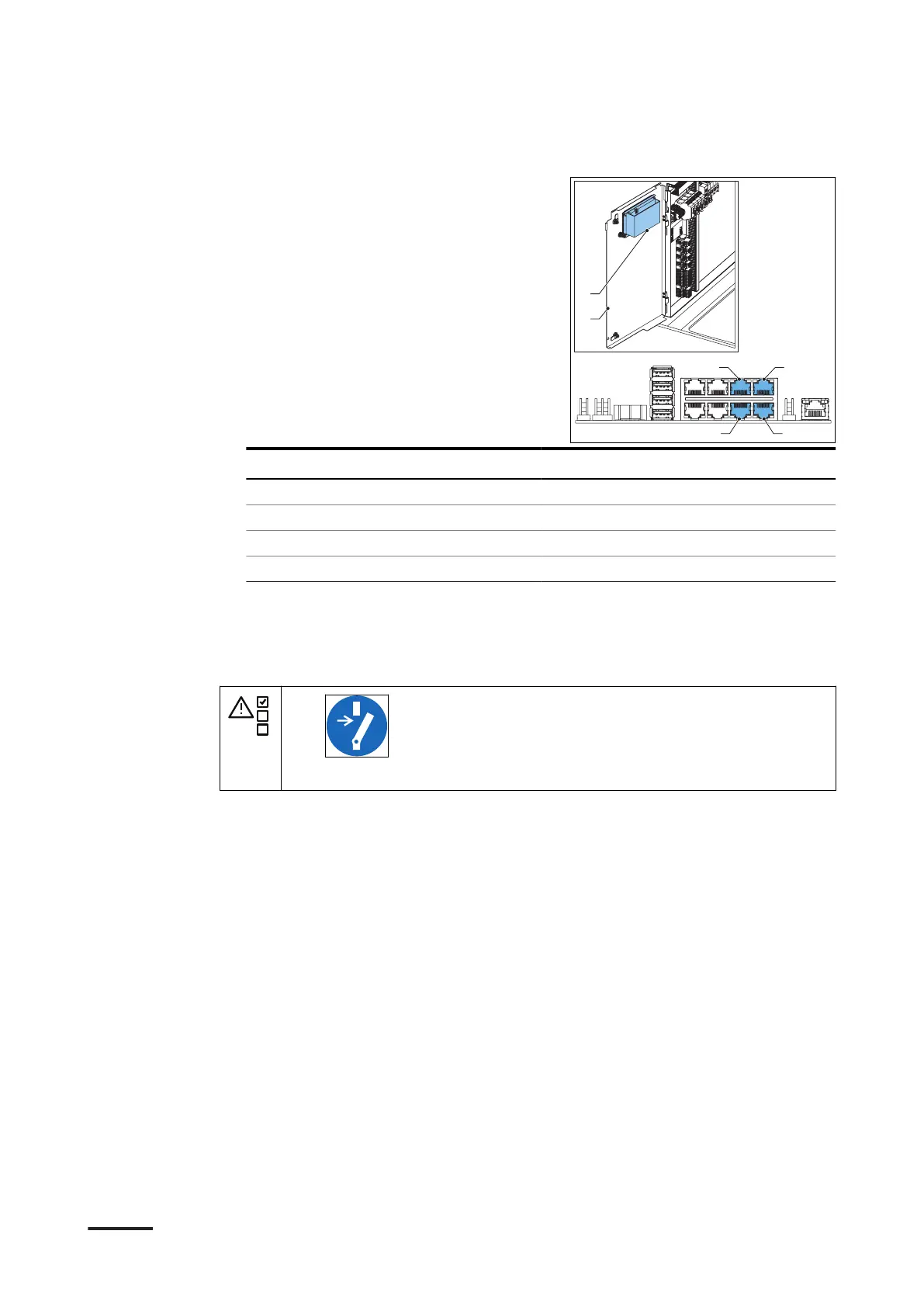
1. Remove the cable from the socket of
the board (A) that is attached to the
DC door (B). Look at the table that
follows, to see which socket belongs
to which outlet.
Outlet number of the power cabinet Socket
Outlet 1 C (CB 4B)
Outlet 2 D (CB 4A)
Outlet 3 E (CB 3B)
Outlet 4 F (CB 3A)
6.3.14 Connect the ethernet cable to the connector
Preliminary requirements
•
• Only do this procedure if another procedure refers to it.
Installation
54 HVC 200/300/360-EN | 002



 To Next Page